SaaSFrame
Neon Organization Settings
 NeonServerless Postgres for apps and agents
About this screen
One card per setting group
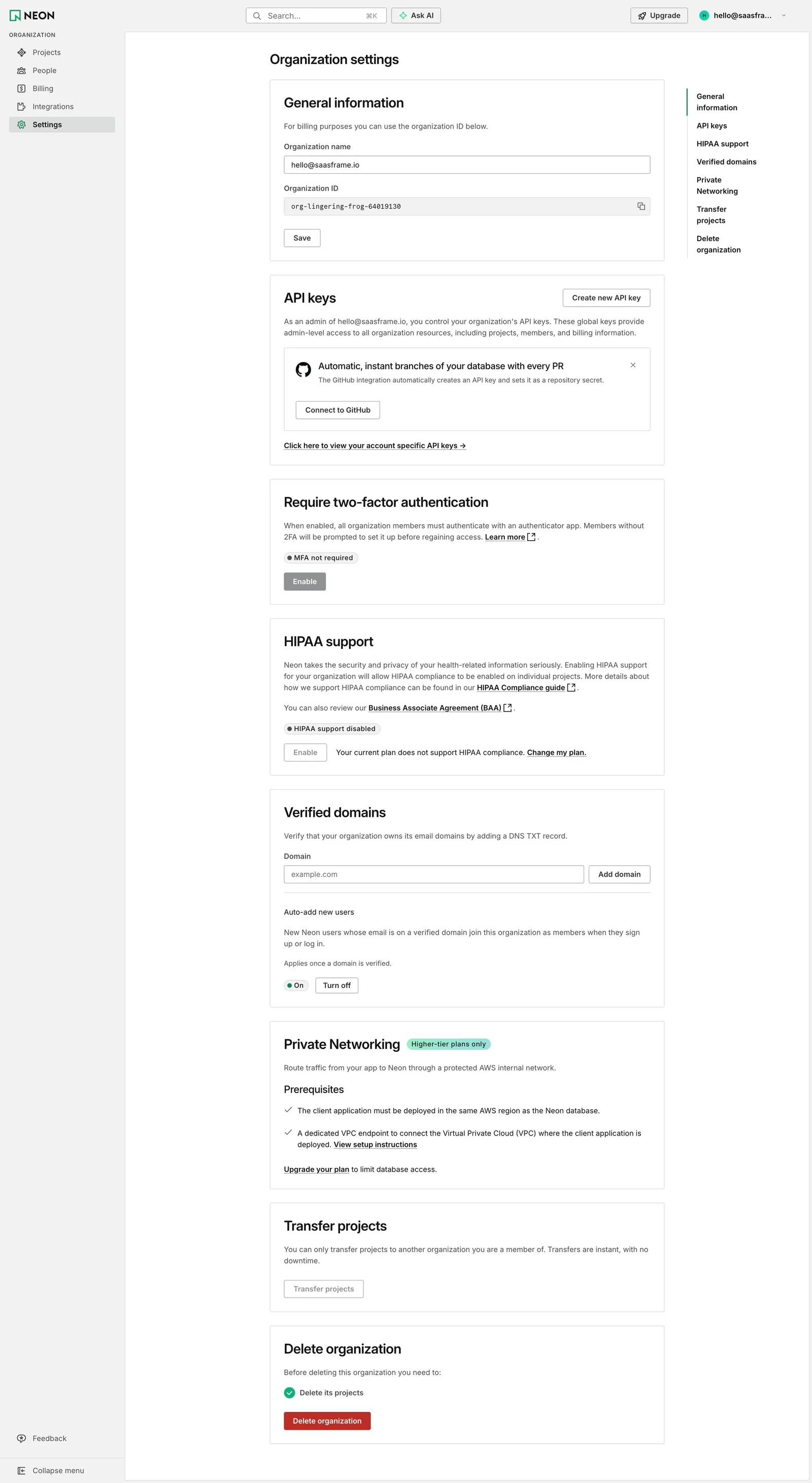
Neon's Organization settings stack white cards: General information (organization name, read-only organization ID with copy, Save), API keys with "Create new API key" and a dismissible GitHub prompt, Require two-factor authentication, HIPAA support, Verified domains and Private Networking.
Status pills before actions
Each security setting shows its state first, "MFA not required" or "HIPAA support disabled", then a single button. When the plan does not allow it, the button is greyed and the sentence says "Your current plan does not support HIPAA compliance. Change my plan."
Plan limits shown in place
Private Networking carries a mint "Higher-tier plans only" tag and lists its prerequisites with checks; Verified domains adds an "Auto-add new users" option with an On status. A right-hand list jumps to every section down to Transfer projects and Delete organization.