SaaSFrame

About this screen
A form beside a globe
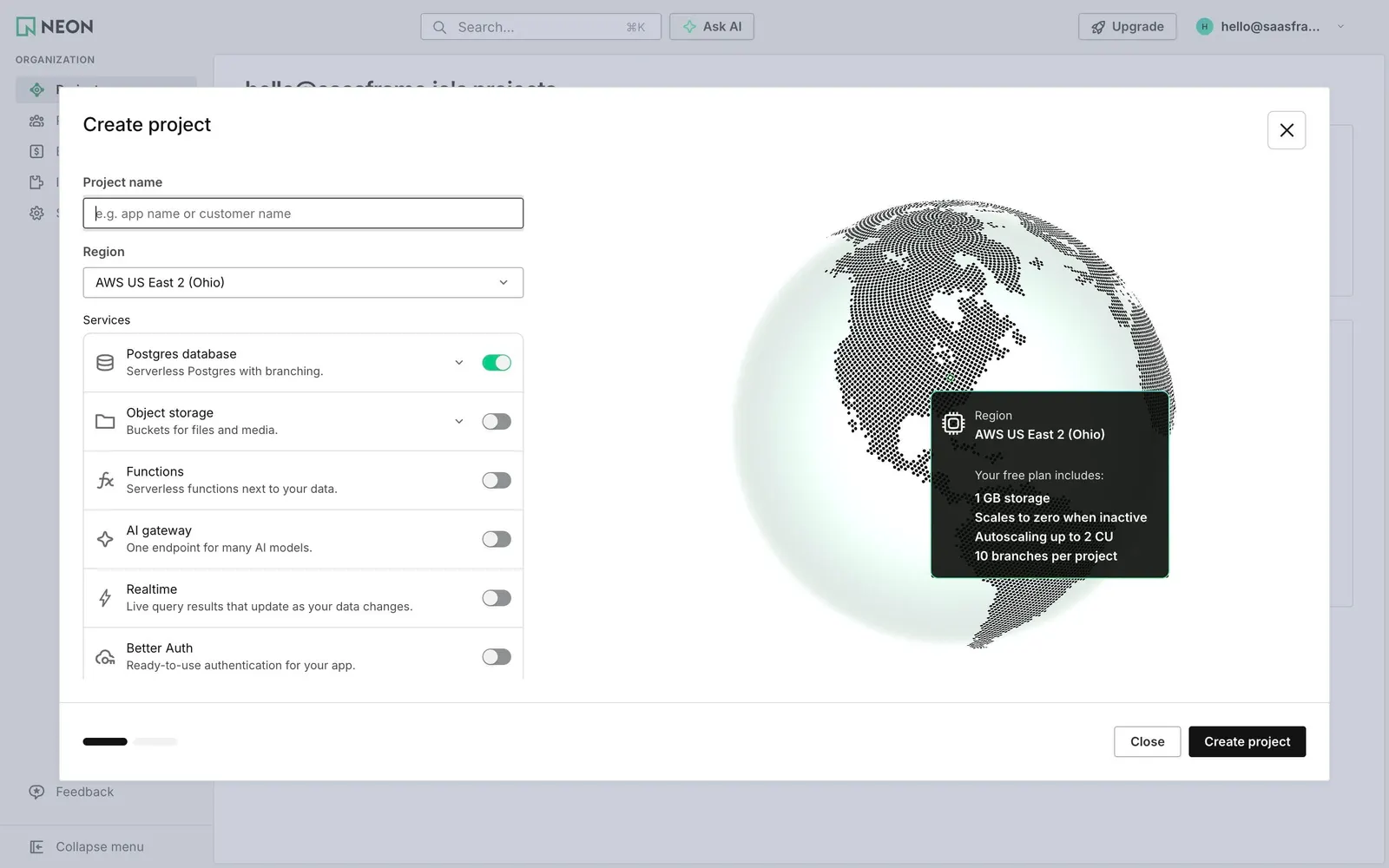
Neon's "Create project" modal splits in two: on the left a form with "Project name" (placeholder "e.g. app name or customer name") and "Region" preset to AWS US East 2 (Ohio); on the right a dotted 3D globe centered on the Americas.
Services as toggles
Under "Services", bordered rows let you add Postgres database ("Serverless Postgres with branching.", already on), Object storage, Functions, AI gateway, Realtime and Better Auth, each with an outline icon, a one-line description and a toggle.
The plan inside the map
A dark card pinned on the globe repeats the region and lists what the free plan includes: 1 GB storage, scales to zero when inactive, autoscaling up to 2 CU and 10 branches per project. The footer shows two progress bars, "Close" and a black "Create project".