SaaSFrame

About this screen
One string to copy
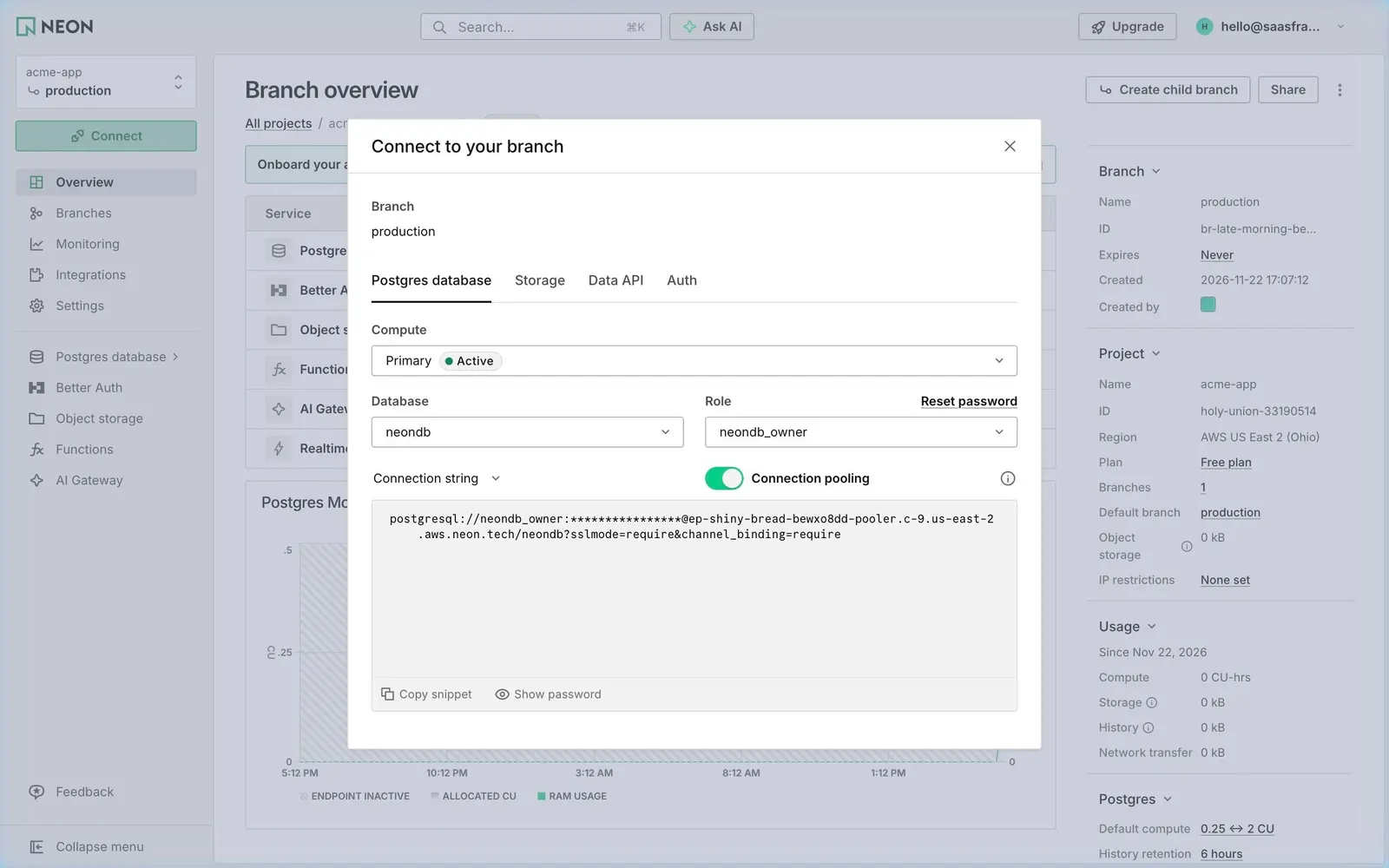
Neon's "Connect to your branch" modal opens over the Branch overview and builds a connection string. Tabs switch between Postgres database, Storage, Data API and Auth for the production branch.
Choices that shape the URL
A "Compute" select shows Primary with an Active pill; "Database" (neondb) and "Role" (neondb_owner) sit side by side, with a "Reset password" link. A "Connection string" format menu and a "Connection pooling" toggle, switched on, sit above the result.
Masked until asked
A tall grey code panel shows the postgresql:// URL pointing to the pooler host, with the password replaced by asterisks. "Copy snippet" and "Show password" sit in the panel's footer, so the secret is hidden by default.