SaaSFrame
Neon Backup & Restore
 NeonServerless Postgres for apps and agents
About this screen
Point-in-time restore first
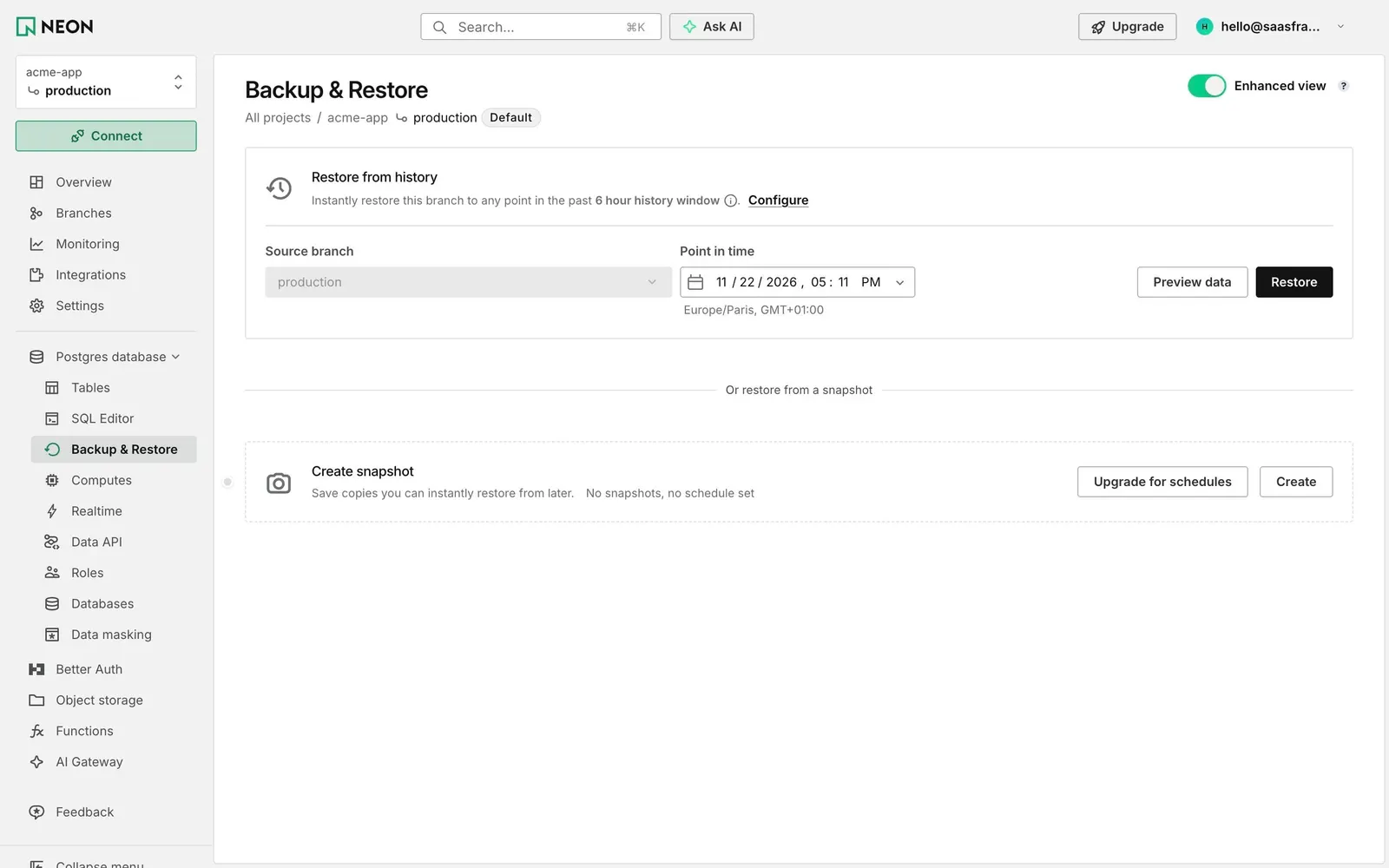
Neon's Backup & Restore page leads with "Restore from history": "Instantly restore this branch to any point in the past 6 hour history window" with a "Configure" link. A form row combines the source branch (production, locked), a "Point in time" date and time field with the Europe/Paris timezone below, "Preview data" and a black "Restore".
Snapshots as the second option
A centered divider reads "Or restore from a snapshot", then a dashed card offers "Create snapshot", "Save copies you can instantly restore from later." and the state "No snapshots, no schedule set", with "Upgrade for schedules" and "Create".
A view switch for power users
An "Enhanced view" toggle, switched on, sits at the top right next to a help icon. The project rail highlights Backup & Restore under Postgres database.