SaaSFrame
Part of Browse Agent Templates
Langdock Agent Template Details
 LangdockCompany-wide AI chat, agents and workflows
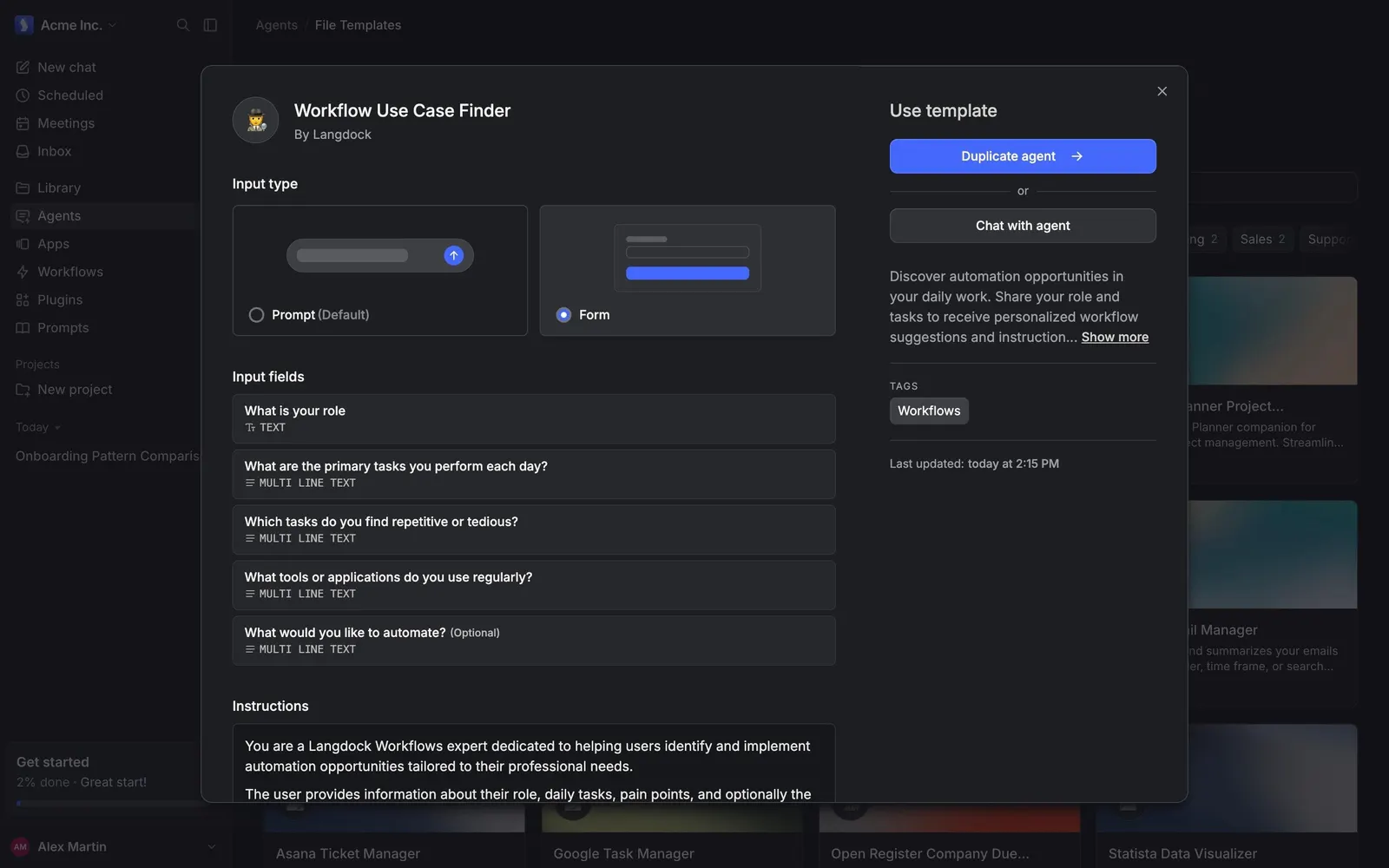
About this screen
A template opened as a spec sheet
Clicking a template in Langdock opens a wide modal over the gallery. For "Workflow Use Case Finder", the left side shows the "Input type" as two selectable cards, "Prompt (Default)" and "Form", each with a small drawing of that input style, followed by the template's "Input fields" and its "Instructions".
Fields described like a form schema
Each input field is a row with its question, "What is your role" or "Which tasks do you find repetitive or tedious?", and a mono type tag such as "TEXT" or "MULTI LINE TEXT", with "(Optional)" where it applies.
Two ways to use it
The right column, "Use template", offers a blue "Duplicate agent" button or a plain "Chat with agent", then a short description with "Show more", a "Workflows" tag and the last update time.