About this section

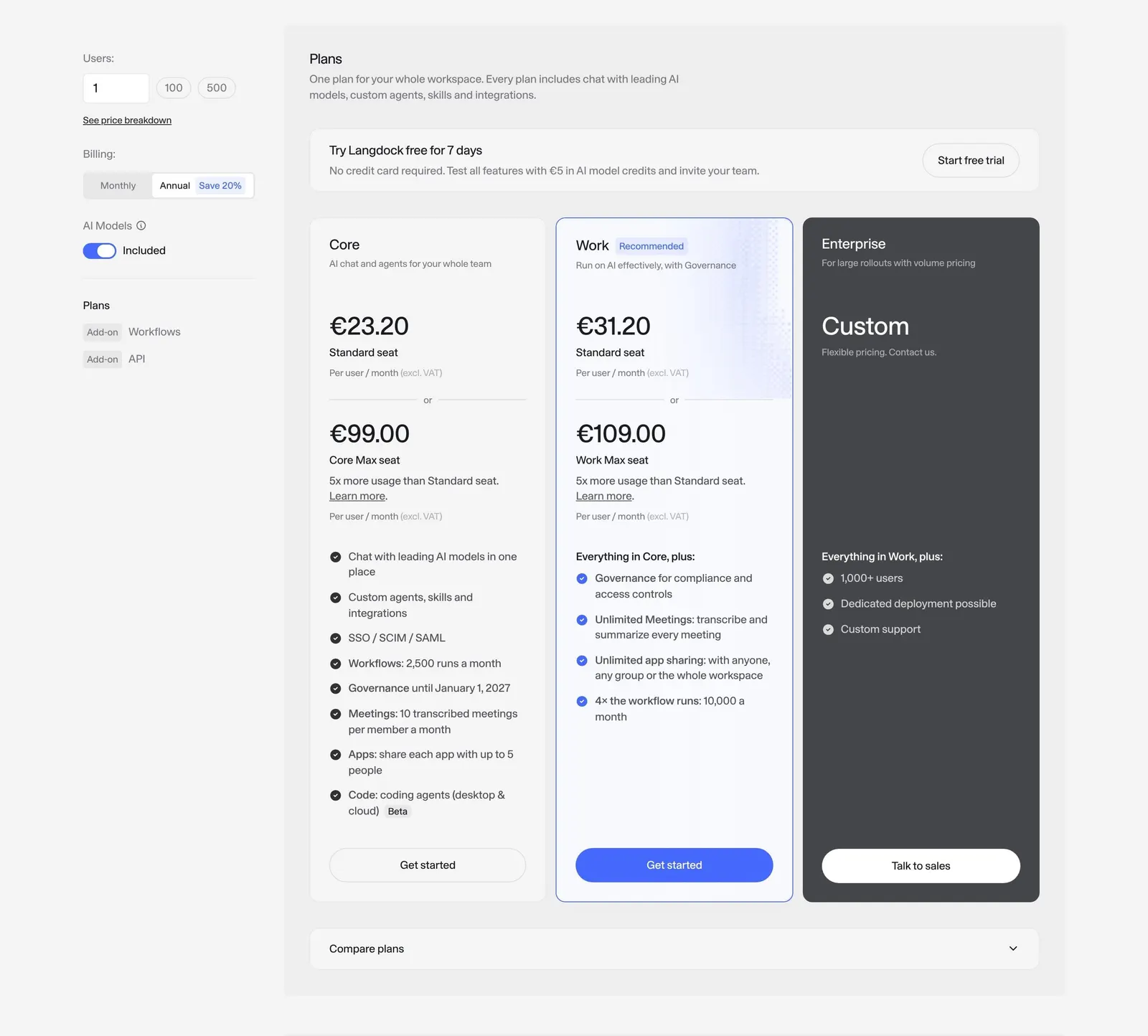
Langdock's plans sit inside a gray panel with a settings column on the left (users, billing period with "Save 20%", AI models switch) and three cards on the right. Core and Work show per-user prices and check lists, Work is outlined in blue as recommended, and Enterprise is a dark card with custom pricing and "Talk to sales".

Other sections of this page 2

Full page

Similar Pricing sections 131

All Pricing
SaaSFrame Pro

Unlock 128 more Pricing sections

Free accounts see three sections per page. Pro unlocks every section, screen and flow, plus Copy in Figma.

More Langdock sections 22

All Langdock
SaaSFrame Pro

Unlock 19 more Langdock sections

Free accounts see three sections per page. Pro unlocks every section, screen and flow, plus Copy in Figma.