SaaSFrame

About this screen
Describe the workflow first
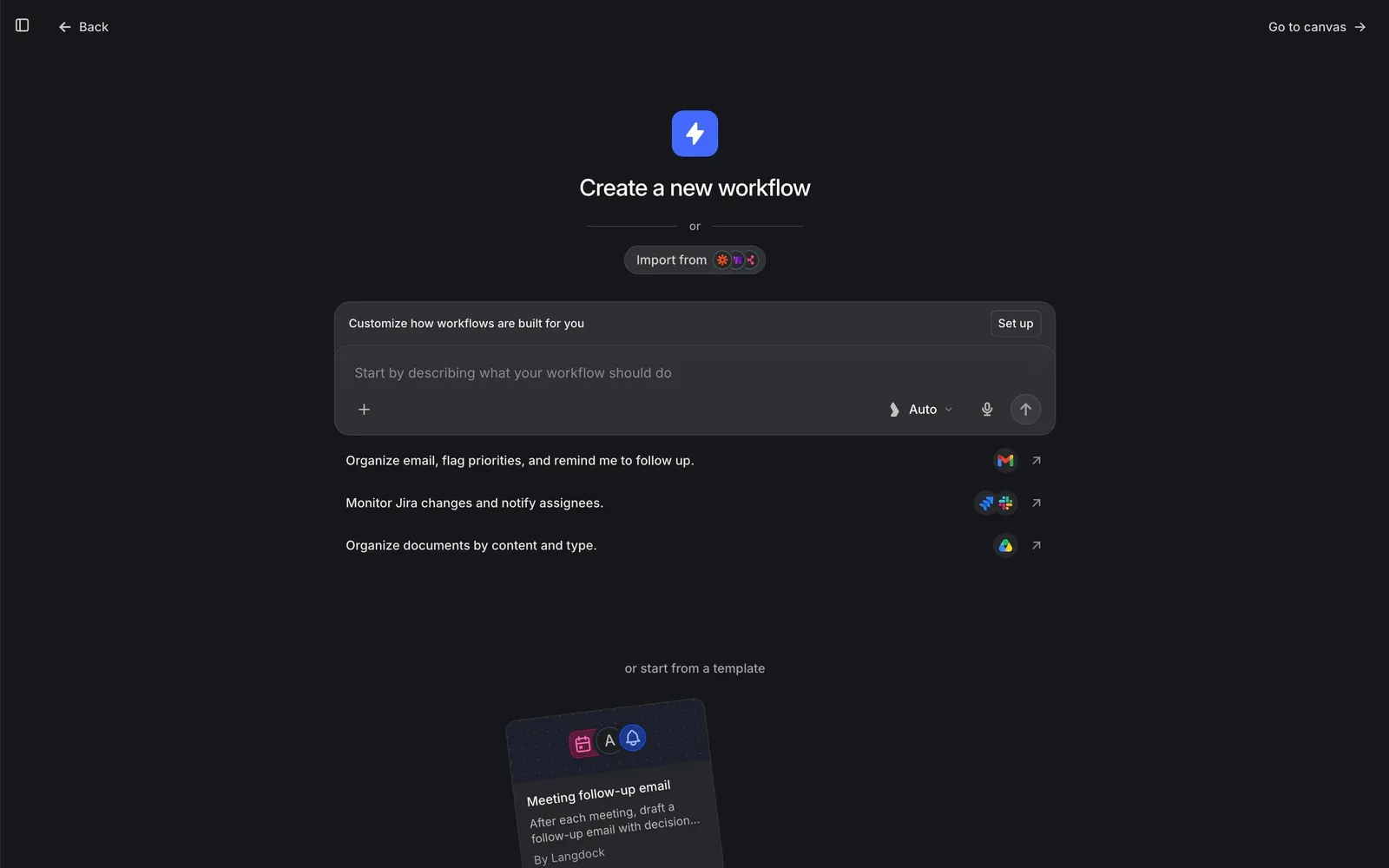
Langdock's "Create a new workflow" screen starts with a prompt instead of a blank canvas: a lightning icon, the title, an "Import from" pill with tool logos, and a composer reading "Start by describing what your workflow should do", with a model switch, microphone and send button.
Examples with the apps they need
Three example requests sit under the input, such as "Organize email, flag priorities, and remind me to follow up." and "Monitor Jira changes and notify assignees.", each ending with the logos of the apps involved and an arrow.
Templates and canvas as fallbacks
Further down, "or start from a template" introduces a card for "Meeting follow-up email". A "Customize how workflows are built for you" bar with "Set up" sits above the input, and "Go to canvas" in the top-right corner skips straight to the editor.