SaaSFrame

About this screen
Step 1 of 3: the organization
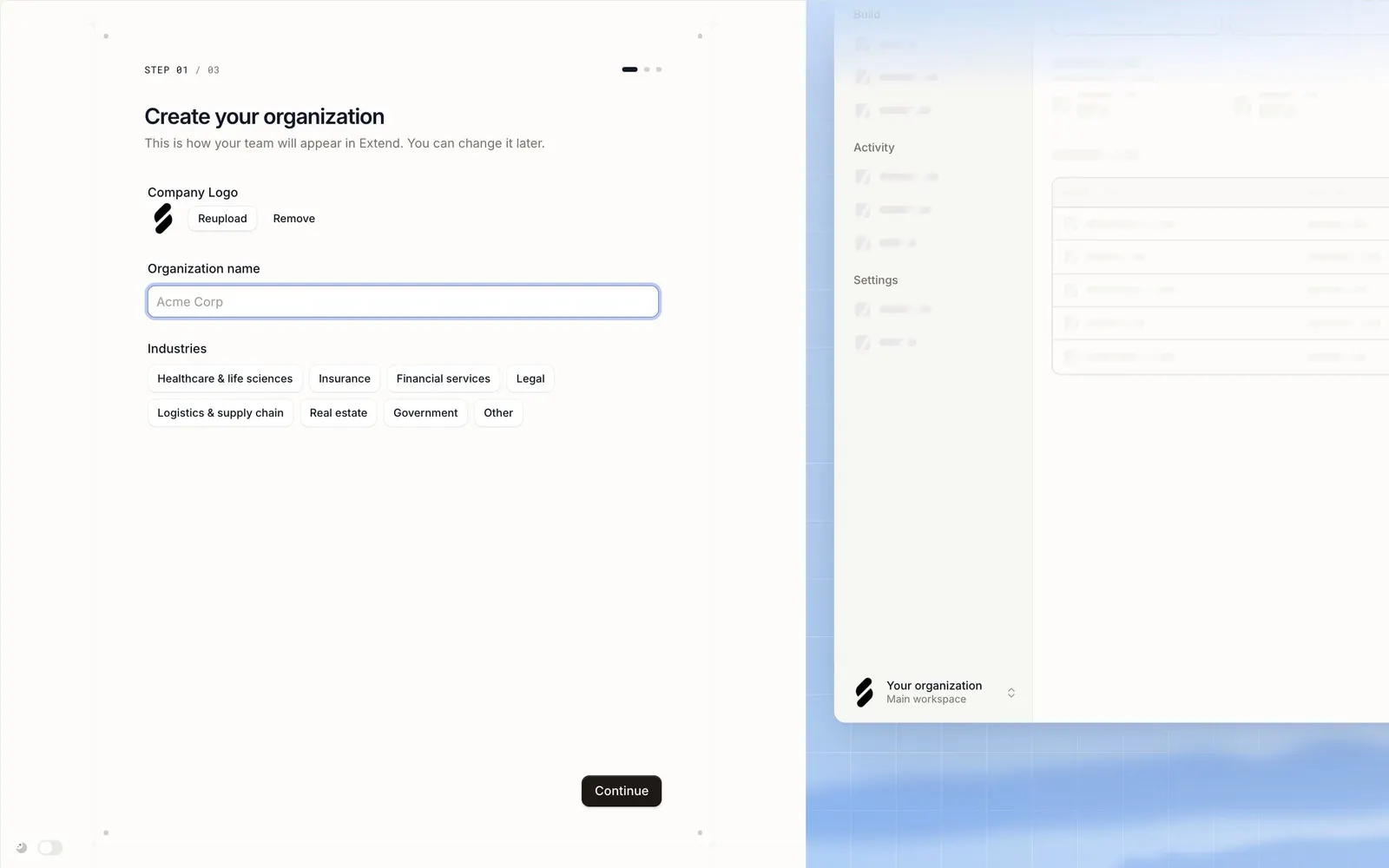
Extend's onboarding starts with "Create your organization - This is how your team will appear in Extend. You can change it later." A mono "STEP 01 / 03" counter and three small dashes at the top show progress.
Logo, name and industry chips
The form asks for a Company Logo (with Reupload and Remove), an Organization name with the placeholder "Acme Corp", and Industries as chips: Healthcare & life sciences, Insurance, Financial services, Legal, Logistics & supply chain, Real estate, Government, Other.
A preview that fills in
The right half shows a skeleton of the dashboard on a sky-blue gradient, with "Your organization - Main workspace" in the corner, ready to take the name being typed.