SaaSFrame
Clerk SSO Connections
 ClerkAuthentication and user management for apps
About this screen
SSO connections list
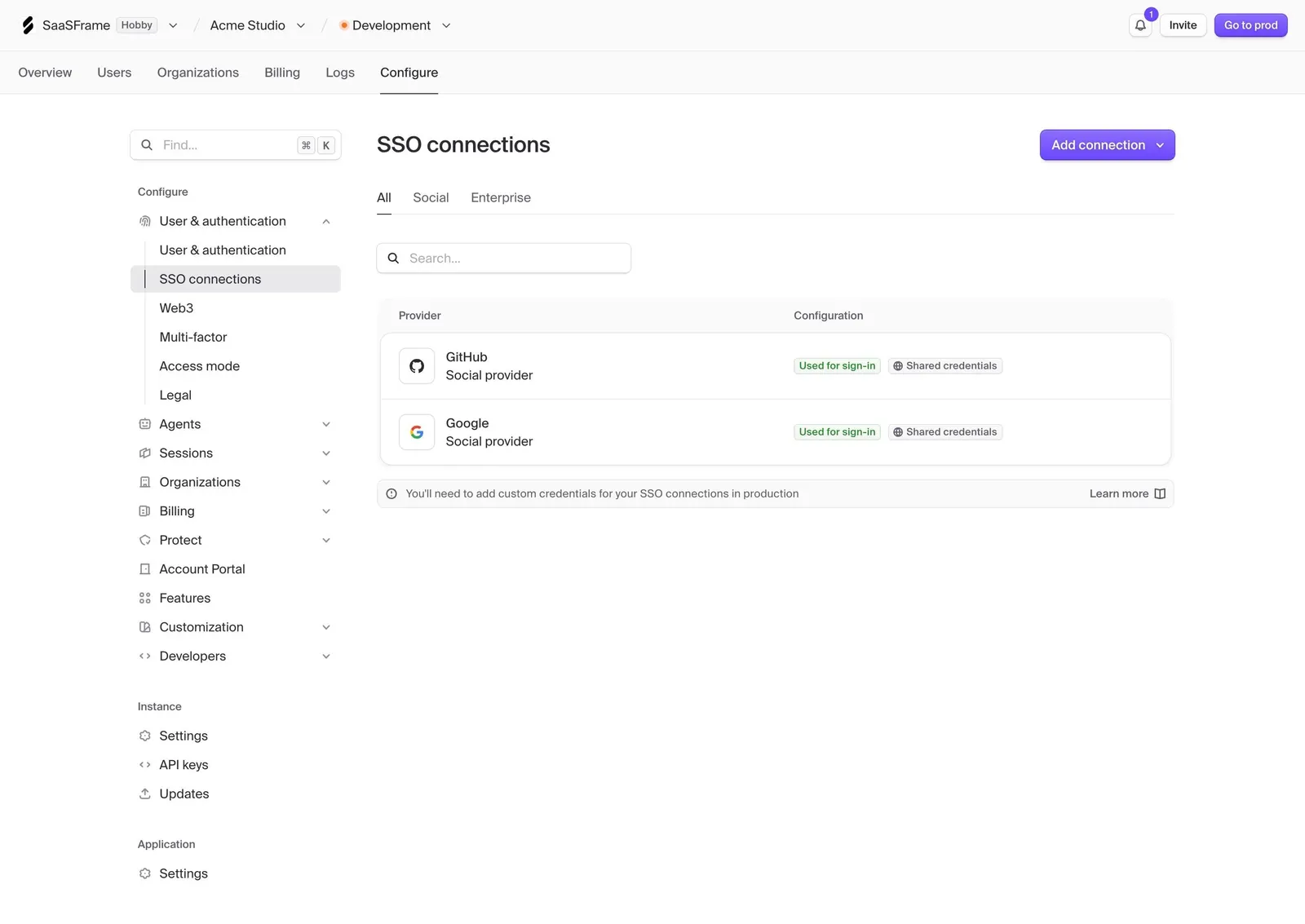
"SSO connections" in Clerk's Configure area shows tabs All, Social and Enterprise, a search field and a table of providers with Provider and Configuration columns. GitHub and Google appear as social providers, each with its logo, the label "Social provider" and two badges: a green "Used for sign-in" and a gray "Shared credentials".
Add connection
A violet "Add connection" split button with a dropdown sits at the top right of the page, letting you add another social provider or an enterprise SAML/OIDC connection.
Development note
A small info line under the table reminds that the shared development credentials must be replaced with your own OAuth credentials before going to production, with a "Learn more" link.