Calendly Automations
 CalendlyScheduling links for meetings
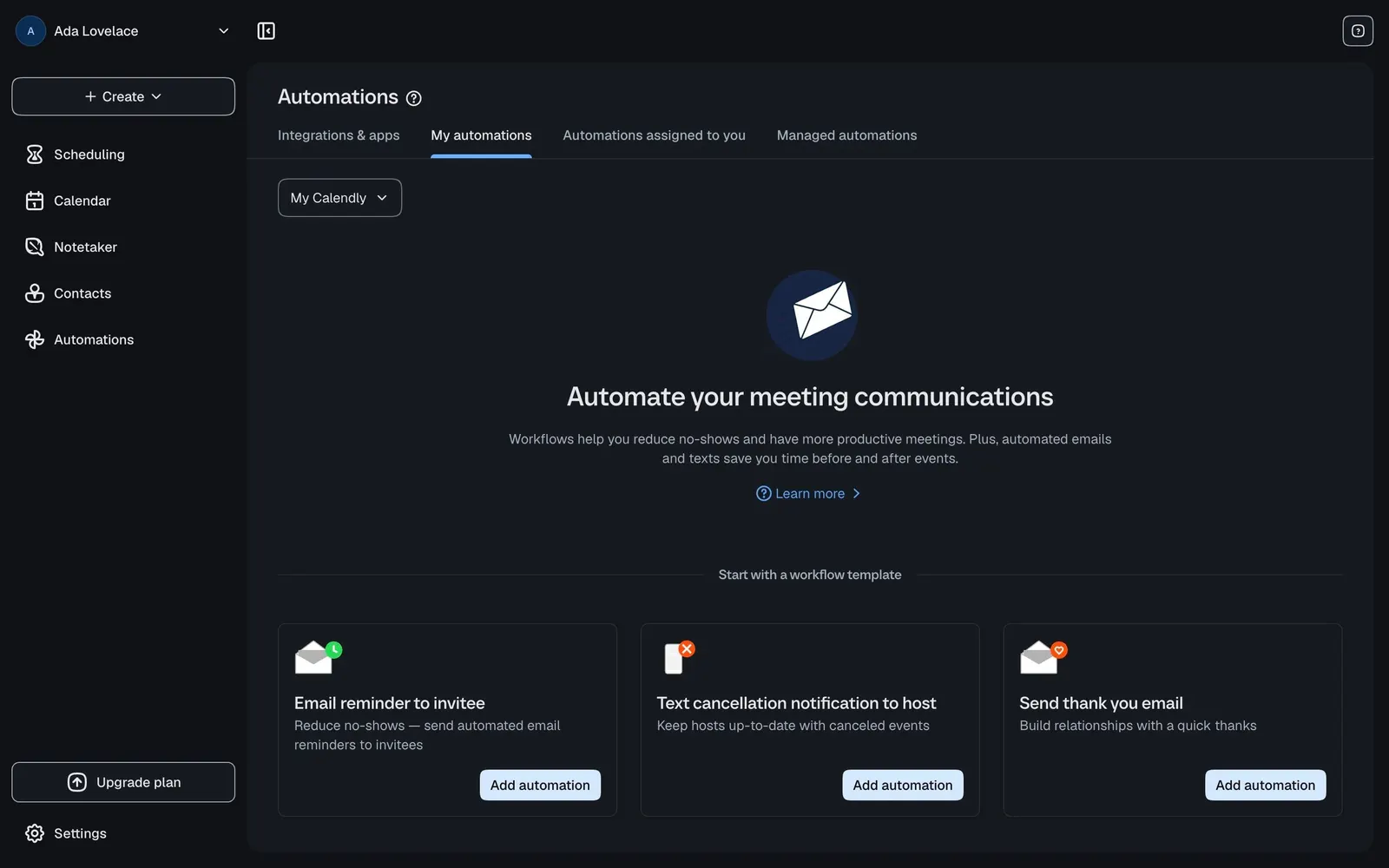
About this screen
An empty state that offers templates
"Automate your meeting communications" explains workflows (fewer no-shows, automated emails and texts) under an envelope illustration.
Three ready-made automations
"Email reminder to invitee", "Text cancellation notification to host" and "Send thank you email" each have a one-line description and an "Add automation" button.
Scope tabs
Tabs separate Integrations & apps, My automations, those assigned to you and managed ones.