SaaSFrame
Cal.com Pricing Page
 Cal.comOpen-source scheduling platform

About this page
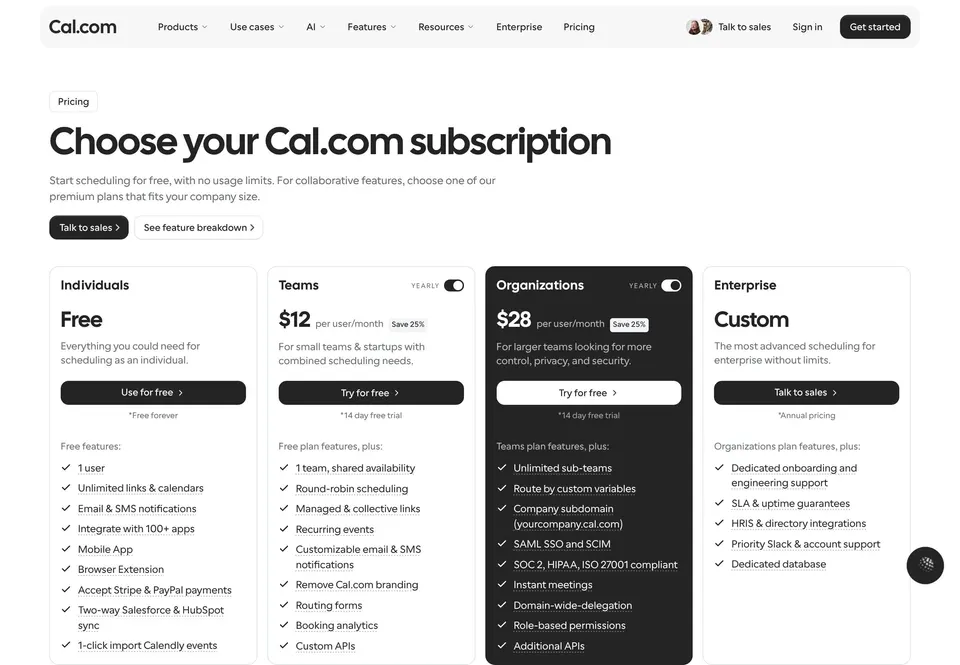
Choose your Cal.com subscription
The pricing page starts with "Choose your Cal.com subscription" and "Start scheduling for free, with no usage limits. For collaborative features, choose one of our premium plans that fits your company size." with Talk to sales and See feature breakdown links.
Four plans, one in black
Individuals (Free, "Free forever"), Teams ($12 per user per month, with a yearly toggle), Organizations ($28, highlighted as a black card) and Enterprise (Custom) each list their features with check marks under a full-width button. A logo row follows.
A full feature breakdown
"Feature breakdown" compares the four plans in a long table grouped into Features, Advanced features, Teams and more, with sticky plan headers and buttons. A developer block, "Building scheduling into your own product?", shows an API code snippet next to a booking card before the closing CTA.
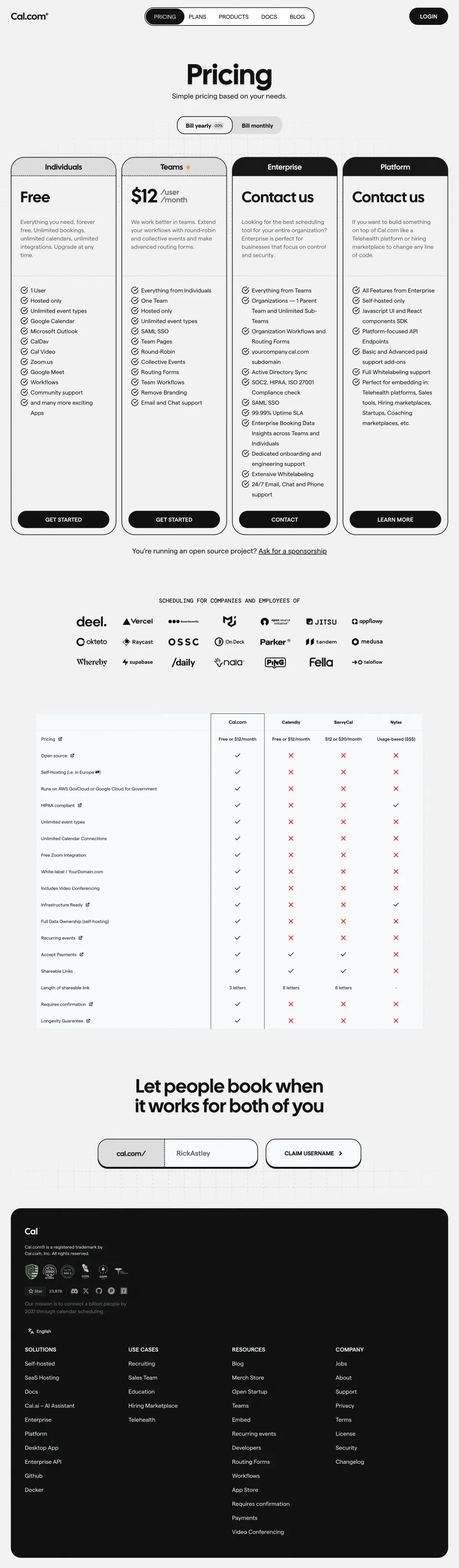
Before and after
How Cal.com redesigned this page between October 2023 and November 2026.