SaaSFrame
Cal.com Availability
 Cal.comOpen-source scheduling platform
About this screen
Availability schedules
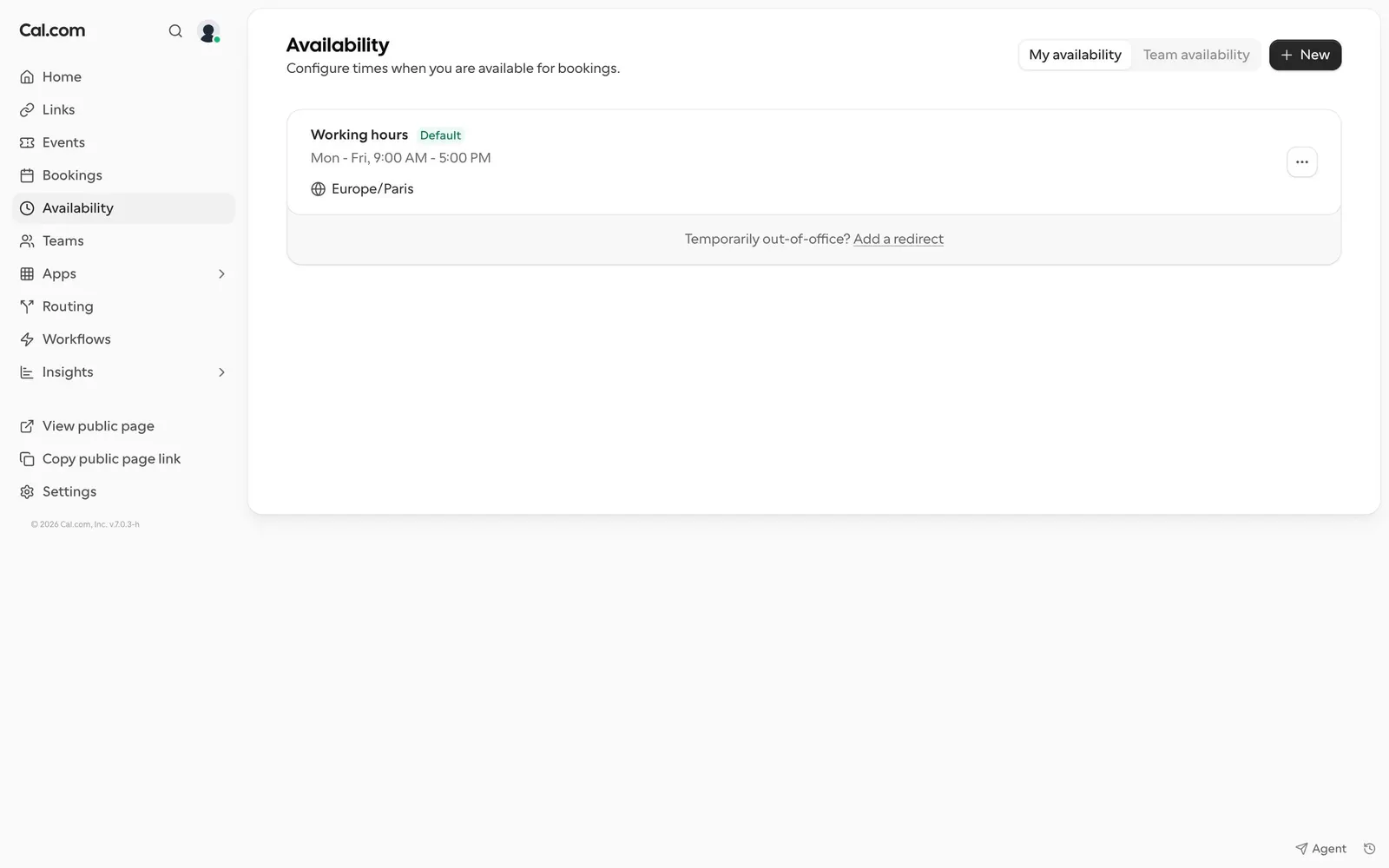
The Cal.com Availability page reads "Configure times when you are available for bookings." In the top right, a segmented switch toggles between My availability and Team availability, next to a dark "+ New" button for creating another schedule.
One schedule card
The default "Working hours" schedule appears as a single row with a green Default badge, the summary "Mon - Fri, 9:00 AM - 5:00 PM" and the Europe/Paris timezone with a globe icon, plus an overflow menu to duplicate or delete it.
Out-of-office hint
A gray footer strip in the same card asks "Temporarily out-of-office? Add a redirect", linking straight to the out-of-office settings, so a related feature is suggested exactly where people look for it.