🔔 Notification Email
SaaS notification emails triggered by activity in the product: mentions, comments, assignments, bookings, alerts and status changes. See how they make the event and the action obvious in the preview line.

🔔 Notification Email: design guide
A SaaS notification email tells a user that something happened in the product: a booking, a mention, an assignment, an alert or a status change. Its job is to make the event and the expected action clear from the subject line alone, and to give the full detail without forcing a visit.
Put the event in the subject line
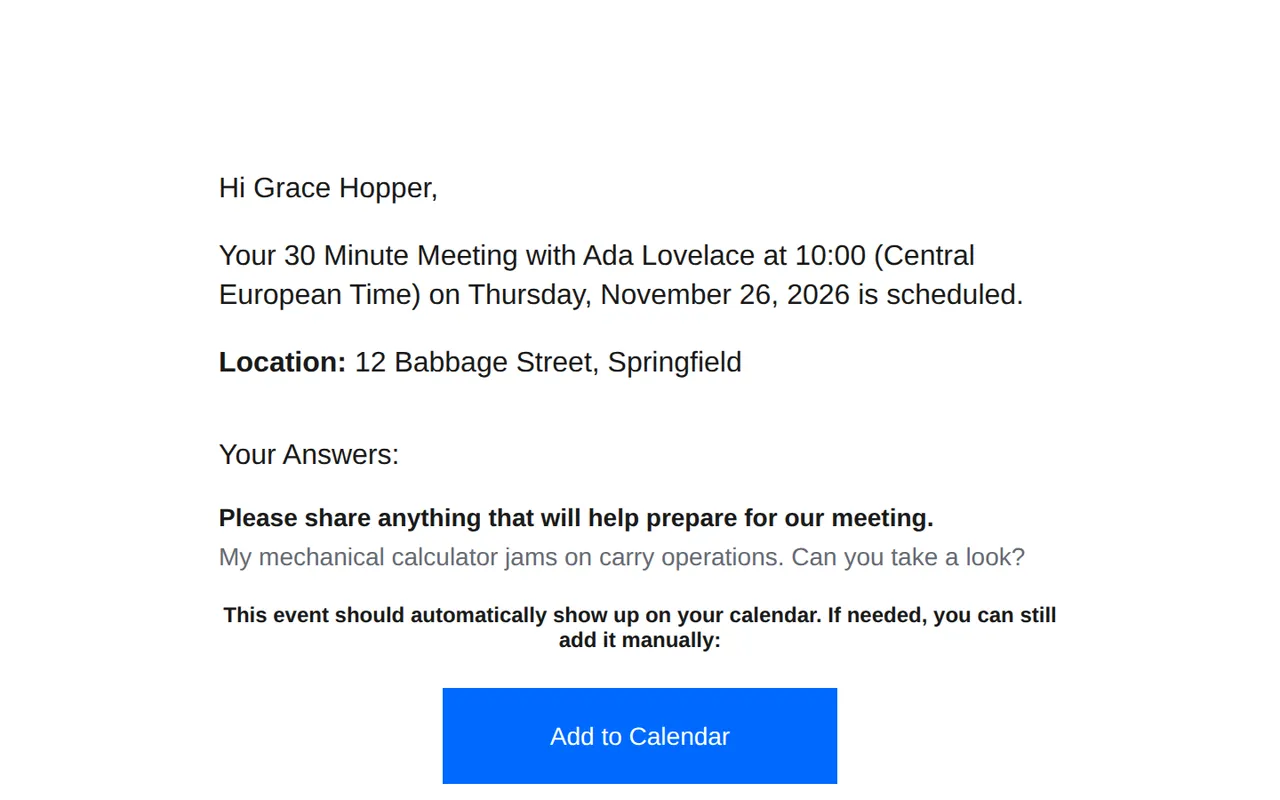
The Calendly invitee confirmation names the outcome, the meeting type, the person and the full date in its subject. Someone scanning an inbox knows what happened without opening it.
Write subjects that start with the event (Confirmed, New comment, Assigned to you) and end with the object. Avoid generic subjects such as "You have a new notification".
Restate the details the reader acts on
The body of the Calendly confirmation repeats the meeting in one sentence with the time zone and location, and echoes the answer the invitee gave when booking.
Include the data the recipient needs to act: time with its time zone, who is involved, where it happens, and the content of a comment or alert. A reader should not have to open the product just to learn what the notification is about.
Shape it for the recipient's role
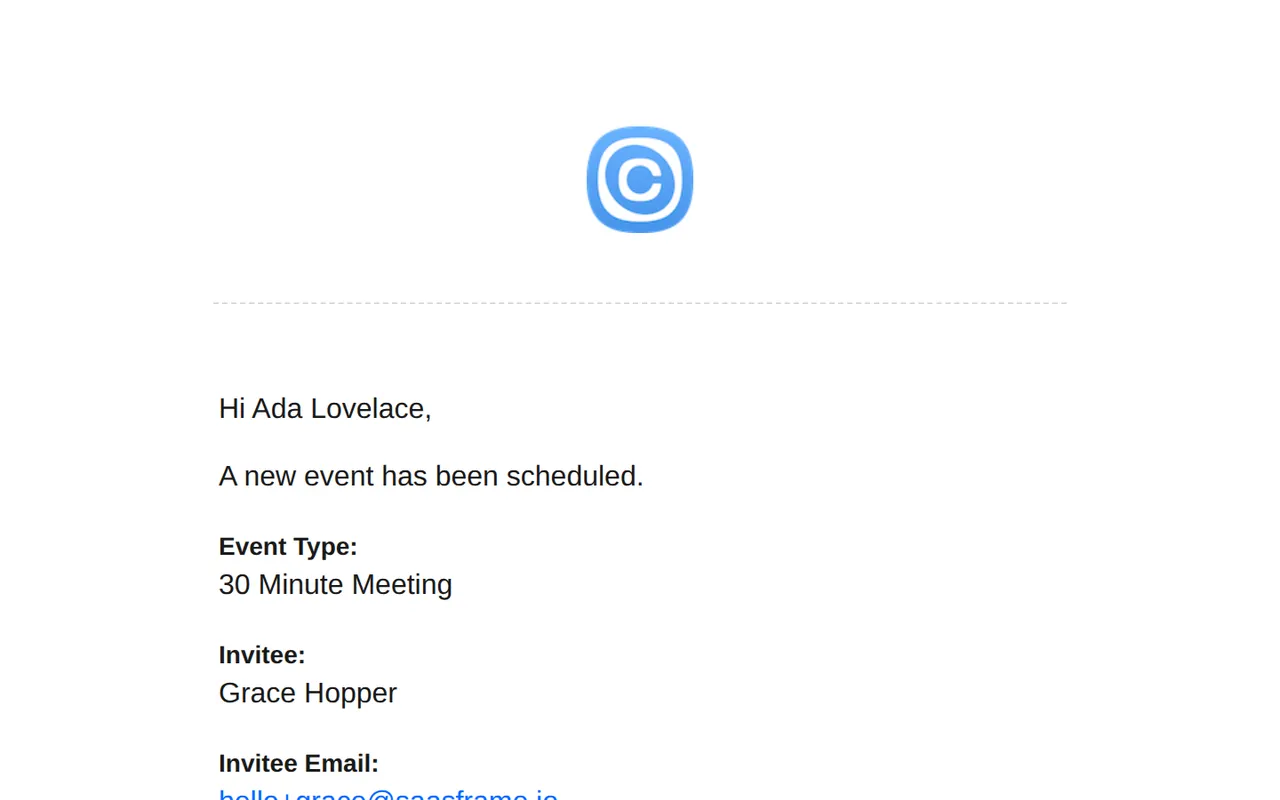
The same booking produces a different email for the organizer: label and value pairs for event type, invitee, date, location, time zone and answers, with buttons to add the event to a calendar.
The organizer scans and files; the invitee confirms and may need to change plans. Each version leads with the actions that fit that person.
Offer the next actions, nothing else
Calendly gives the invitee Add to Calendar, Reschedule and Cancel. Each button maps to a real follow-up of the event.
Keep marketing out of transactional notifications. A promotion inside a booking confirmation dilutes trust in every future notice.
Deep links should open the exact object (the comment, the task, the booking) with the user signed in.
Let users control the volume
Link to notification settings in the footer, ideally to the setting for this type of notification. Offer digests for frequent events.
Group bursts of activity into one email rather than sending one per event.
Compare role-specific and event-specific layouts in SaaSFrame's notification-email references.
Notification email questions
How long should a notification email be?
As short as the event allows: the event, the details needed to act and one to three actions.
Should notifications use the brand's marketing design?
Keep the brand recognisable but quieter. Readability of the event matters more than decoration.
Can users turn notifications off?
They should be able to tune each type, while security and billing notices stay on.