 SaaSFrame
NewSaaSFrame for agents
The art direction your AI agent is missing.
One skill gives Claude Code, Cursor and Codex a design method from 6,349 real SaaS screens, a visual style with an identity drawn for your product, and a check of the page it builds, so it looks designed, not generated.
Lab, Atelier, Nocturne and every new style, with the SaaSFrame MCP · Included with Pro and Team
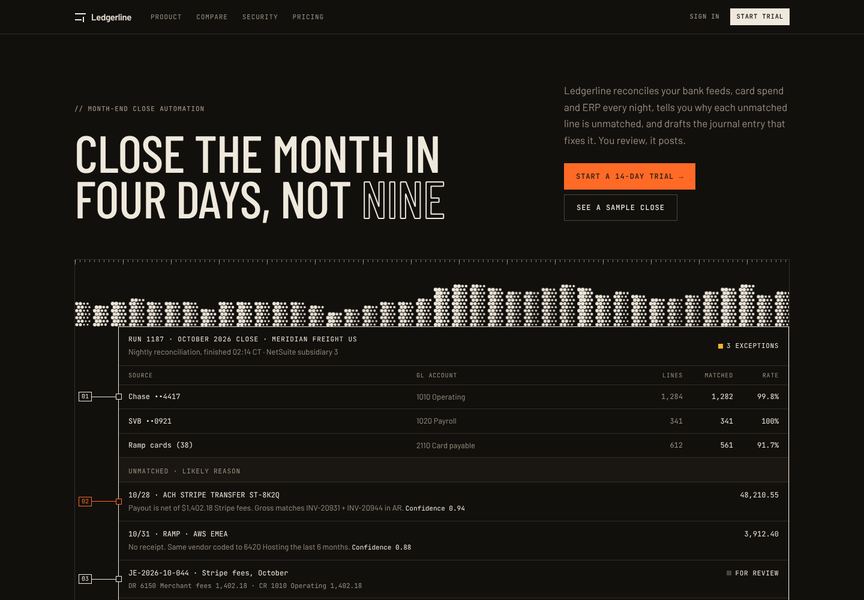 Ledgerlinelab
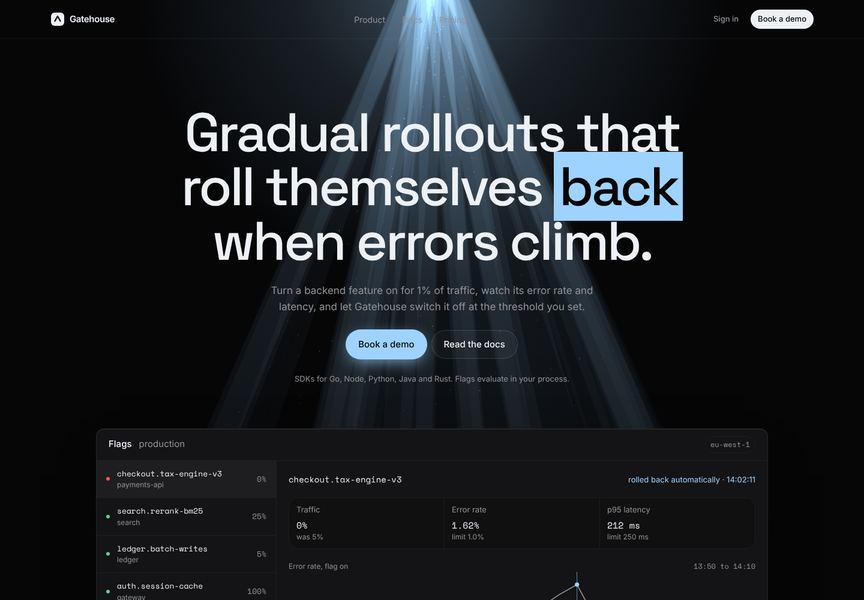 Gatehousenocturne
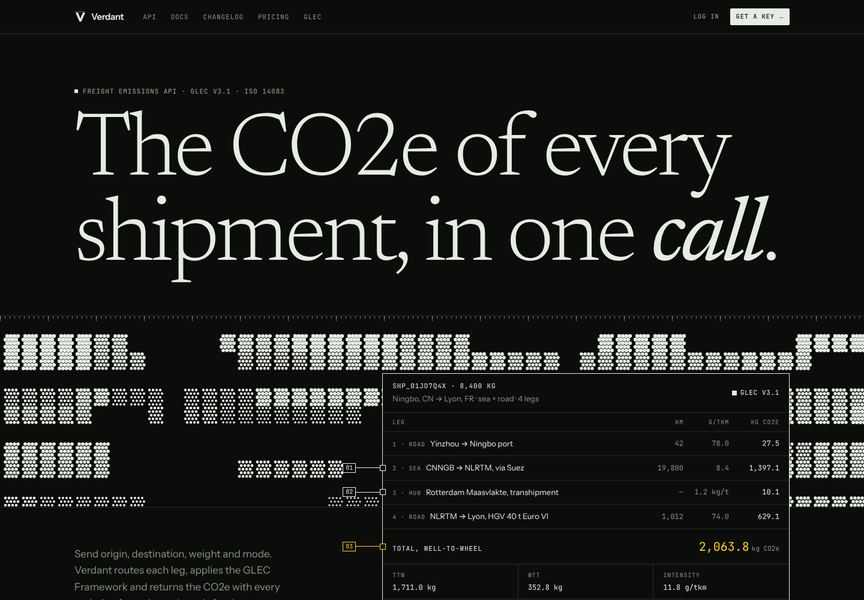 Verdantlab
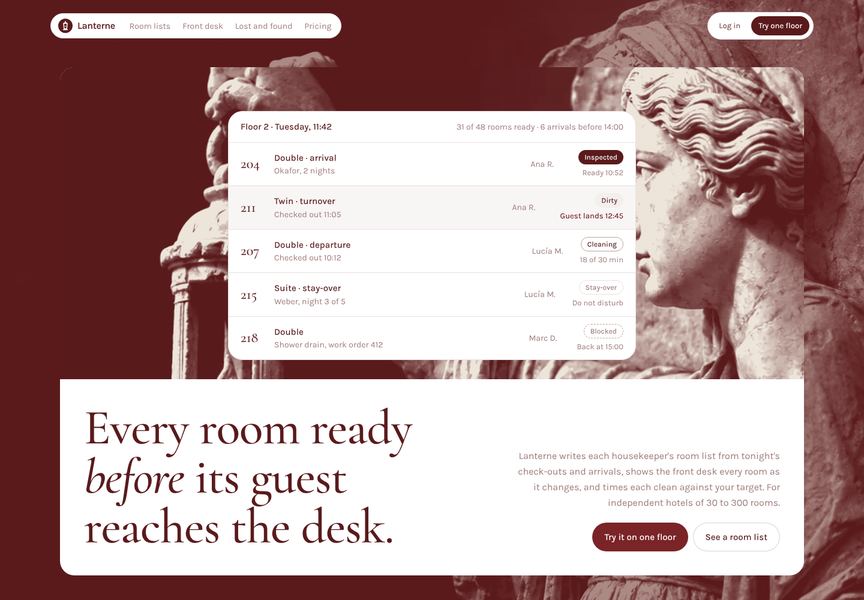 Lanterneatelier
 Quantanocturne
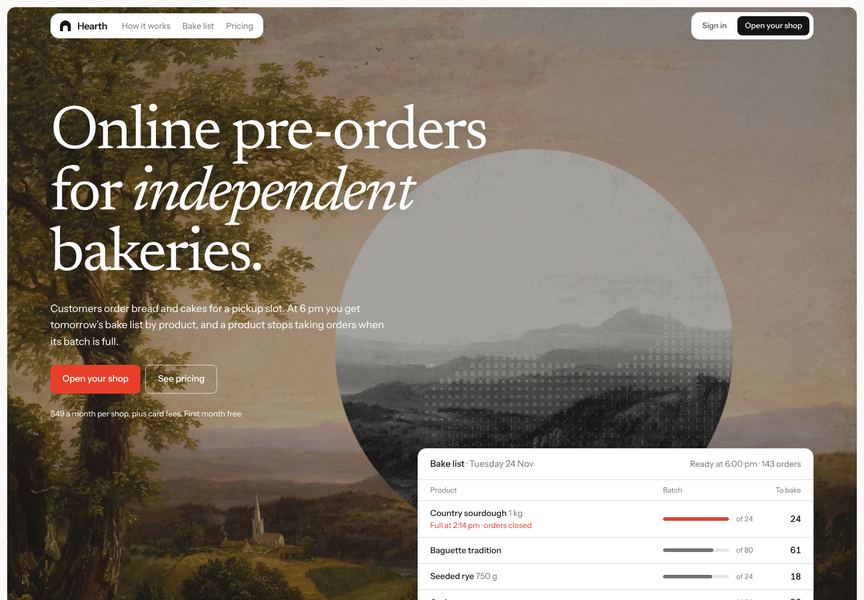 Hearthatelier
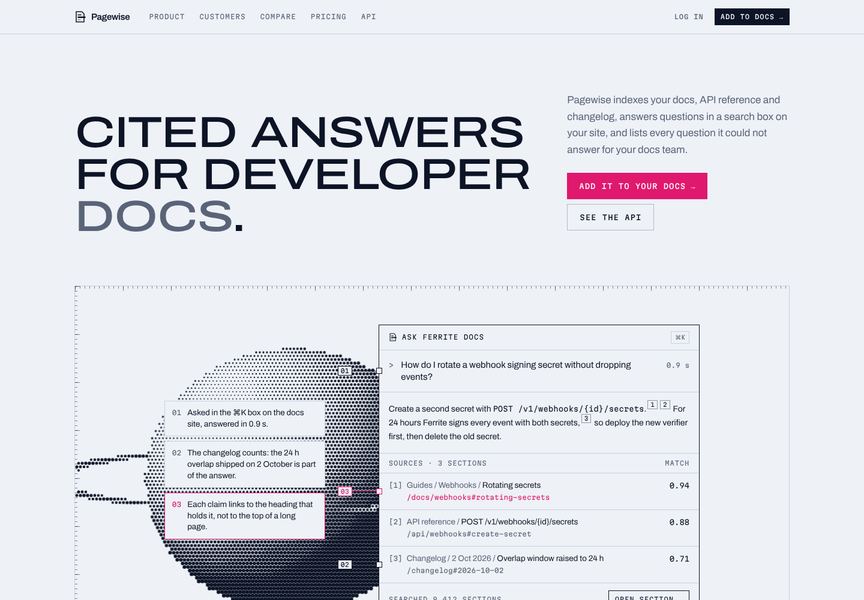 Pagewiselab
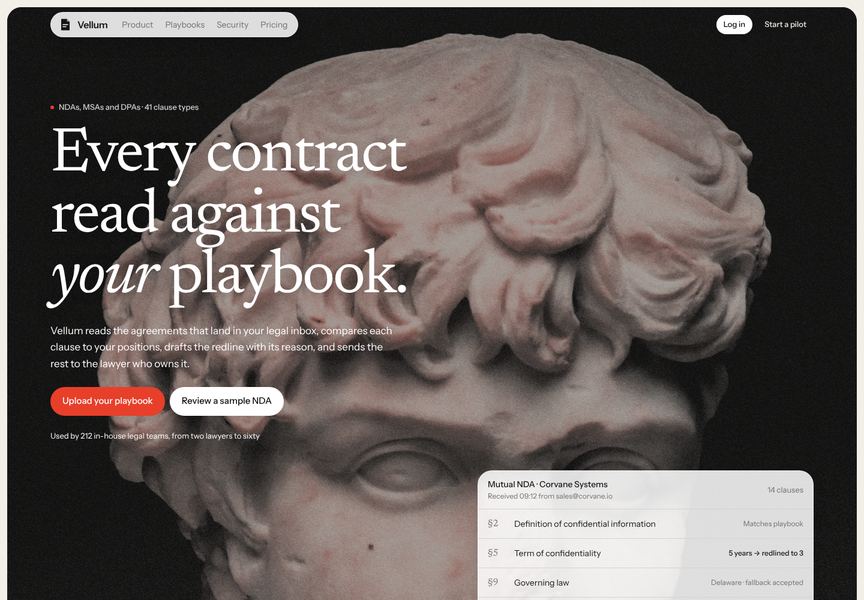 Vellumatelier
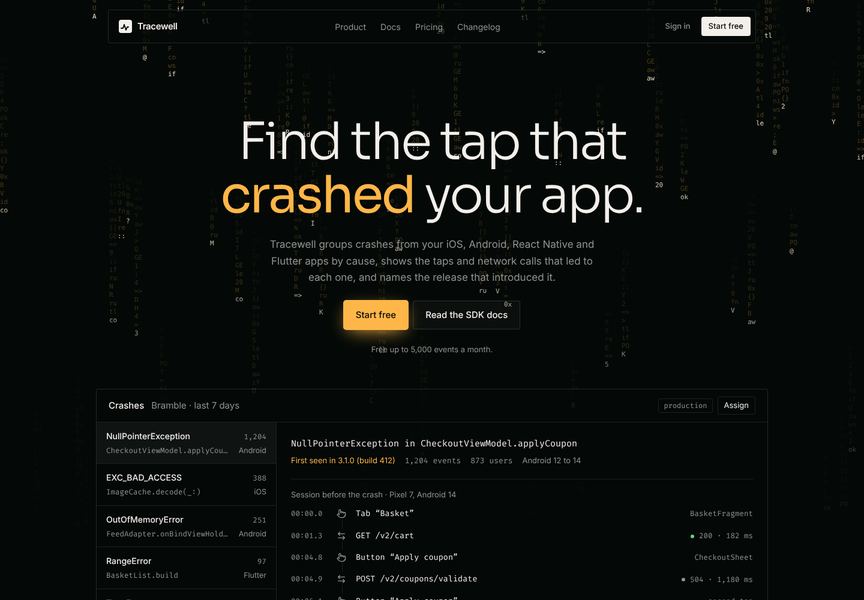 Tracewellnocturne
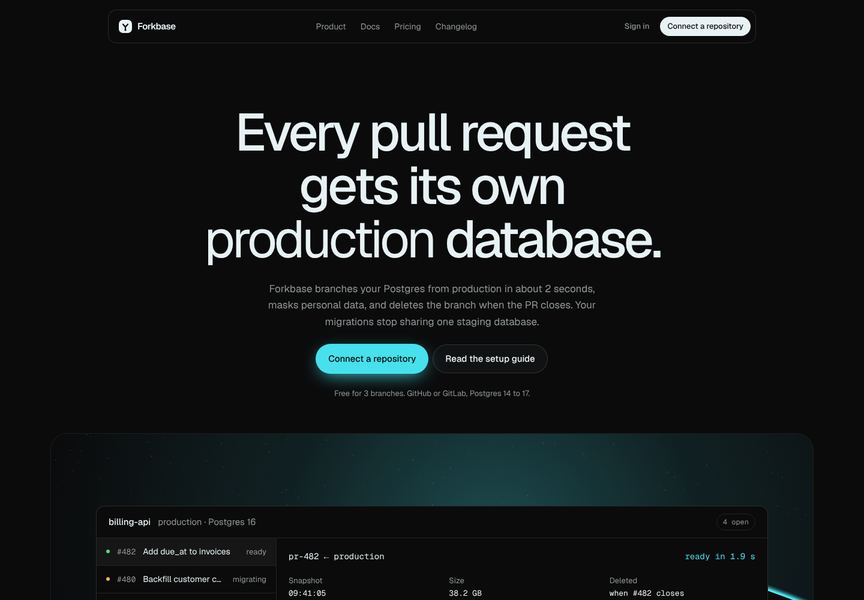 Forkbasenocturne
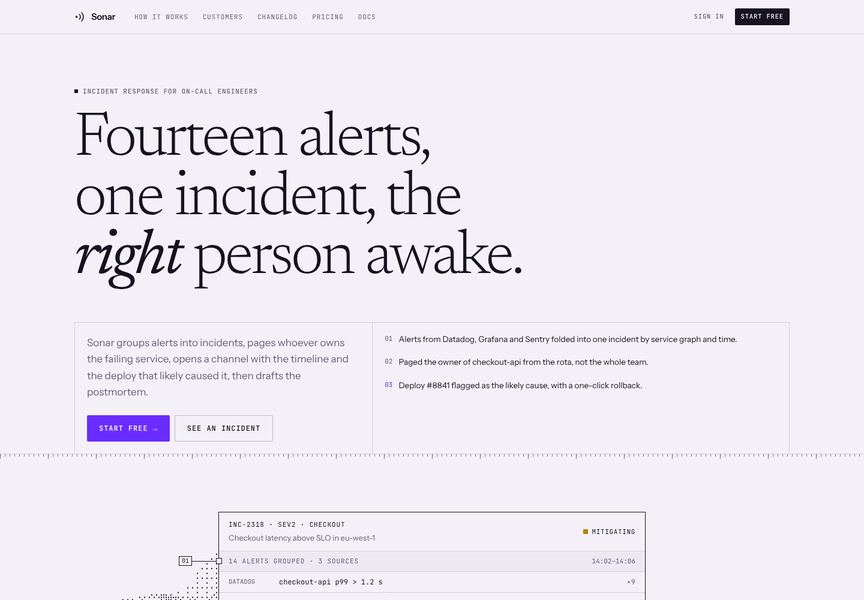 Sonarlab
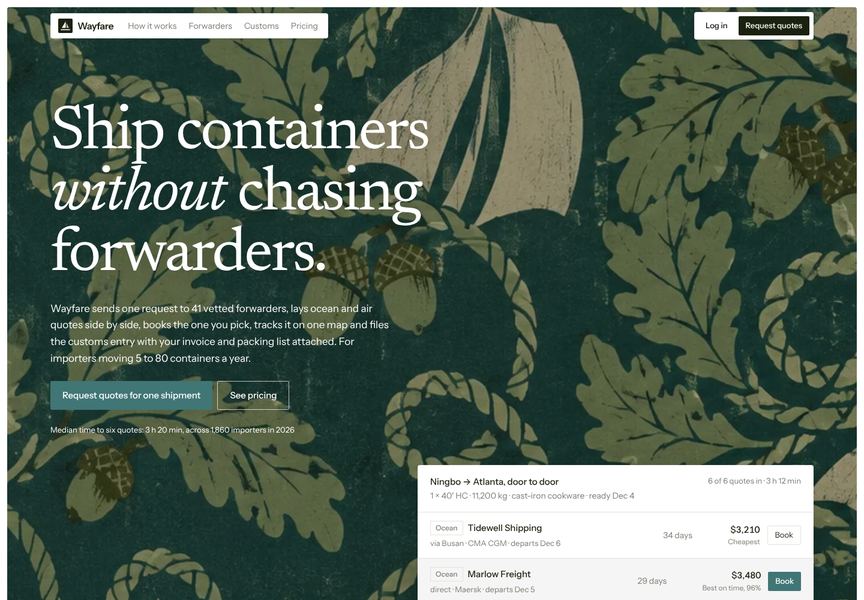 Wayfareatelier
Distilled fromSpeakeasyReductoParallelKoyebSpanMossDatashakeLightdashDunaPangramTinesVisitors
Twelve products. Twelve briefs. No designer.
Each page was built blind by Claude Code from a short brief, with only the skill and one style to guide it. Nothing retouched. Scroll inside the frame to see the whole page.
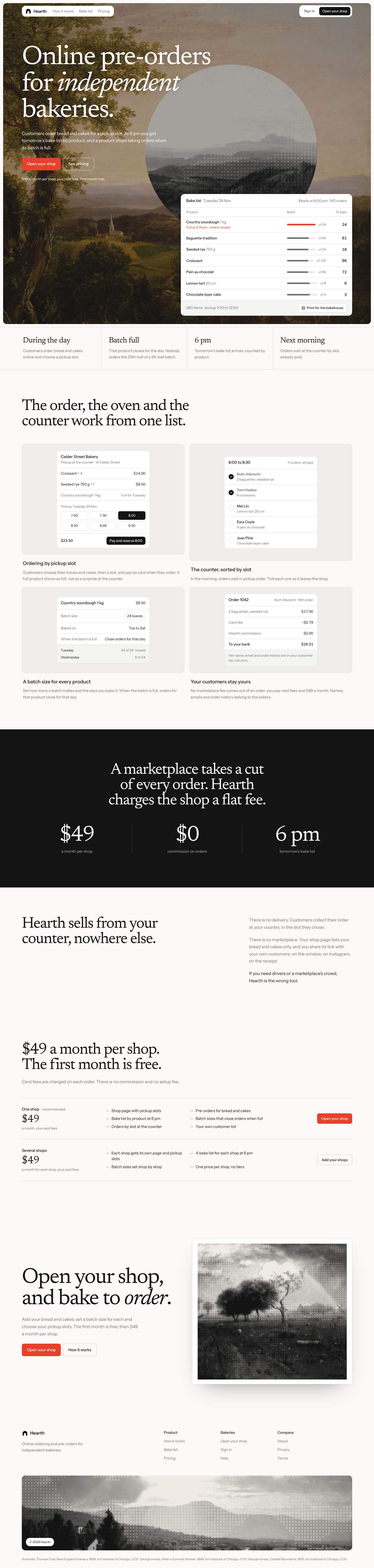
Hearth“Online ordering and pre-orders for independent bakeries.”Atelier · romantic landscape, ascii print
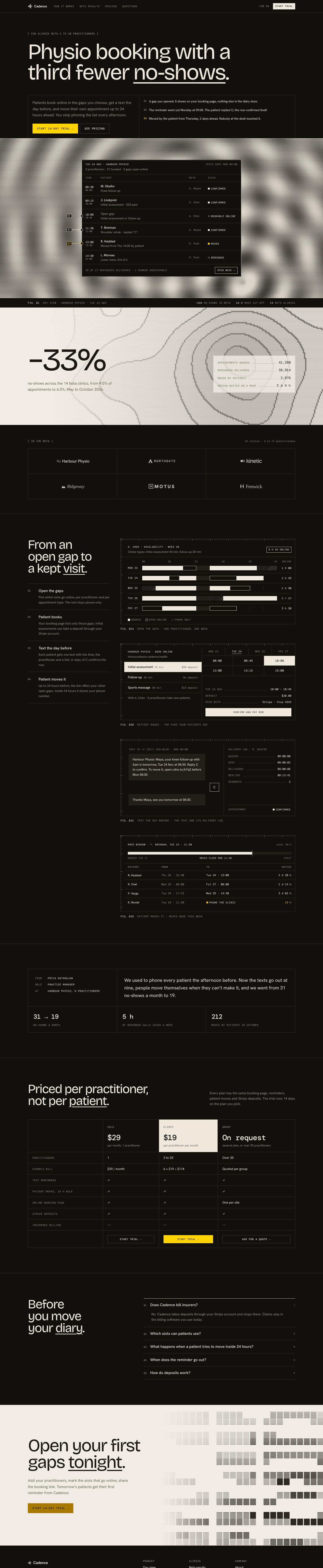
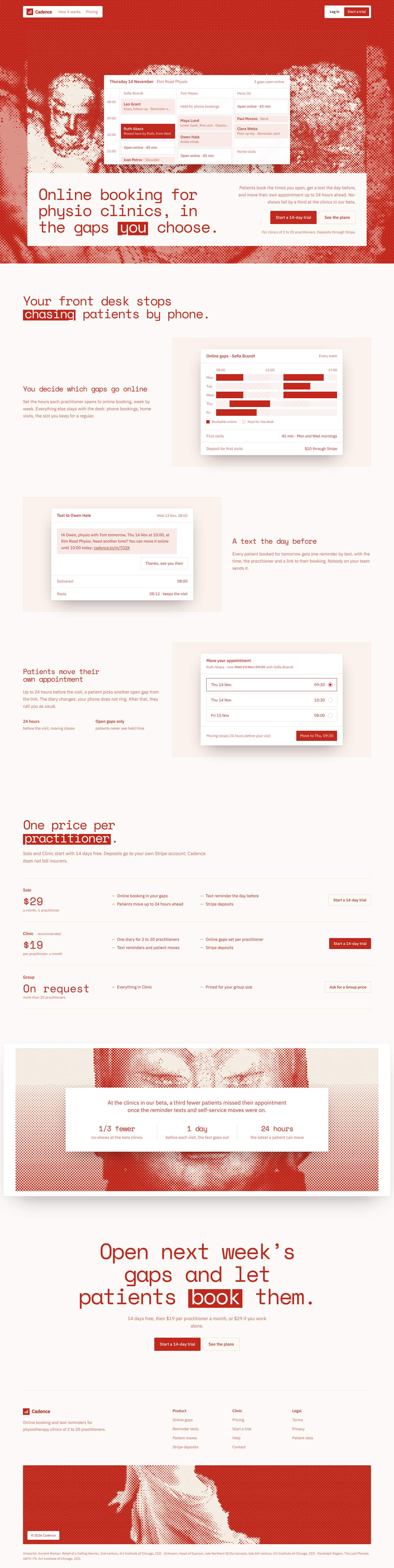
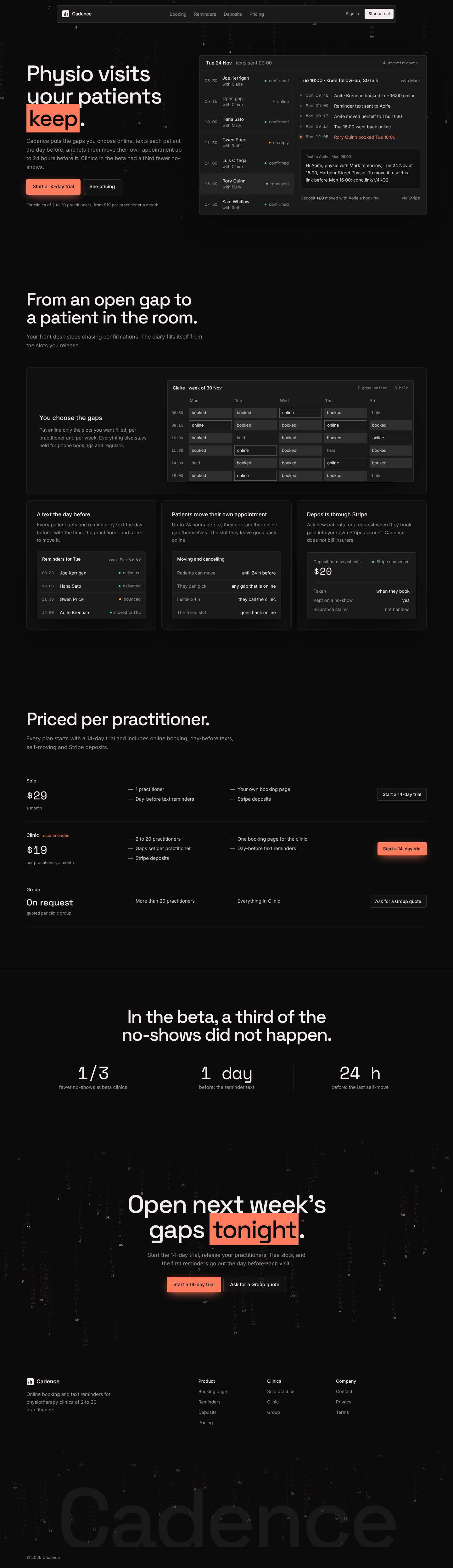
One brief, three styles
The same product, briefed the same way, built by the same agent with Lab, Atelier and Nocturne. The style sets the direction; the name sets the identity.
“Scheduling and patient reminders for physiotherapy clinics with 2 to 20 practitioners.”
identities, and one is yours.
Instead of the one average page every model makes, the style’s script deals a recipe from your product’s name, away from what you built last. Same name, same recipe.
730,000 identities in all.
| Lab | 260,000+ | 10 palettes9 signal colors7 type sets3 modes7 scenes5 heroes4 label styles |
|---|---|---|
| Atelier | 360,000+ | 7 art families6 print treatments8 inks6 grounds6 type sets5 heroes6 stagings |
| Nocturne | 110,000+ | 8 scenes8 lights5 grounds6 type sets5 heroes3 surfaces4 second moments |
Type your product’s name. See the identity it gets.
Nocturne, default identityType a name: the same name always gets the same identity, another name gets another one.
Design sense, packaged for your agent
One skill that picks a style or keeps yours, draws the identity, plans the page with real references and pictures, then checks what it built.
Picks a style, or keeps yours
With a design system in the project, the skill keeps it and brings the method: a guide for each type of screen and real references from SaaSFrame. Without one, it picks the style that fits the brief and installs it.
skills/saasframe/SKILL.mdDraws an identity from your product’s name
Palette, typefaces, scene or artwork, surfaces and the order of the page. It prints the CSS and the fonts, and the agent applies them before it writes a line.
skills/saasframe-nocturne/identity.mjsPlans the page before it writes it
Three page directions dealt for your product, from the architectures of the best SaaS sites. The agent picks one, writes the plan, and backs every section with real sections from SaaSFrame and every picture with its credit.
.nocturne/page.jsonChecks its own page, then fixes it
The skill opens the page at 1440, 1024, 390 and 320 pixels, tests over 40 rules and names the three problems to fix first. In Claude Code it sends the agent back to work while a check fails, three rounds at most.
skills/saasframe-nocturne/check.mjsBuilds the app screens too
Dashboard, settings, empty states and onboarding in the same identity, by product rules: one light per screen, figures in one strip, no decoration behind data.
components/nocturne/blocks/dashboard.tsx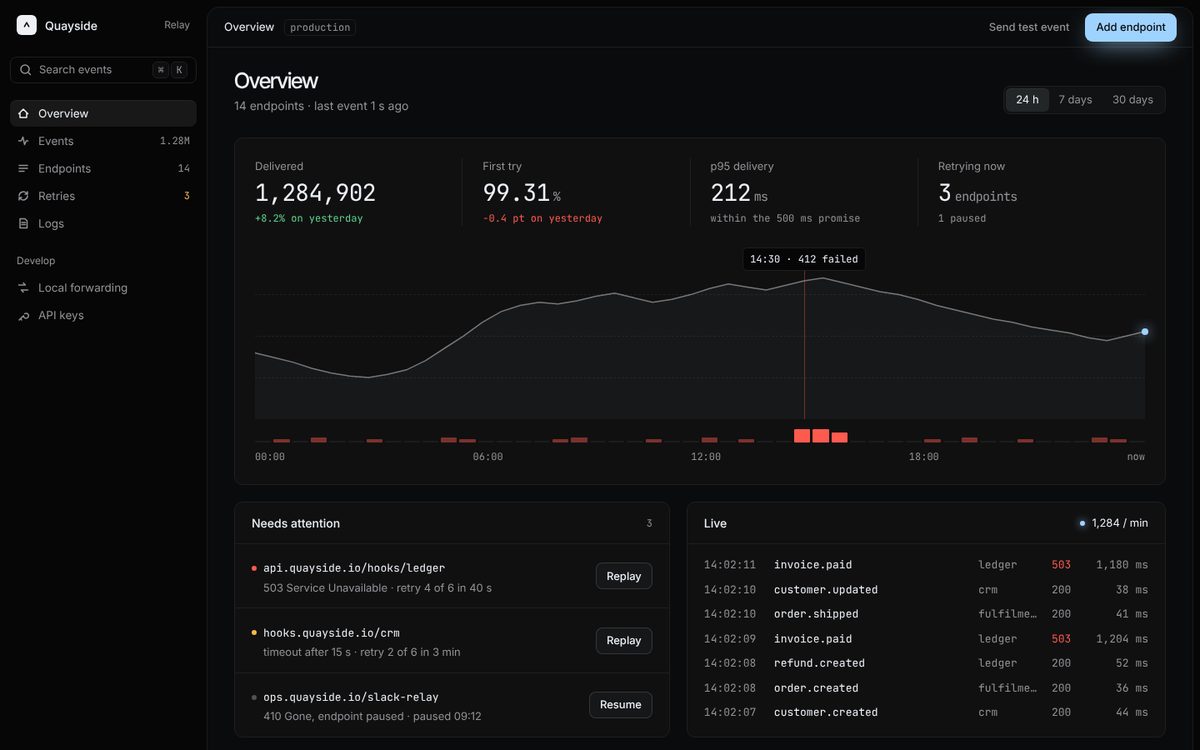
From default to designed
Same brief, same agent, before and after the skill with the Lab style. Four decisions make the difference.
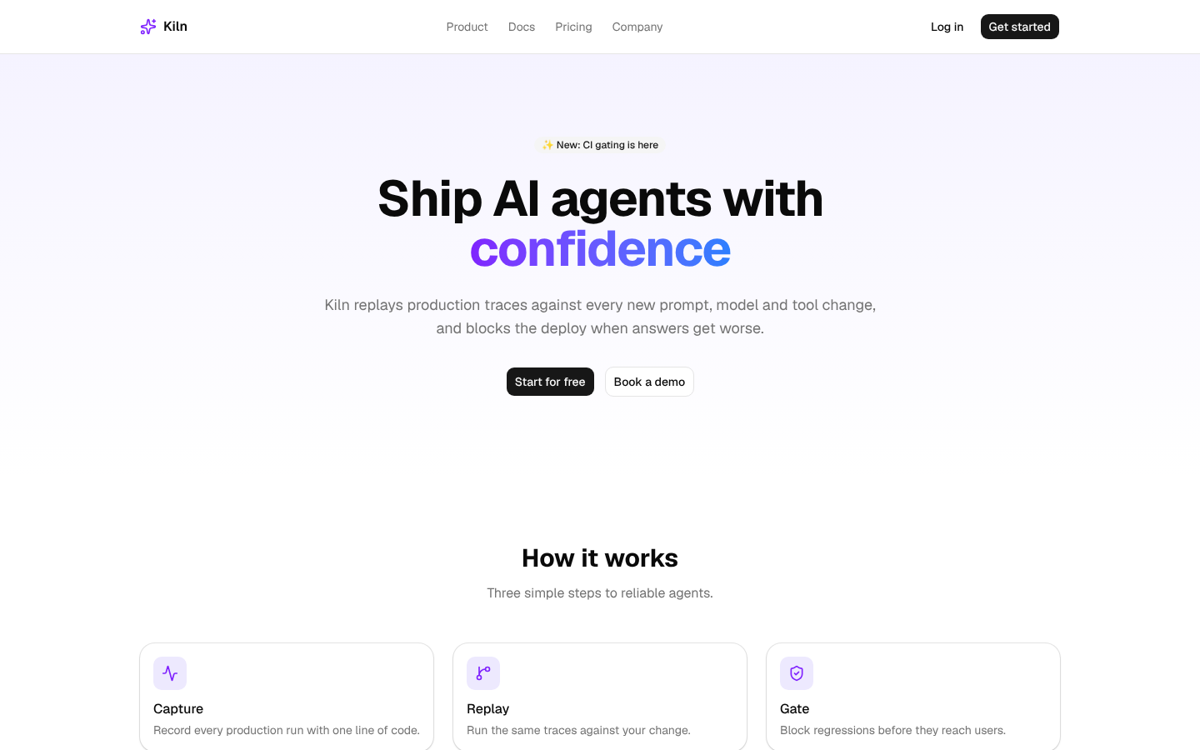
Three styles from the library, more on the way
Each style starts from the SaaS that do one look best, captured on SaaSFrame. It borrows their principles, never their branding.
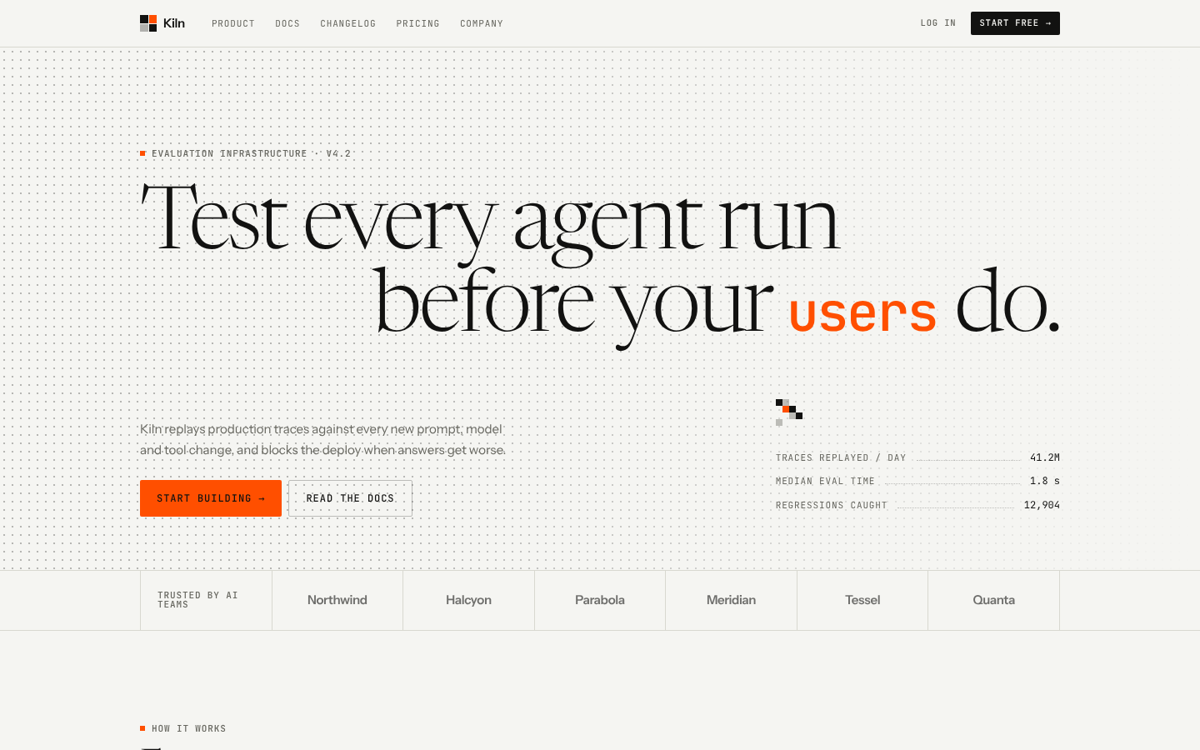 LabPrecision instruments for technical products.From Speakeasy, Reducto, Parallel · 16 components · 15 blocks
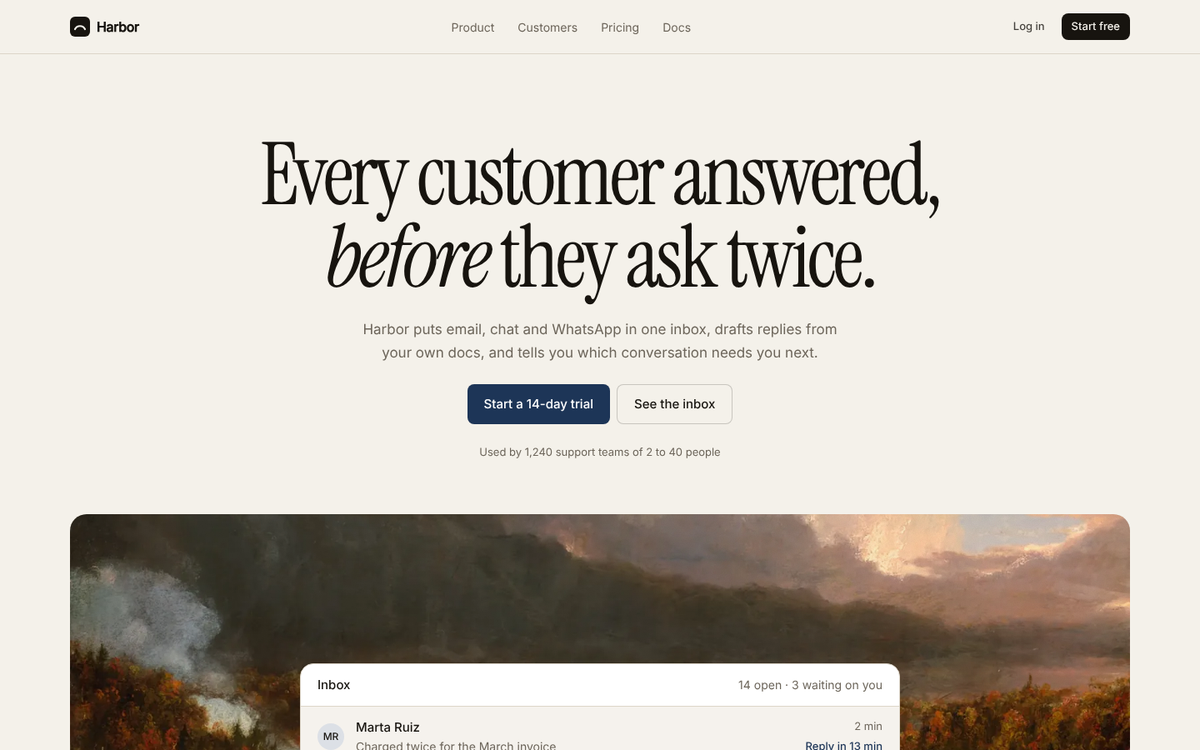 AtelierPaintings and prints that frame the product.From Duna, Pangram, Tines · 9 components · 10 blocks
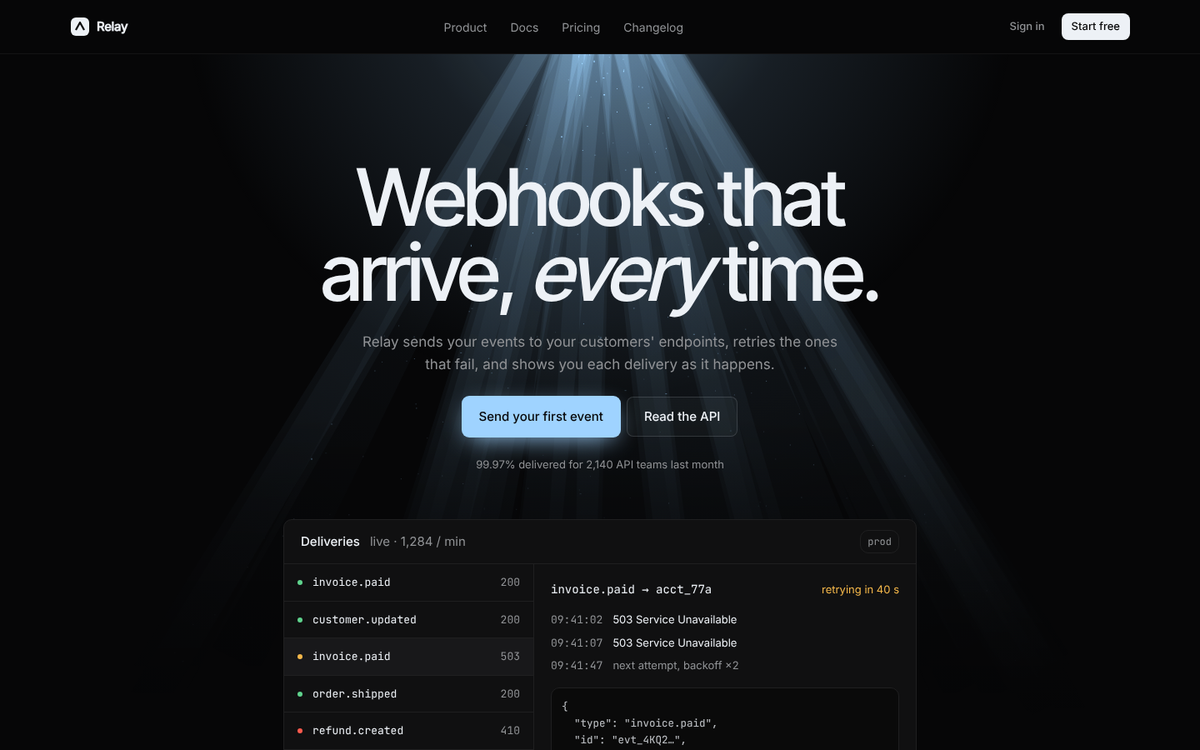 NocturneLight in the dark around the product.From Linear, Unkey, Latent · 15 components · 15 blocks
No codebase? The MCP works in your chat.
Connect the SaaSFrame MCP to Claude or ChatGPT and ask for references: pricing pages from B2B SaaS, onboarding flows, the measured colors and type of a site you admire. The screens show up in the conversation.
Works in the agent you already use
The files land in your codebase through the shadcn CLI, or our installer without it. Edit them like your own.
- 1Connect the SaaSFrame MCP to your agent, with your SaaSFrame account. Setup for each tool
- 2Install the skill with your personal command.
Installs the skill in .claude/skills with every style. When the agent picks a style for your project, it installs that style’s components itself and takes every reference from the MCP. No shadcn? The same command exists for our installer, on each style’s page.
- Claude Code
- Cursor
- Codex
- OpenCode
- Gemini CLI
- v0
Every style, every new one, with Pro.
Pro Pro
$18per month
- Every style: Lab, Atelier, Nocturne and the next ones
- Your personal install command
- Plus the whole library, Figma files and the SaaSFrame MCP
Team
$24per seat, per month
- Everything in Pro, for each member
- Shared collections of references
- One invoice, seats you add and remove
Common questions
What does it need?
A SaaSFrame Pro or Team account, with the SaaSFrame MCP connected in your agent. Node 18 or later for the skill’s scripts, and Playwright with Chromium for the page check, installed once. With shadcn/ui and Tailwind CSS 4 the components install in one command; without shadcn, our installer writes the same files, and with --skill-only it installs just the skill and the tokens for any stack (Vue, Svelte, Astro, plain HTML). No API key.
How long does a page take?
In our tests, an agent builds a full landing page with Nocturne in about 5 minutes and 150,000 tokens, including running the page check and fixing what it finds. Count longer when it generates its own pictures.
Will my site look like everyone else using the same style?
No. Before it writes a line, the agent runs the style’s identity script with your product’s name. It draws the palette, typefaces, scenes or artworks, deals three page directions (the log, the specimen sheet, one object cropped…) and avoids what you built last. Try it above with any name.
Where do the pictures come from?
From open collections, never from an image generator: photographs under CC0, public domain or CC BY on Openverse and Wikimedia Commons, and public-domain works from the Art Institute of Chicago and the Met. The skill’s assets script searches them, downloads the one the agent picks and records its credit, and the check fails a picture without one.
Which agents does it work with?
Claude Code reads the skill and runs its check before it finishes. Cursor, Codex and other agents that read skills or project instructions follow the same rules; you run the check yourself. In Claude (claude.ai), connect the SaaSFrame MCP: its design_guide tool brings the same method, without the styles.
Does my project need a style?
No. If it already has a design system, a brand or a DESIGN.md, the skill keeps it and brings the method only: a guide for each type of screen, real references from SaaSFrame, a review before it hands over. It picks a style when the project has no look yet, or when you ask for one.
Is it for dashboards and app screens?
Yes. Lab and Nocturne include an app shell, dashboard, settings, empty state and onboarding in the same identity, so the product matches the site.
Is there a free version?
You can try every style in the studio above without an account: type your product’s name and see the identity it gets. Installing SaaSFrame for agents takes SaaSFrame Pro or Team: the skill works with the SaaSFrame MCP of the same account, which gives your agent the whole library, and its scripts check the plan each time they run.
Why does it need the MCP?
The skill designs from real references, and the SaaSFrame MCP is where they come from: search by screen type or pattern, screenshots, the colors, fonts and radii measured on each live page. The page check verifies that your account used the MCP while the page was built, so every section stands on a real one.
Can I use a style for client work?
Yes, in the projects you build for yourself or your clients. Pro styles cannot be resold or redistributed as a theme or template.
Coming next
Styles we found in the library, in the order we are building them.
- Warm editorialPaper backgrounds, serif headlines, film photography, one earthy accent.
- Product neutralWhite, tight grotesk, the product screenshot does the work.
- Acid popSaturated flat color, geometric blocks, toy-like 3D objects.
- Soft gradientPastel skies, frosted glass, very round corners.
- Matter and objectOne object or material lit like a studio shot.
Stop shipping the default. Start with a direction.
Included with SaaSFrame Pro and Team, with the whole library and the SaaSFrame MCP.