SaaSFrame
How We Set Up GDPR Compliance for SaaSFrame in About 5 Minutes
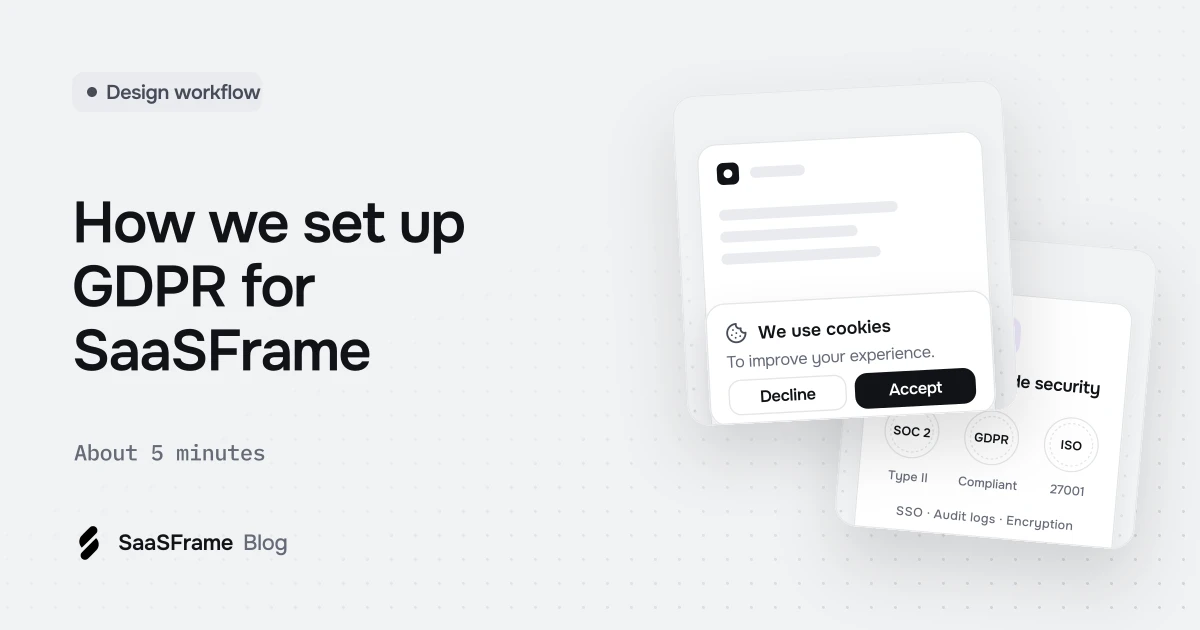
We set up SaaSFrame's privacy basics with Privacyboard, starting from our website address. Four onboarding questions took under three minutes; Privacyboard recognised our seven tools, suggested four processing activities and drafted a privacy policy and a vendor list. Then we confirmed vendors, completed the policy details, prepared a privacy center and a cookie banner that waits for consent.
- Start from your website address: the company details and part of your tools can be read from your public pages.
- Your vendor list and processing register are the base of every other document, so confirm them before reading the policy.
- Read and validate each document yourself: a generated draft is a starting point, not a certificate of compliance.
- A public privacy center answers customers' privacy questions with one link instead of a back-and-forth by email.
- A cookie banner should hold analytics back until the visitor agrees, and keep a record of each choice.
SaaSFrame collects account emails, takes payments and measures how the site is used, so like any SaaS it has privacy work to do. We set it up with Privacyboard, starting from our website address. This article walks through each screen, in the order we used them.
A word of transparency first: Privacyboard is built by the team behind SaaSFrame, and we use it for our own compliance. The screens below were captured in November 2026 on a test copy of our workspace, so they show the current product without any personal data.
What does a SaaS like SaaSFrame need for the GDPR?
For a small SaaS, the essentials are a short list. Each one answers a question a customer, a visitor or an authority can ask you.
| What you need | The question it answers | Where it lives |
|---|---|---|
| Privacy policy | What do you do with my data? | Your site or privacy center |
| Vendor list | Who else receives my data, and where? | Your privacy center |
| Record of processing activities | Why do you use each piece of personal data, and for how long? | Kept internally (GDPR Article 30) |
| Cookie consent | Did I agree to analytics before it ran? | A banner on your site, with a log of choices |
| A way to exercise rights | How do I get or delete my data? | A form or contact address |
Everything else follows from two inputs: what your company does and which tools it uses. That is why the setup starts there.
Step 1: Answer four questions
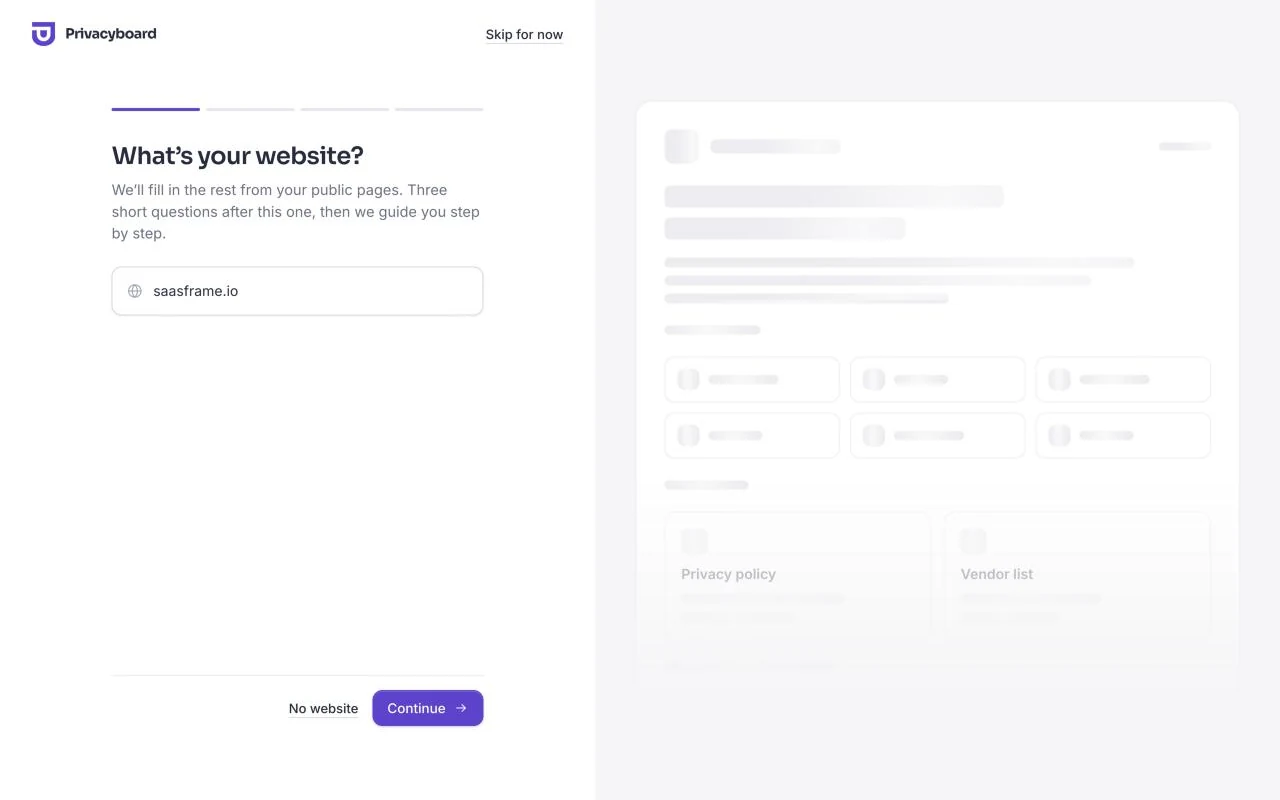
The onboarding starts with the website address. We typed saasframe.io, and Privacyboard read our public pages while we moved on.
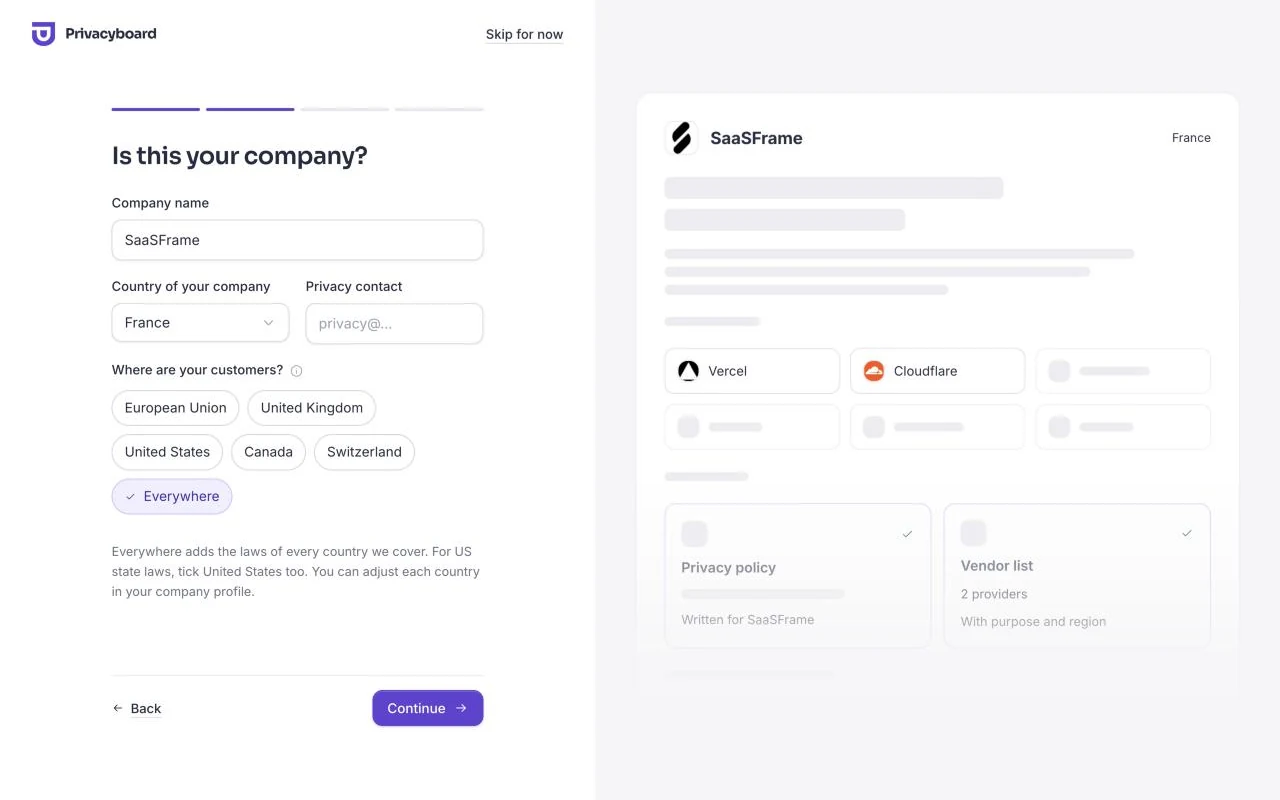
The company name and logo came back from the site, along with the first tools it loads: Vercel and Cloudflare. We added our country and chose where our customers are. SaaSFrame is used worldwide, so we picked Everywhere, which adds the laws of every country Privacyboard covers.
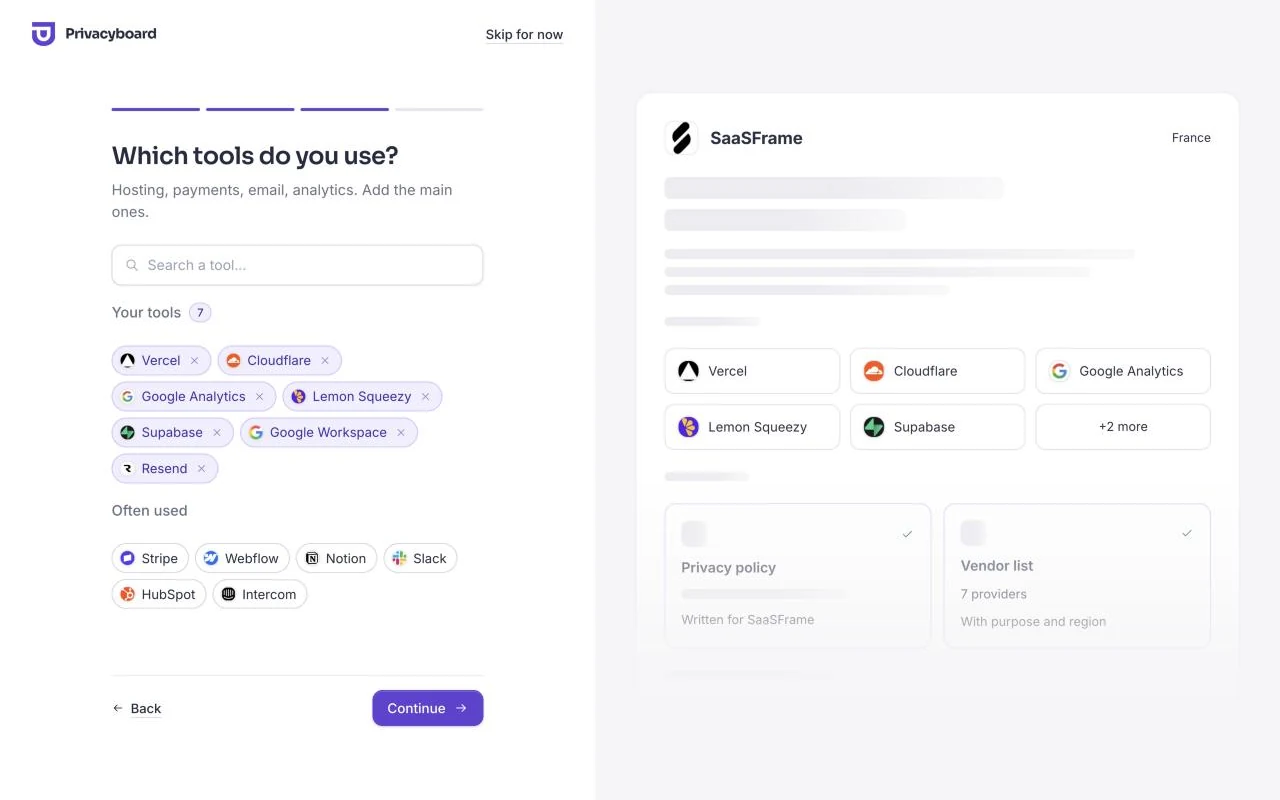
Next, the tools. We added the rest of our stack from the catalog: Google Analytics, Lemon Squeezy for payments, Supabase for the database and accounts, Google Workspace and Resend for email.
The last question is about data. Privacyboard ticked what those tools usually handle, and we kept the defaults: names, email addresses, account identifiers, IP addresses, website and device data, and payment details.
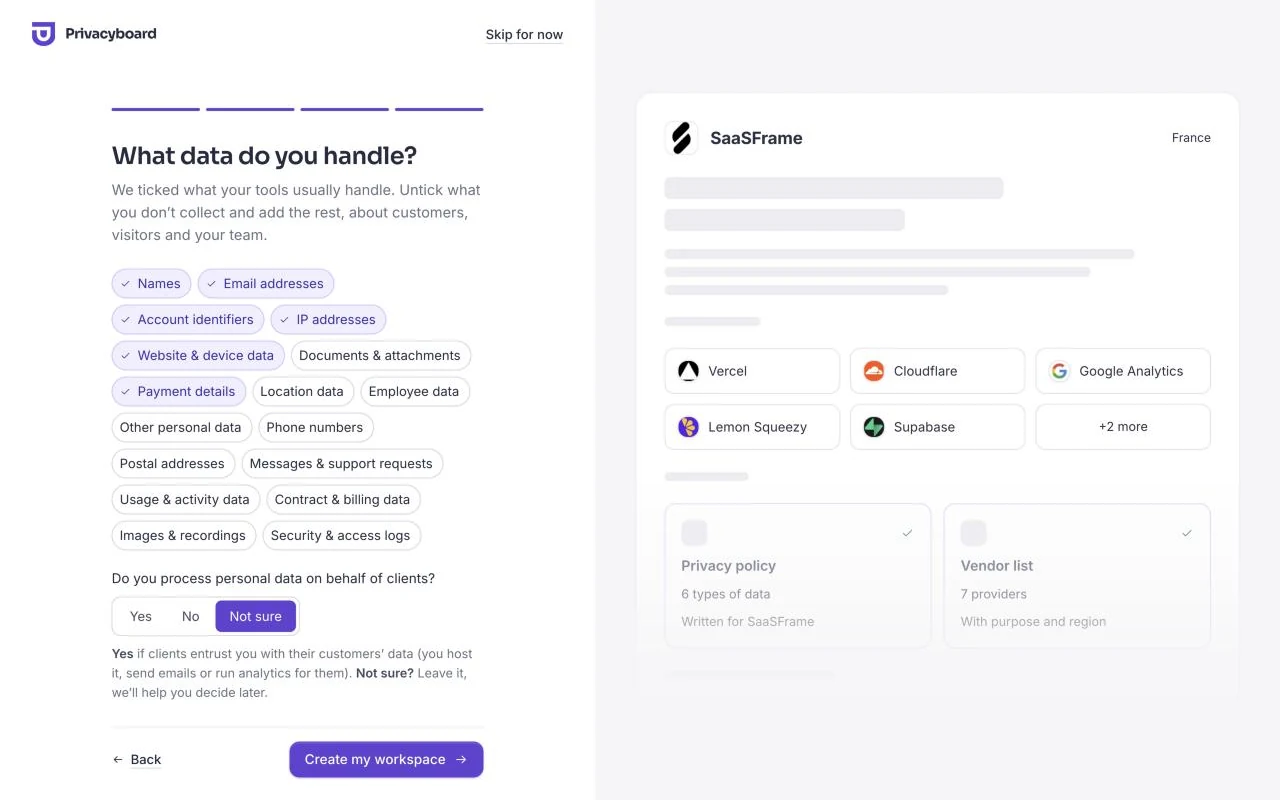
From typing the address to the workspace being created took us under three minutes.
Step 2: See what is already done
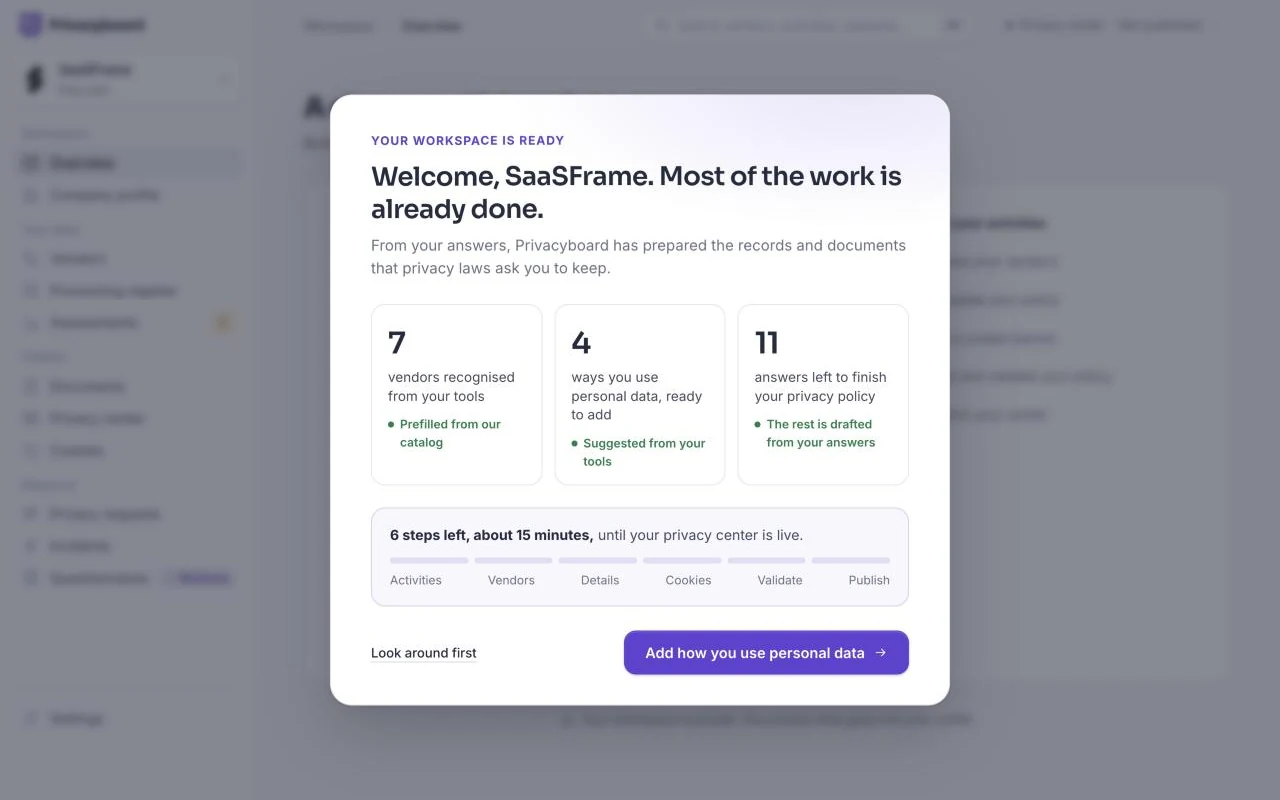
The workspace opens on a summary: seven vendors recognised, four processing activities ready to add, and eleven answers left to finish the privacy policy. It also says what is left: six steps, about 15 minutes, until the privacy center is live.
Step 3: Add how the data is used
The processing register says why each kind of personal data is used, on what legal basis and for how long. From our tools, Privacyboard suggested four activities: customer accounts and service delivery, billing and payments, website analytics and cookies, and team collaboration.
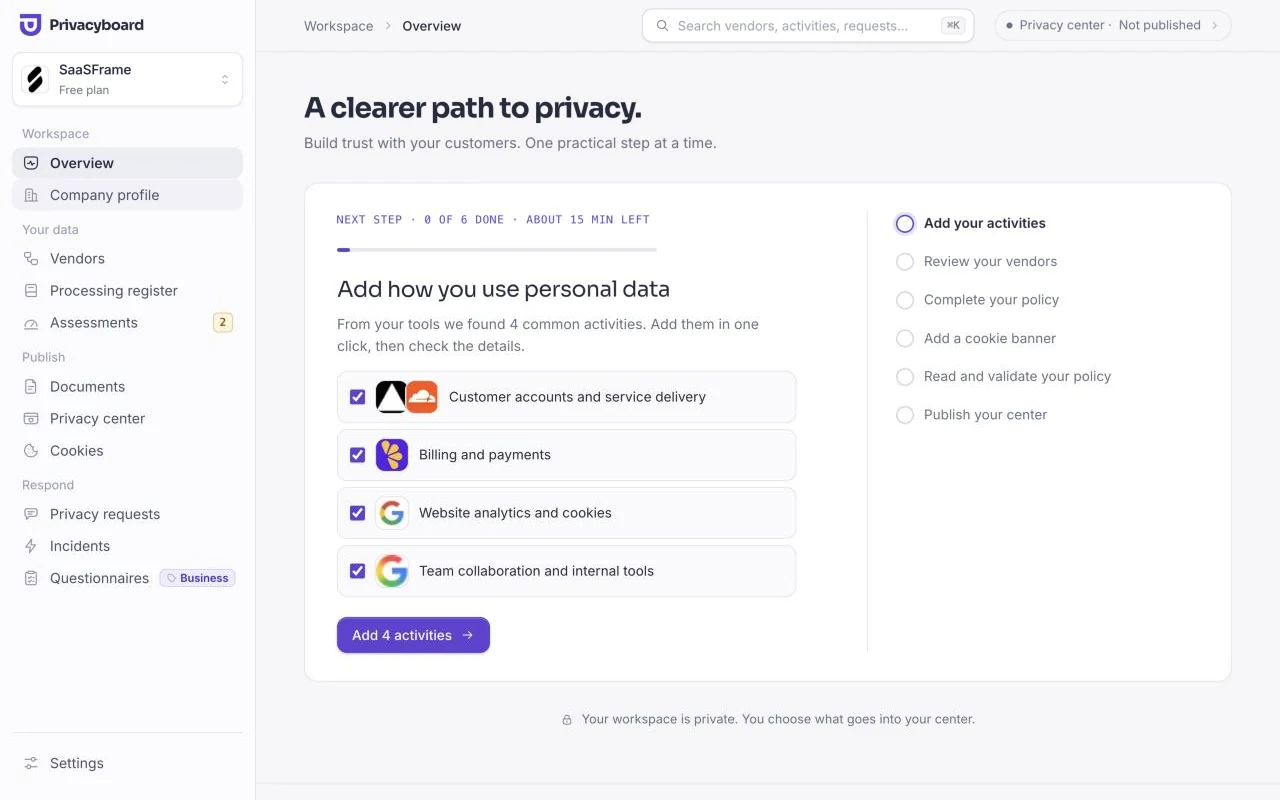
One click added them, with every field prefilled: our role, the tools involved, the personal data and the retention period.
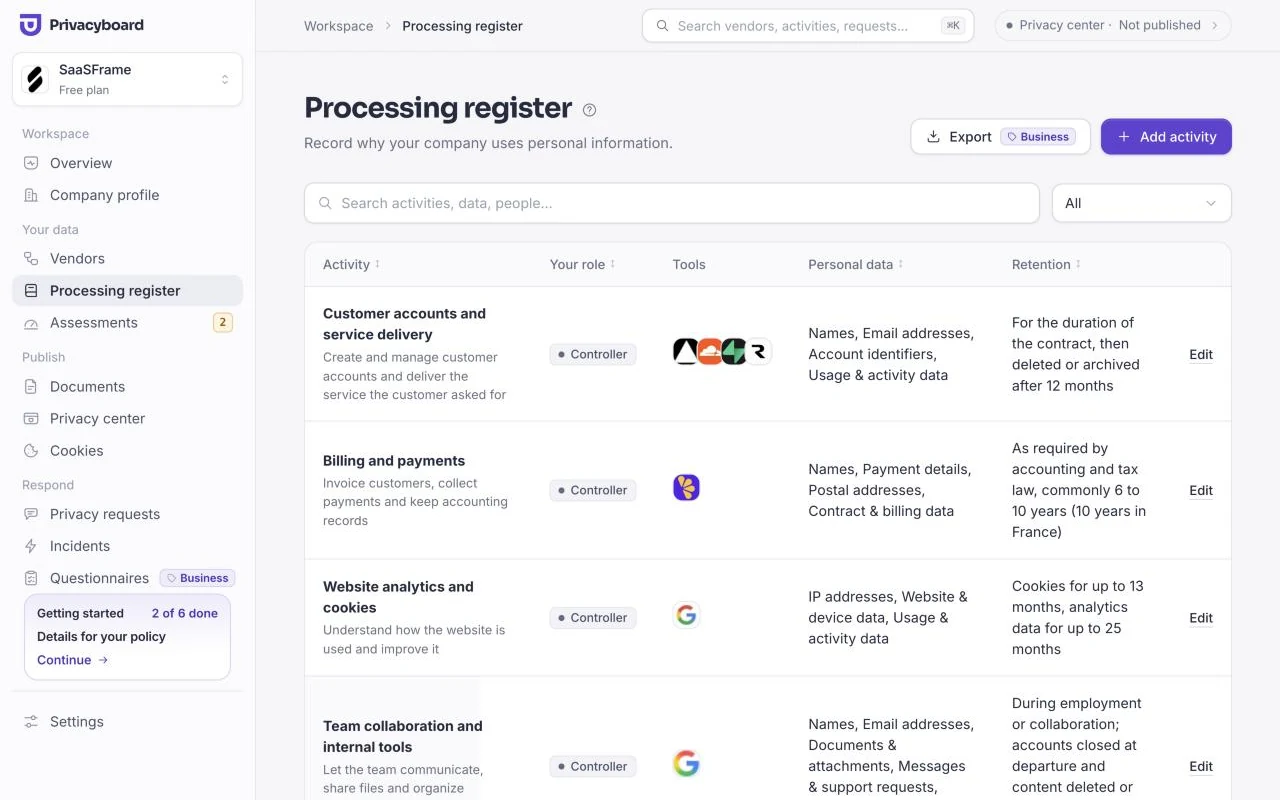
Retention is the answer people forget Each activity needs a retention period. Starting from a template ("for the duration of the contract, then 12 months") is faster than a blank field, but adjust it to what you really do.
Step 4: Confirm the vendors
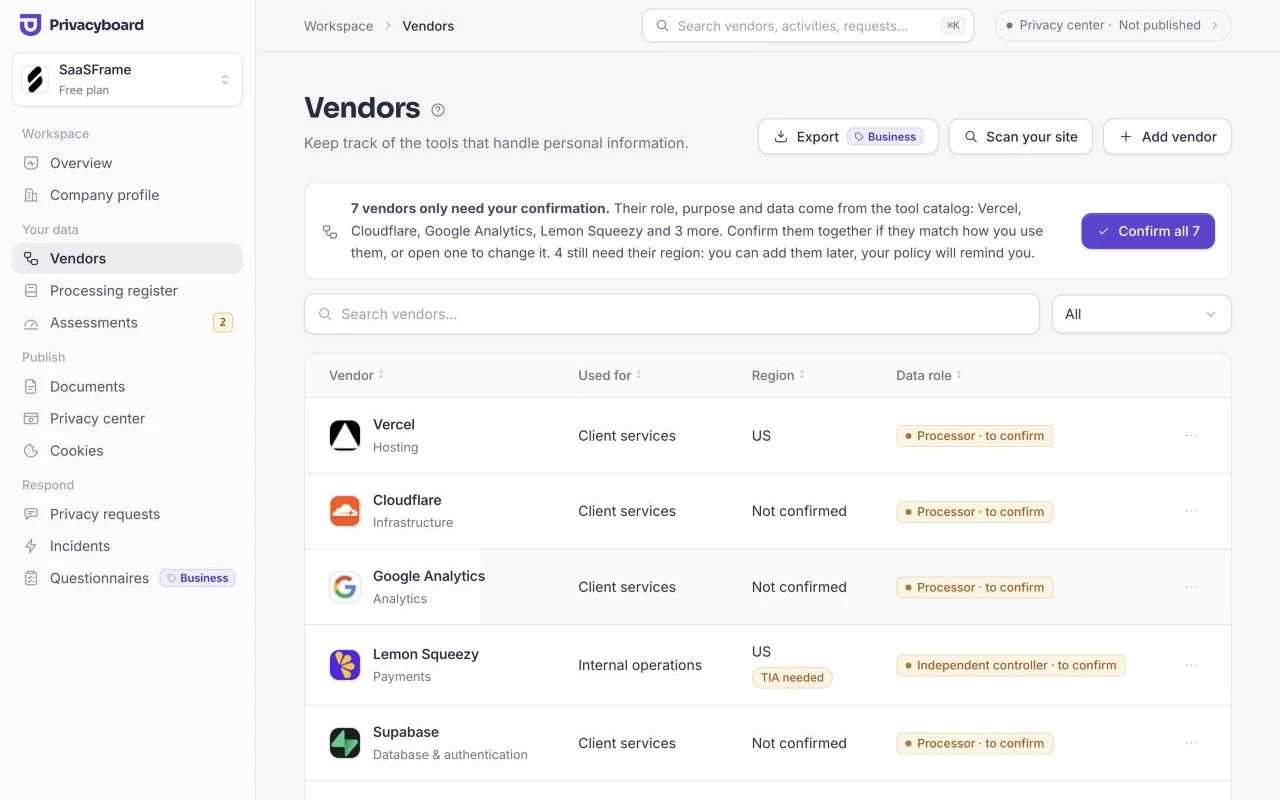
Each tool arrives with its data role, purpose and data from the catalog, marked "to confirm". We checked them against how we actually use each tool, then confirmed all seven together. Regions can wait: the policy asks for the ones it needs.
Step 5: Complete and validate the documents
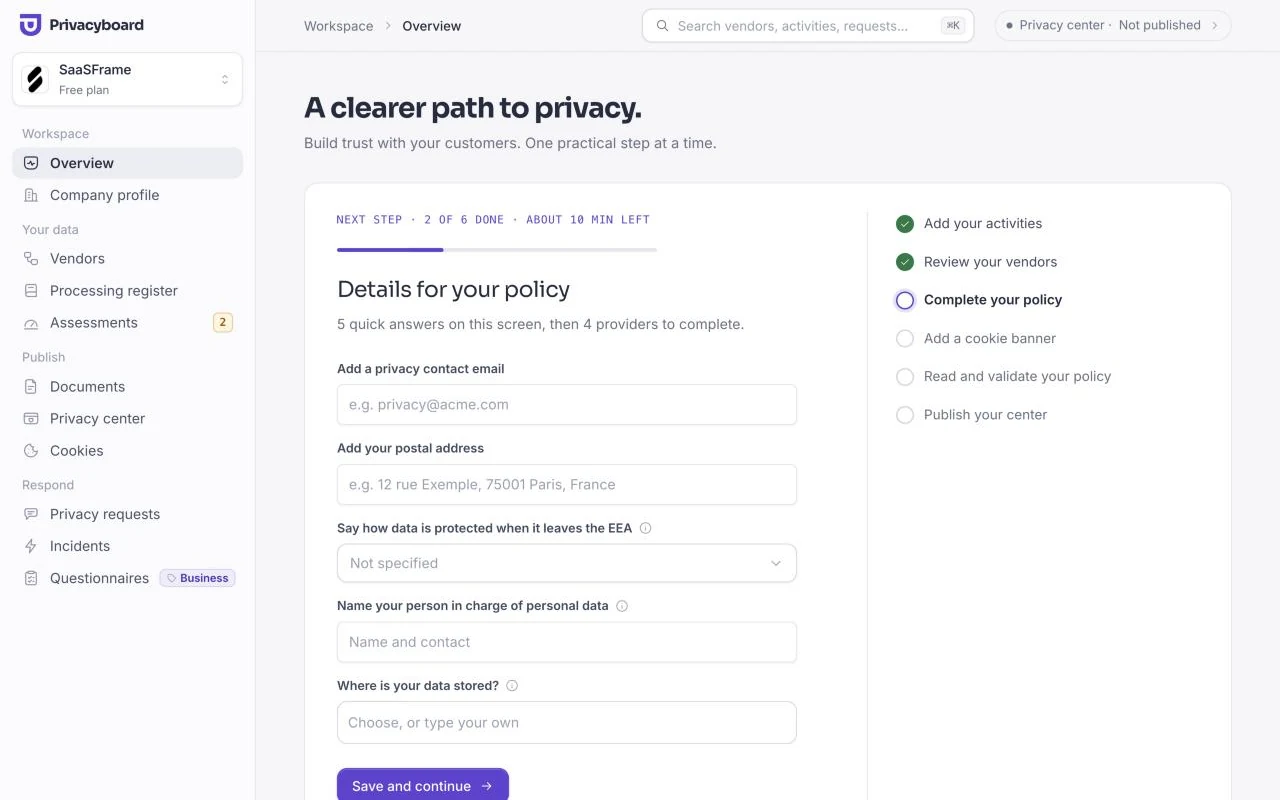
The policy needs a few facts only we can give: a privacy contact, a postal address, how data is protected when it leaves the EEA, and who is in charge of personal data. The next step asks for them on one screen.
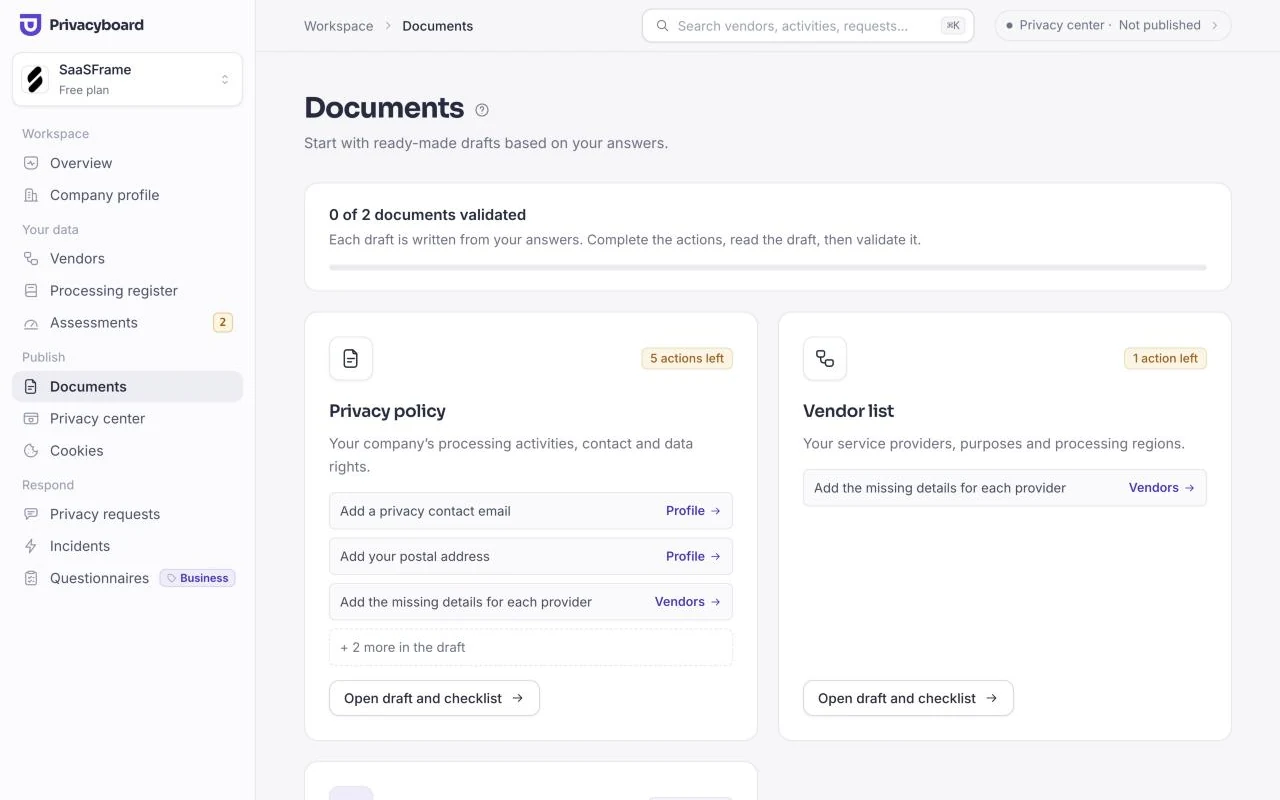
The documents page shows what each draft still needs. Privacyboard drafted a privacy policy and a vendor list from our answers; neither can be shared until its required actions are done.
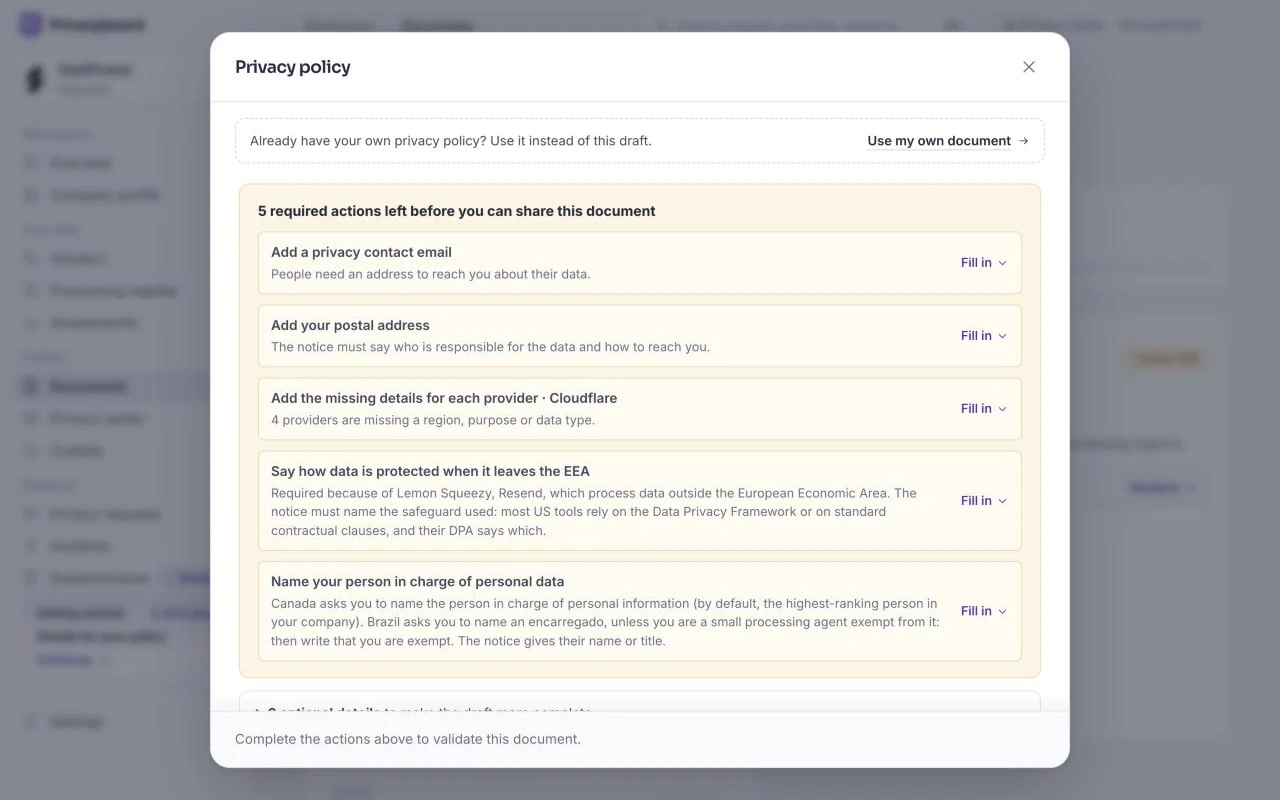
Each action explains why it is there. The EEA transfer question, for example, appears because Lemon Squeezy and Resend process data outside the European Economic Area, and the policy must name the safeguard.
Once the actions are done, we read each document before validating it. The draft carries a clear notice that it is a working template, not a certificate of compliance, and validating it records the exact version we approved.
Step 6: Prepare a privacy center
Instead of a long legal page in the footer, SaaSFrame has a privacy center: one page with the documents, the providers and where they store data, and a way to exercise privacy rights. The center shows only the documents we validated, and the preview shows what visitors will see. Ours lives at privacy.saasframe.io.
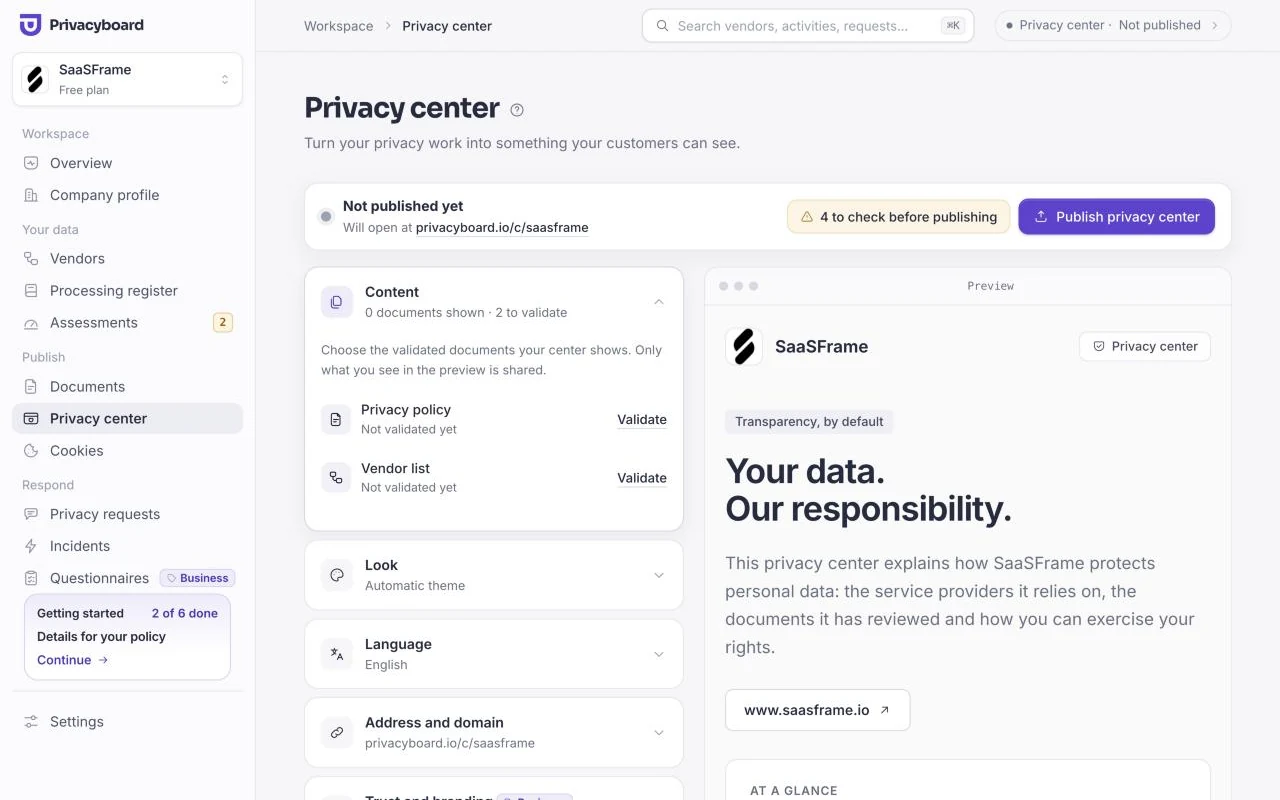
For a B2B product this pays off quickly. When a customer's security review asks where data is hosted or who the subprocessors are, the answer is a link.
Step 7: Ask for consent before analytics runs
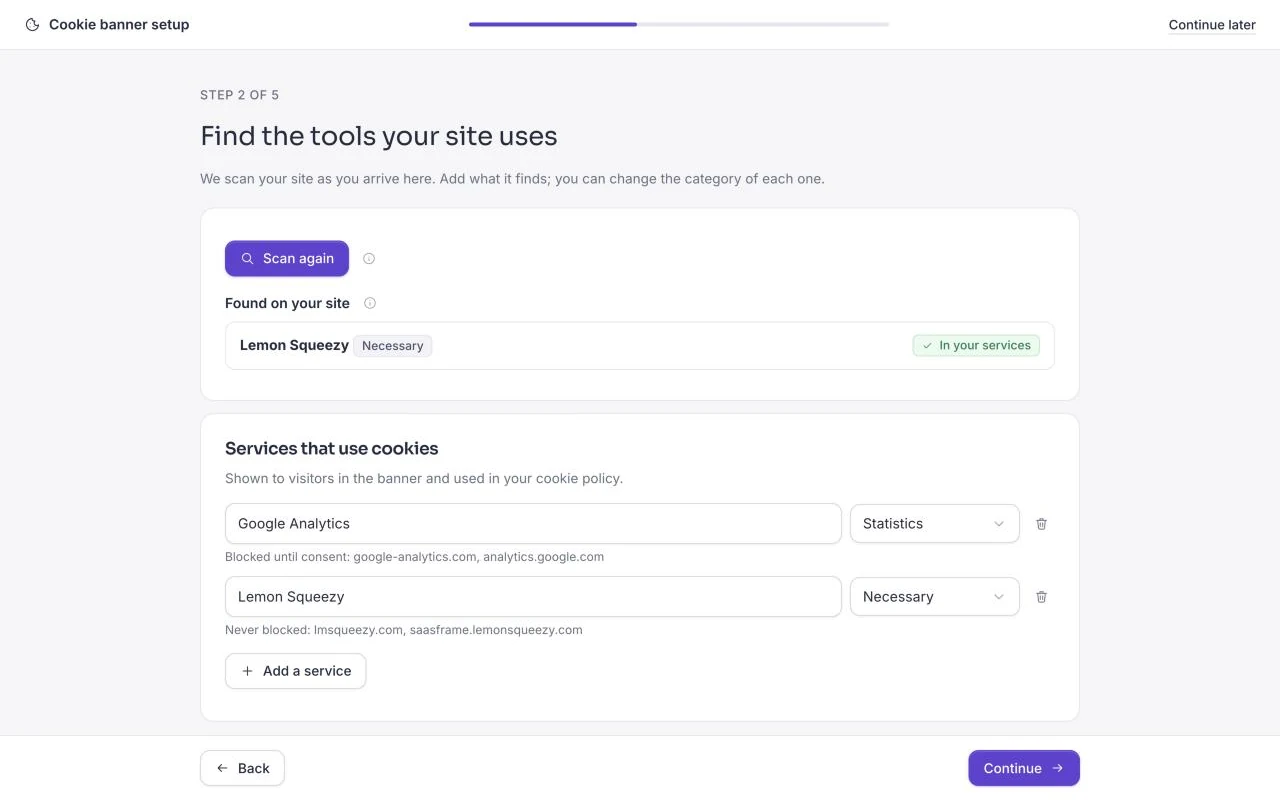
Last came the cookie banner, set up in five steps. After confirming the website, the scan lists the services the site uses. Lemon Squeezy was found on the page and stays necessary; Google Analytics came from our vendor list and is blocked until the visitor agrees.
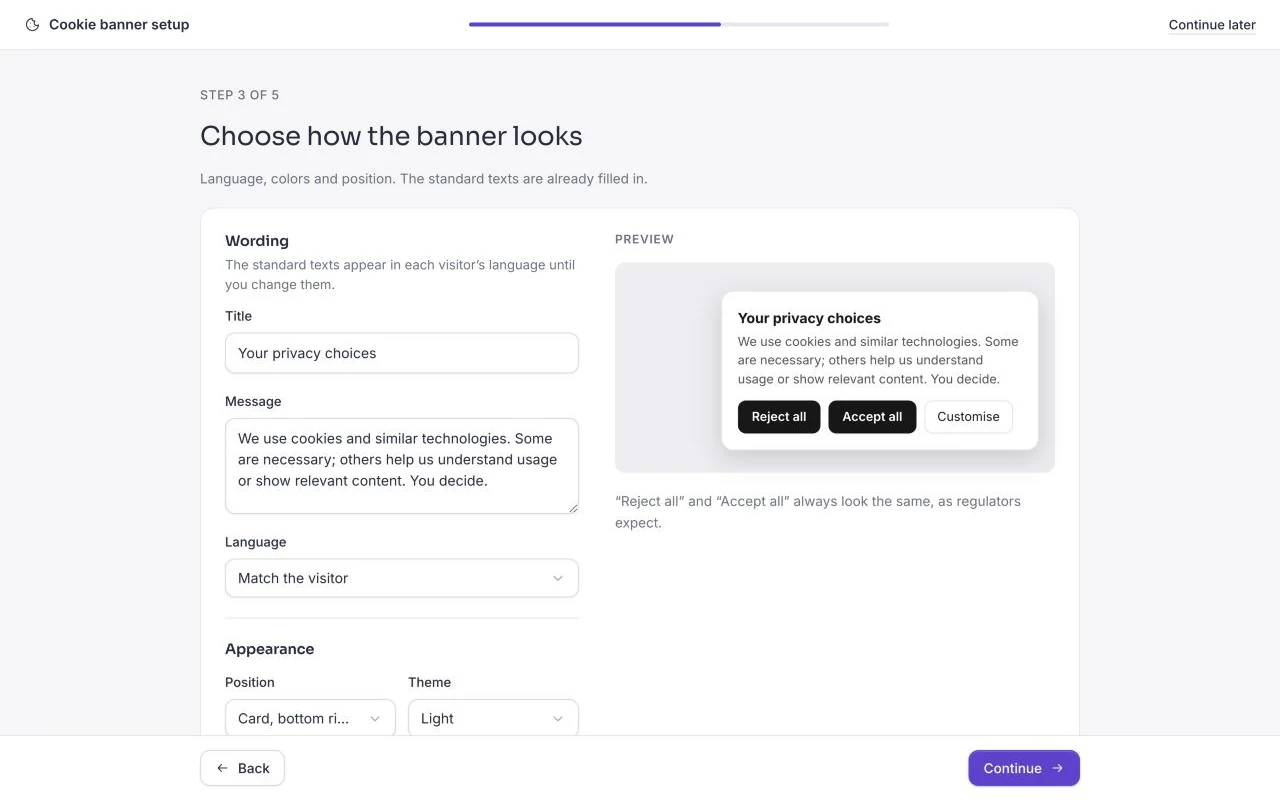
The banner itself is deliberately plain: "Reject all" and "Accept all" look the same, as regulators expect, and the texts appear in each visitor's language. Each choice is recorded without an IP address, so we can show what a visitor agreed to.
What took five minutes, and what took longer?
The fast part is getting from a website address to a structured workspace: the onboarding took us under three minutes, and the vendors, activities and first drafts arrived prefilled, so we confirmed rather than typed. Adding the activities and confirming the vendors took two more clicks.
What deserves more time is checking. Privacyboard itself estimates about 15 more minutes before the privacy center is live: answering the policy details, reading the drafts and installing the banner where it loads first on every page. None of it is hard, but it is where the facts come from you.
What would we tell another SaaS team?
- Start with your tools. Your vendor list feeds the policy, the register and the cookie banner, so it is worth getting right first.
- Keep it current. A new analytics or email tool changes your documents. A tool that flags the change saves you from rereading everything.
- Make it visible. A public privacy center turns privacy into something customers can check, instead of a request you answer by email.
Designing your own settings or compliance screens? Browse settings pages, cookie banner patterns and the Privacyboard screens in the library, or read SaaS settings page design.
Frequently asked questions
What does a small SaaS need for the GDPR?
At least a privacy policy, a list of the providers that receive personal data, a record of processing activities, a way for people to exercise their rights and, if the site uses analytics or marketing tools, a cookie banner that asks for consent first.
Can a tool make my company GDPR compliant?
No tool can certify it. A tool like Privacyboard drafts the documents from your answers and keeps them current, but you still check each fact and validate each document, and you stay responsible for how you actually handle data.
How long does it take to set up?
The onboarding took us under three minutes and prefilled our vendors, activities and drafts. Privacyboard then estimates about 15 more minutes to complete the policy details, validate the documents, add the cookie banner and publish the privacy center.
Where does SaaSFrame publish its privacy documents?
On its privacy center at privacy.saasframe.io, served by Privacyboard under SaaSFrame's own address, with the validated documents, the vendor list and a way to exercise privacy rights.
Is Privacyboard related to SaaSFrame?
Yes. Privacyboard is built by the team behind SaaSFrame, and SaaSFrame uses it for its own privacy work. The screens in this article were captured on a test copy of our workspace.
 Cookie Banner8 examples
 Cookie Preferences0 examples