 SaaSFrame
14 more steps in this flow
Free accounts see the first 3 steps of each flow. Pro unlocks every step of every flow, plus every screen, section and Copy in Figma.

Userflow User Onboarding
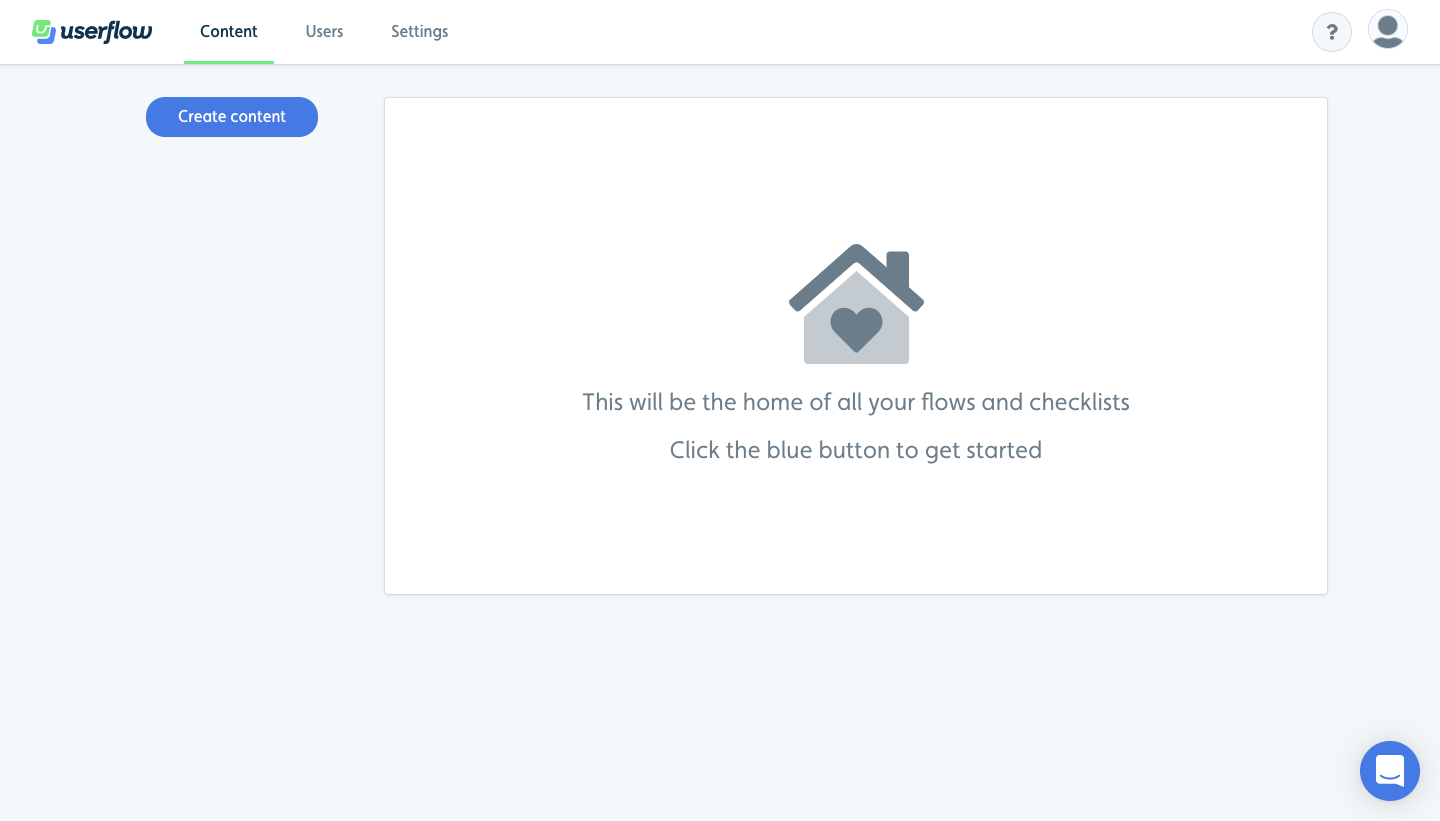
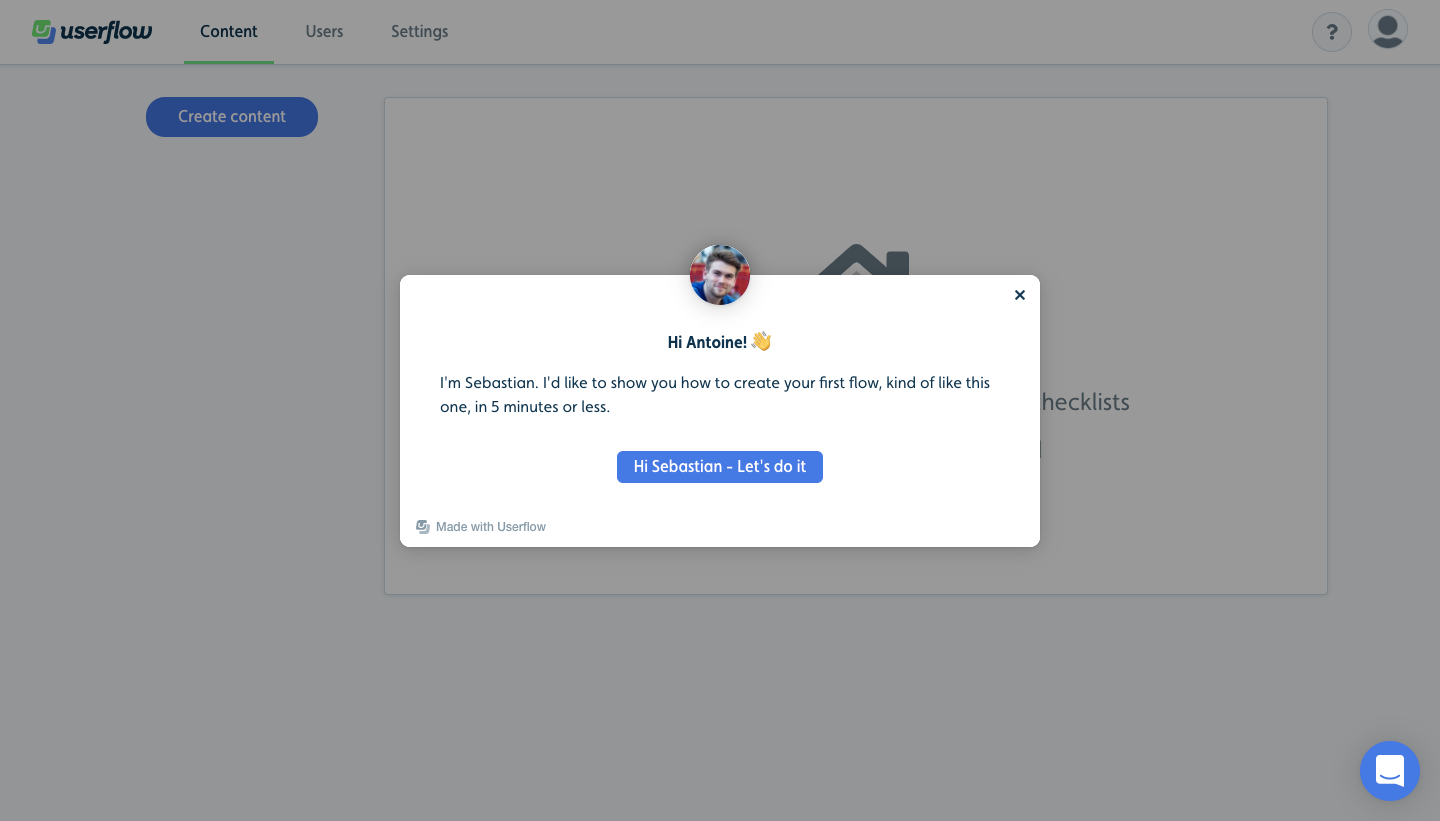
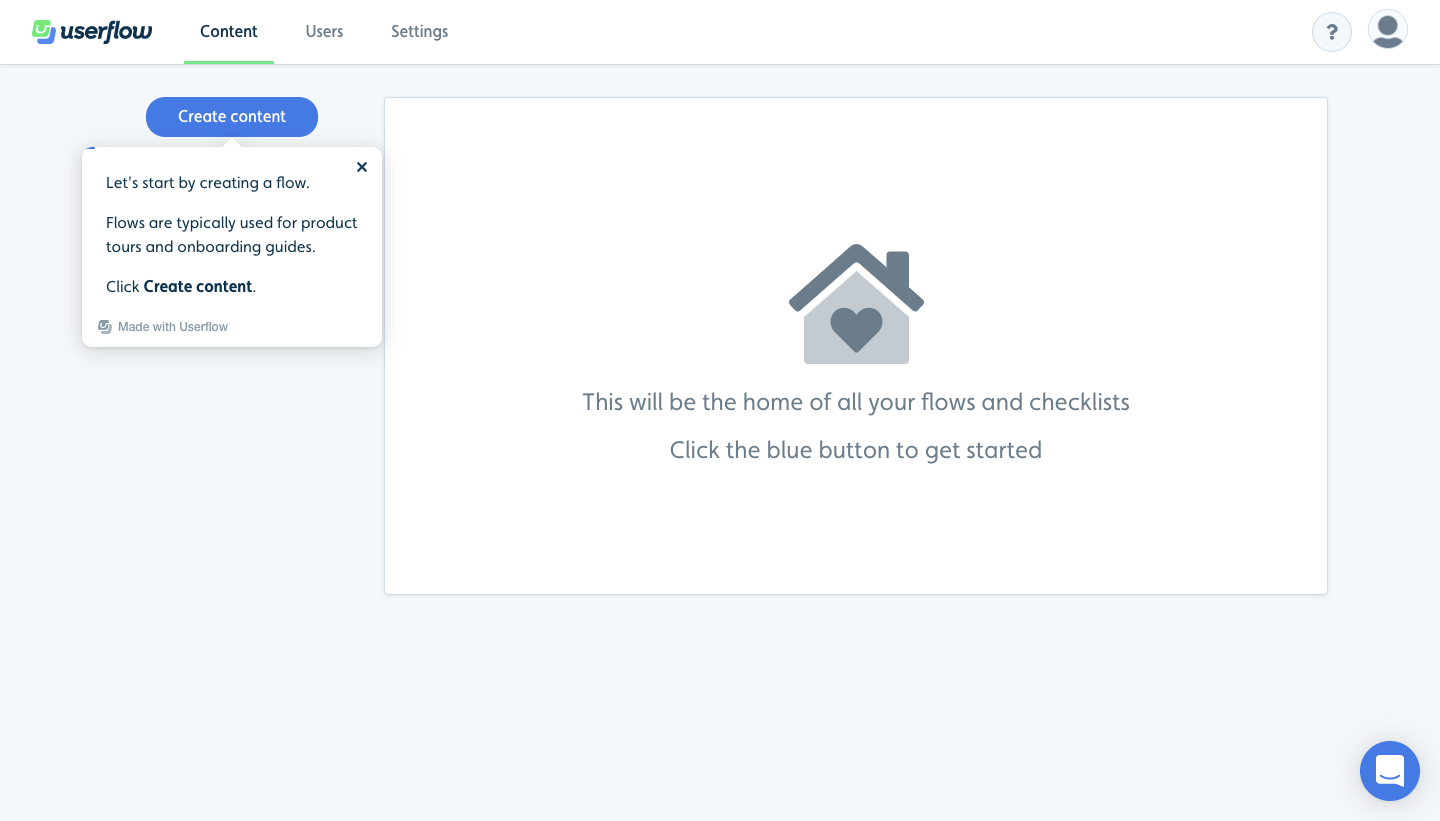
Userflow's onboarding teaches its own flow builder by guiding you through building a first flow, from an empty home to installing the Chrome extension. A founder welcome modal starts things, then small white tooltips with a founder avatar walk through each control while the canvas, step cards and right settings panel stay live. The empty state uses a house icon and a single blue create button.
Follow Userflow’s user onboarding flow step by step: 17 real screens captured from the live product, from user onboarding: empty home to user onboarding: install extension. Use ← → to move between steps, and open any screen to see it in full.
Steps in this flow
- 1User Onboarding: Empty Home
- 2User Onboarding: Founder Welcome
- 3User Onboarding: Create Content Tip
- 4User Onboarding: Select Flow
- 5User Onboarding: Name Flow
- 6User Onboarding: Flow Builder Intro
- 7User Onboarding: Step Settings Tip
- 8User Onboarding: Choose Modal
- 9User Onboarding: Add Button Tip
- 10User Onboarding: Button Text
- 11User Onboarding: Link Port Tip
- 12User Onboarding: Add Step Tip
- 13User Onboarding: Second Step
- 14User Onboarding: Beacons Explained
- 15User Onboarding: Beacon Element
- 16User Onboarding: App URL
- 17User Onboarding: Install Extension