SaaSFrame
SaaSFrame Pro
1 more step in this flow
Free accounts see the first 3 steps of each flow. Pro unlocks every step of every flow, plus every screen, section and Copy in Figma.
Fellow User Onboarding
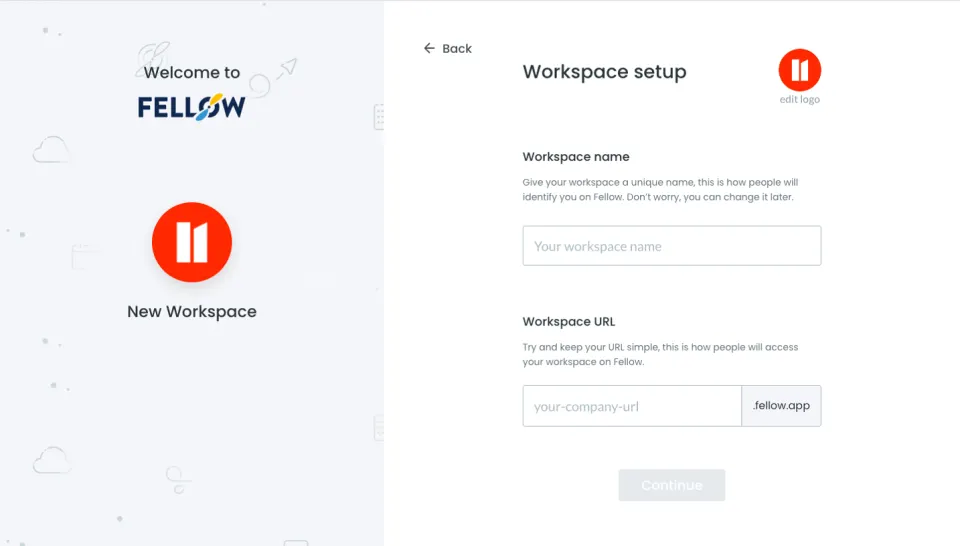
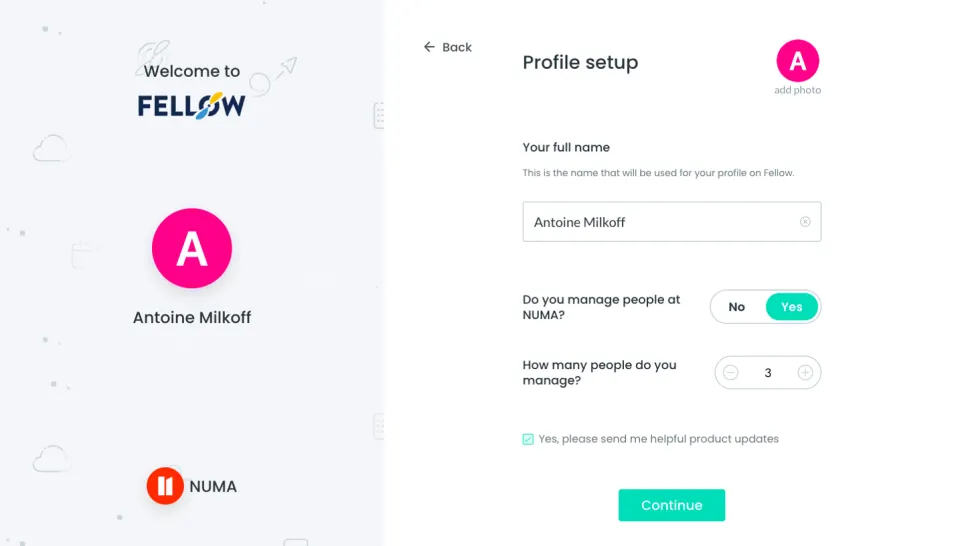
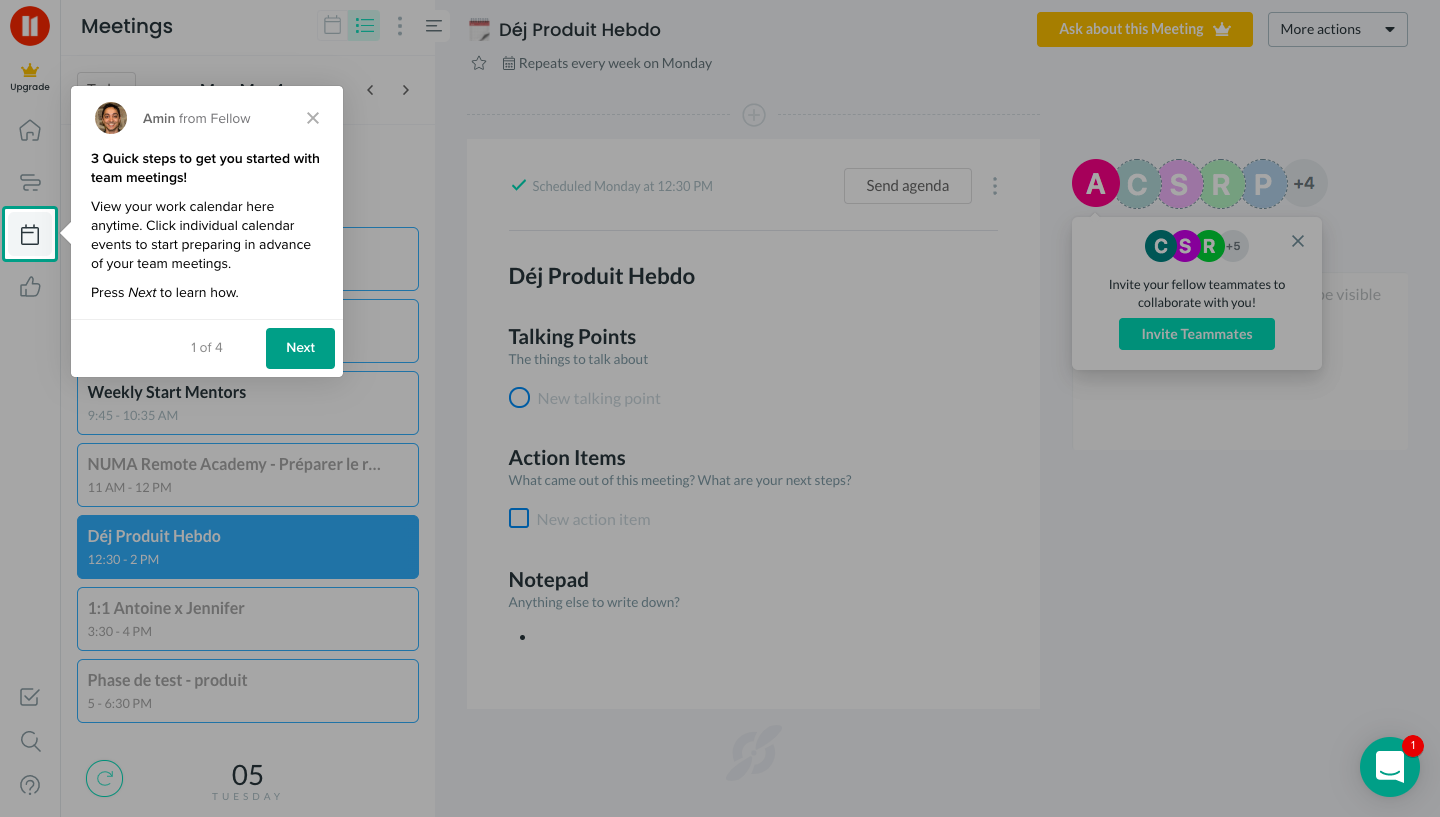
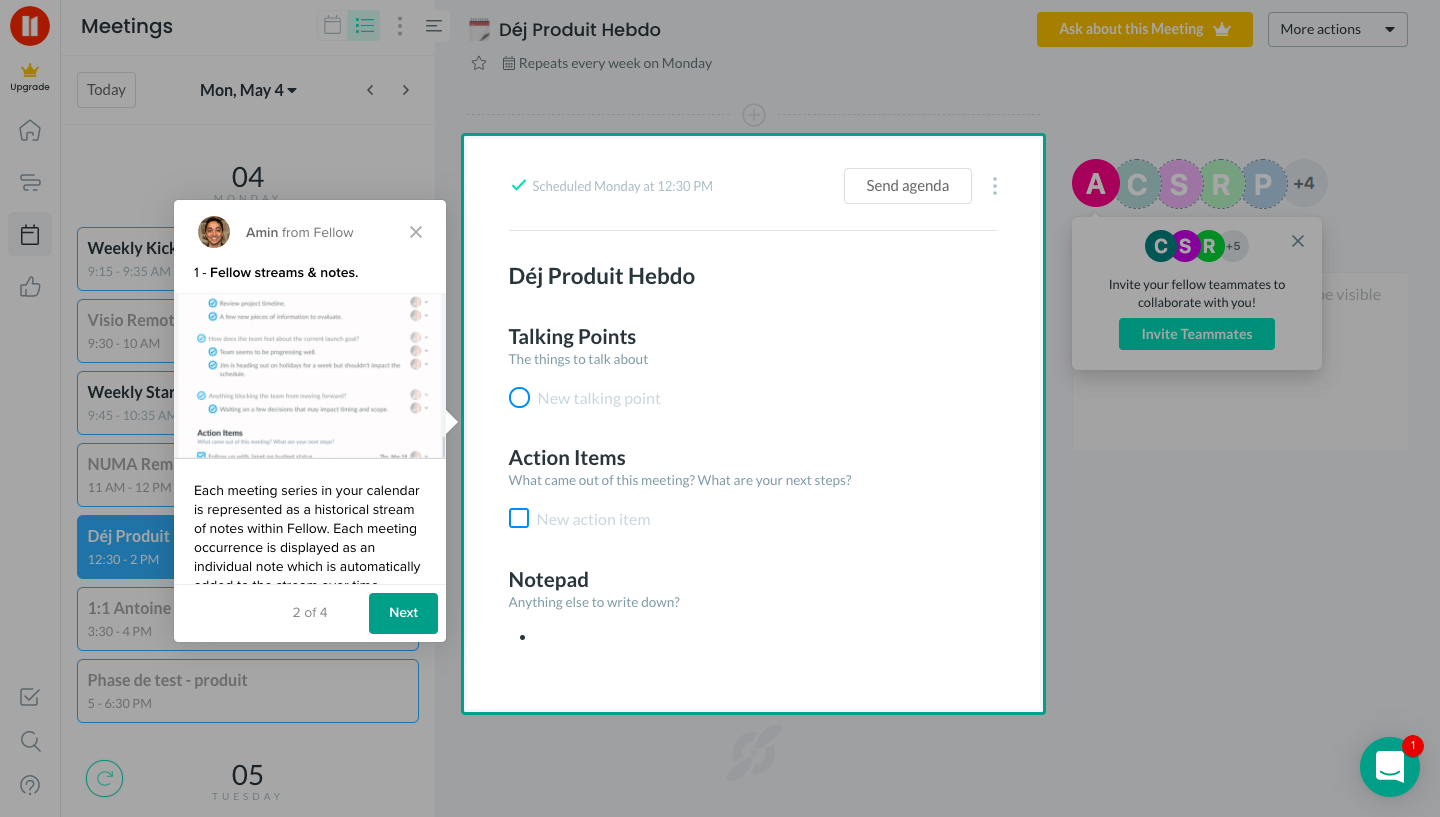
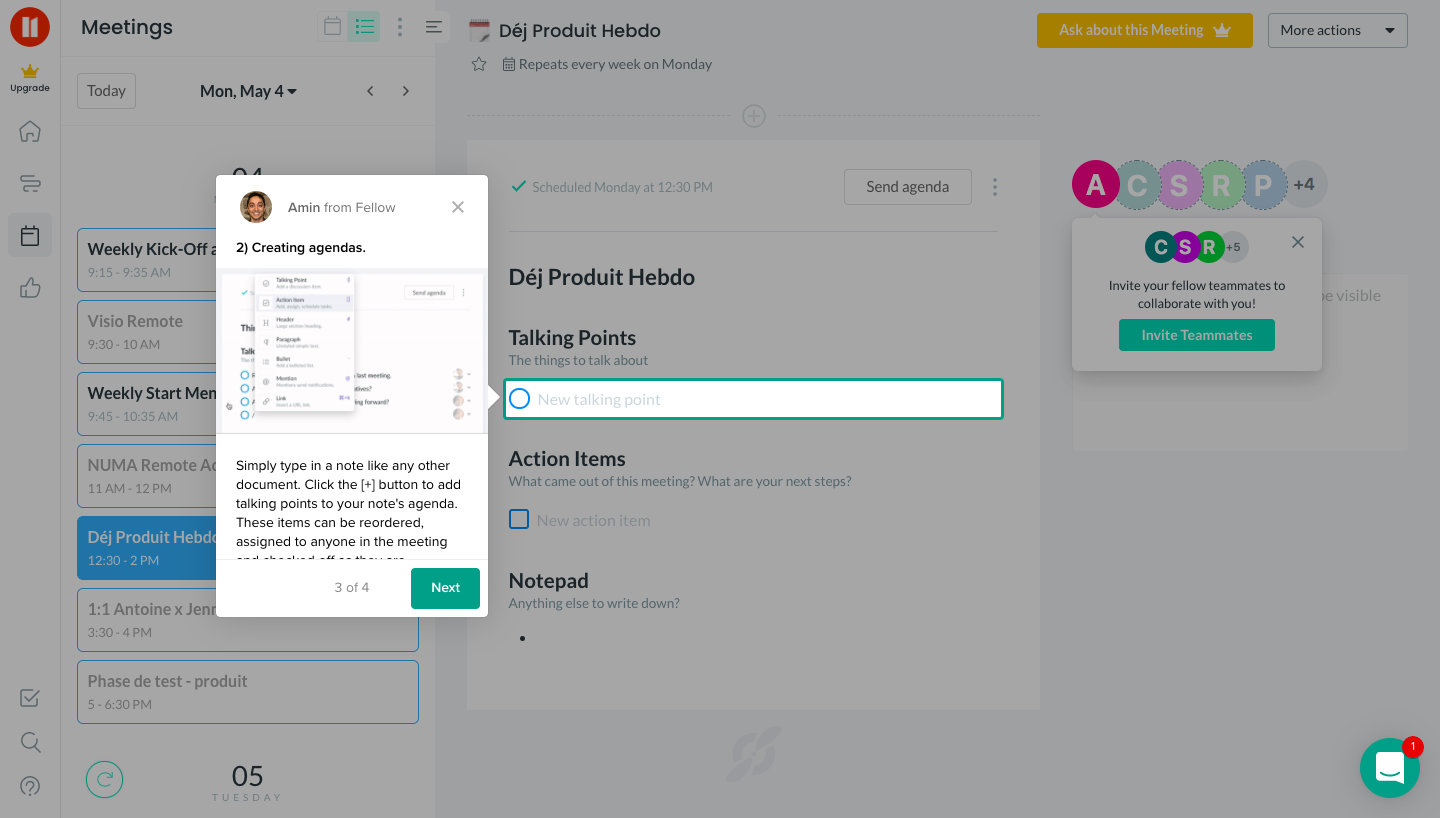
Fellow's onboarding tour explains the meetings view in four tooltip steps anchored to the calendar, notes and agenda controls. Each white tooltip carries a small avatar, a short numbered heading, a step counter and a green next button, while the relevant area gets a teal outline. The last tip points at the send agenda button with an inline screenshot.
Follow Fellow’s user onboarding flow step by step: 4 real screens captured from the live product, from onboarding: calendar tour to onboarding: send agenda. Use ← → to move between steps, and open any screen to see it in full.
Steps in this flow
More flows from Fellow
All Fellow Fellow Sign Up Flow
7 screens