SaaSFrame
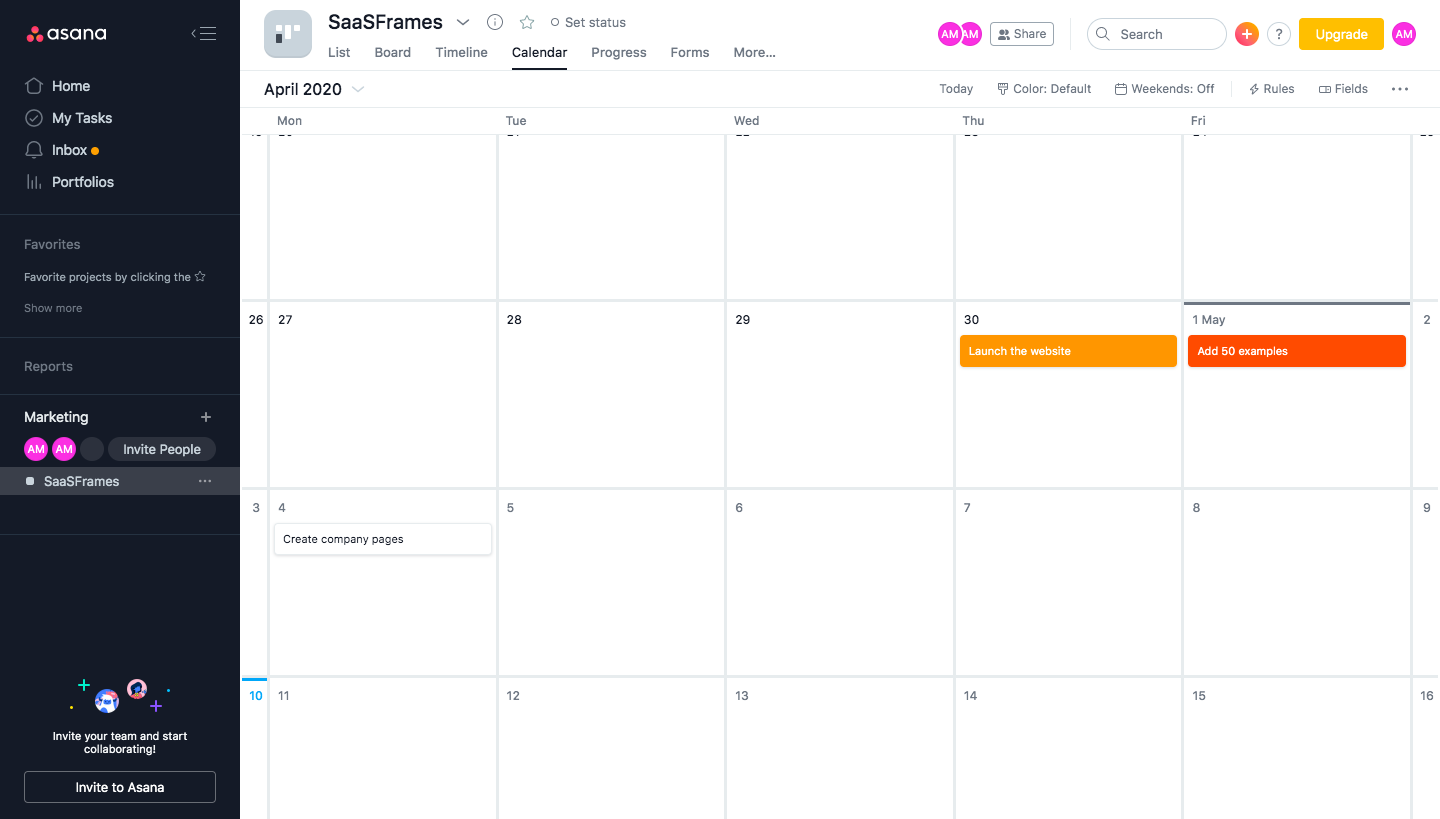
Asana Dashboard
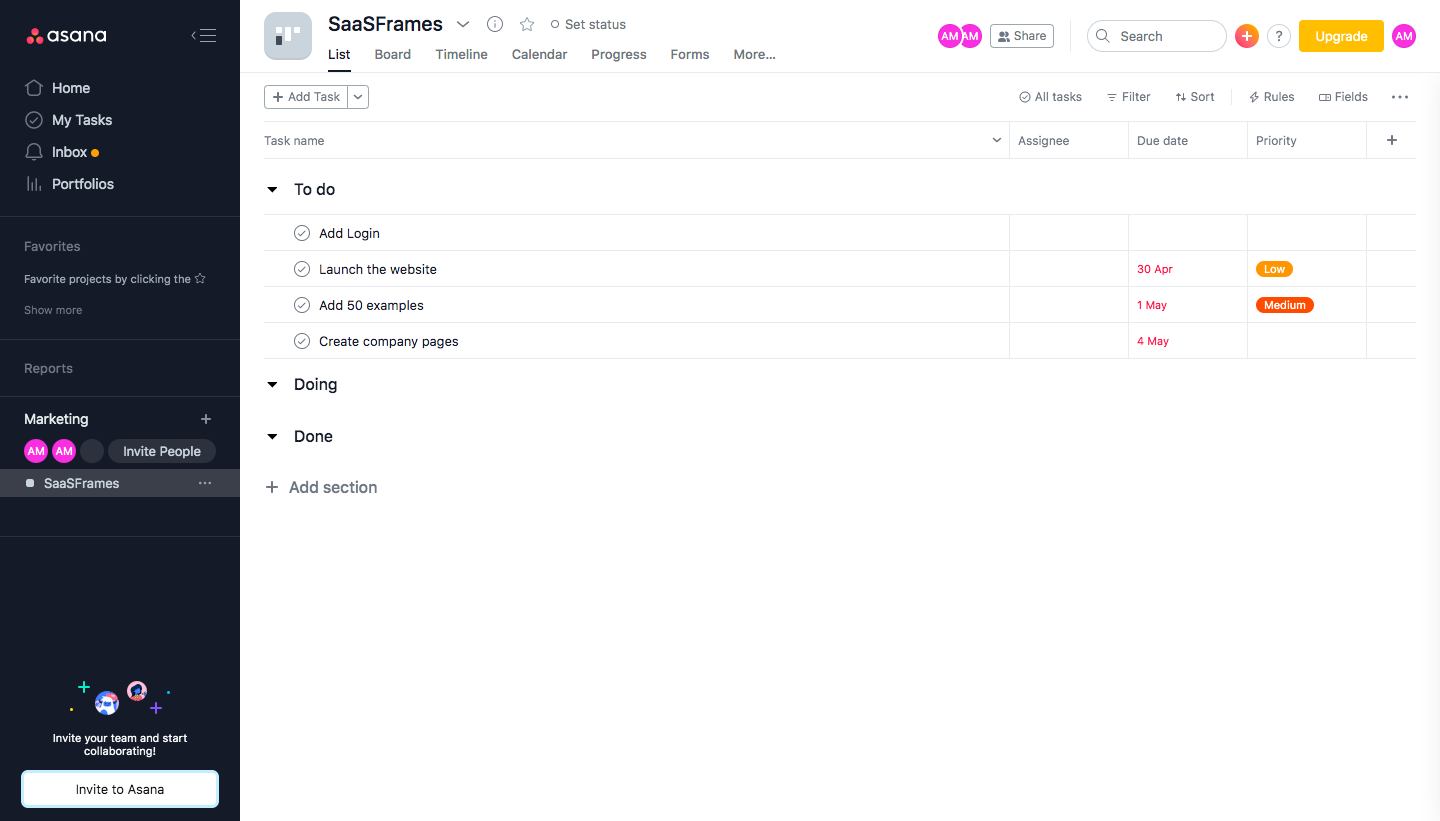
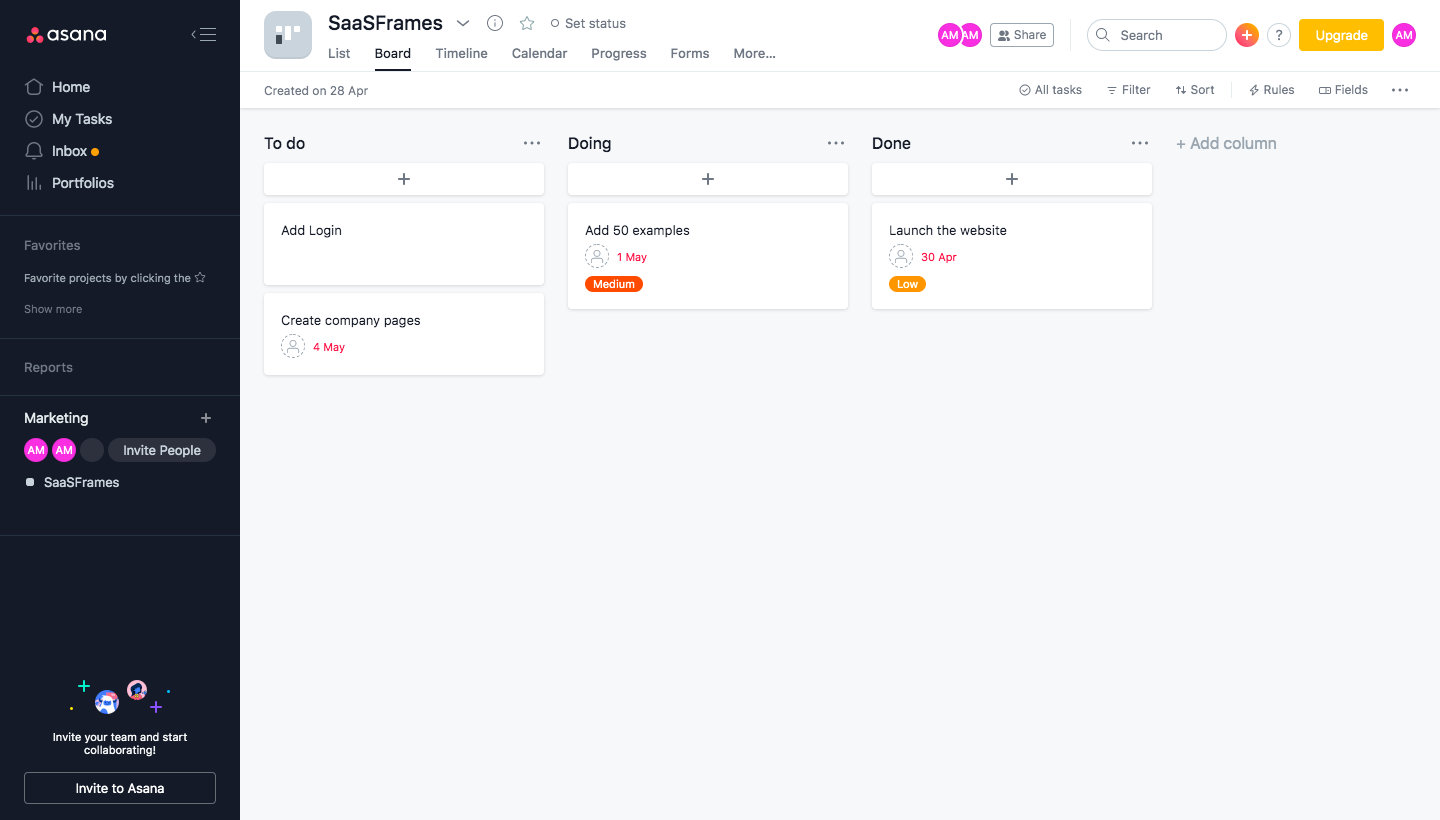
Asana's project views show the same sample project as a list, a board and a calendar inside its dark-sidebar workspace. The list groups tasks under collapsible sections with colored due date and priority tags, while the board turns those sections into columns of cards. The calendar places tasks as orange bars on a month grid, with an invite prompt and illustration in the sidebar throughout.
Follow Asana’s dashboard flow step by step: 3 real screens captured from the live product, from dashboard: list view to dashboard: calendar. Use ← → to move between steps, and open any screen to see it in full.
Steps in this flow
More flows from Asana
All Asana Asana Sign Up Flow
10 screens



Asana User Onboarding
5 screens