SaaSFrame

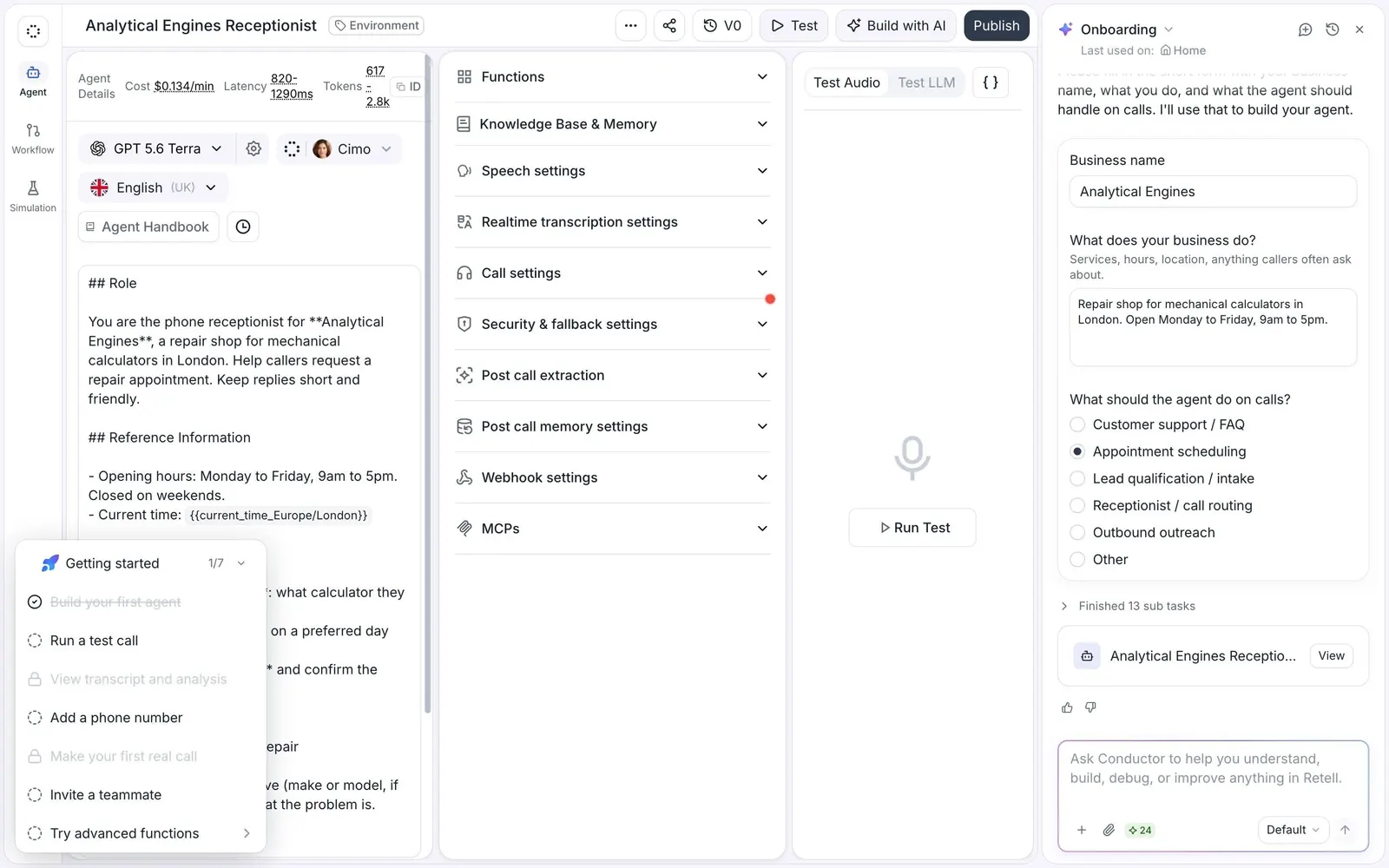
About this screen
Prompt, settings and test in three columns
The Retell agent builder shows the agent's prompt on the left ("## Role - You are the phone receptionist for Analytical Engines…"), with model, voice and language selectors above it and cost, latency and token estimates in a details bar.
Settings as an accordion
The middle column lists Functions, Knowledge Base & Memory, Speech settings, Realtime transcription settings, Call settings, Security & fallback settings, Post call extraction, Webhook settings and MCPs. The right column offers Test Audio / Test LLM and a "Run Test" button.
Checklist and assistant on top
A "Getting started 1/7" checklist floats at the bottom left (Run a test call, Add a phone number, Invite a teammate) and the Conductor chat stays docked on the right.