SaaSFrame

About this screen
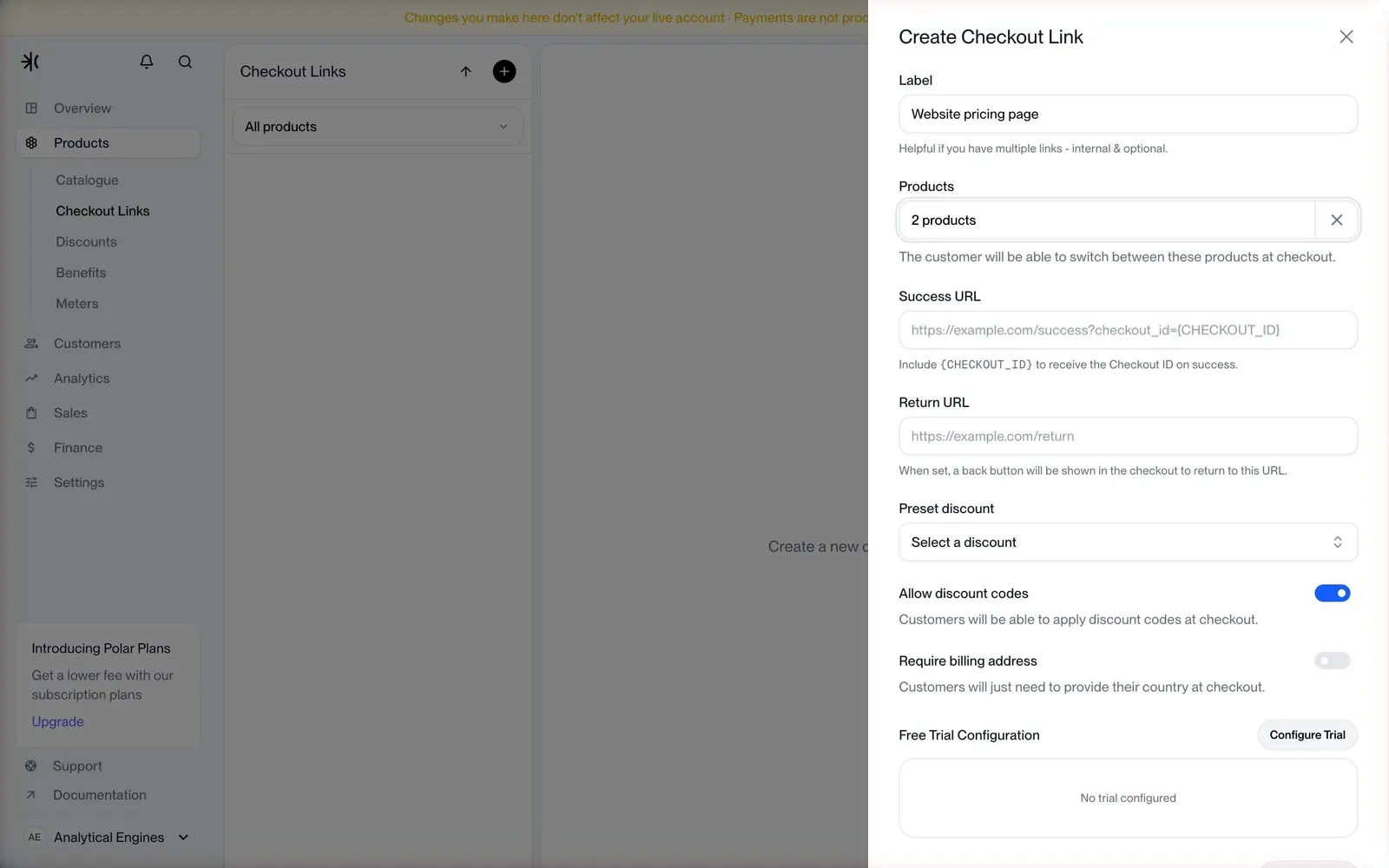
A side panel to create a checkout link
"Create Checkout Link" slides in from the right over the Checkout Links page. It starts with an internal label ("Website pricing page") and a product selector showing "2 products".
Where the customer goes next
Two optional URLs follow: a success URL, with a hint that {CHECKOUT_ID} is replaced on success, and a return URL that adds a back button to the checkout.
Discounts and address
A preset discount can be attached; two switches decide whether customers may enter discount codes and whether a full billing address is required.