SaaSFrame

About this screen
A link, ready to share or embed
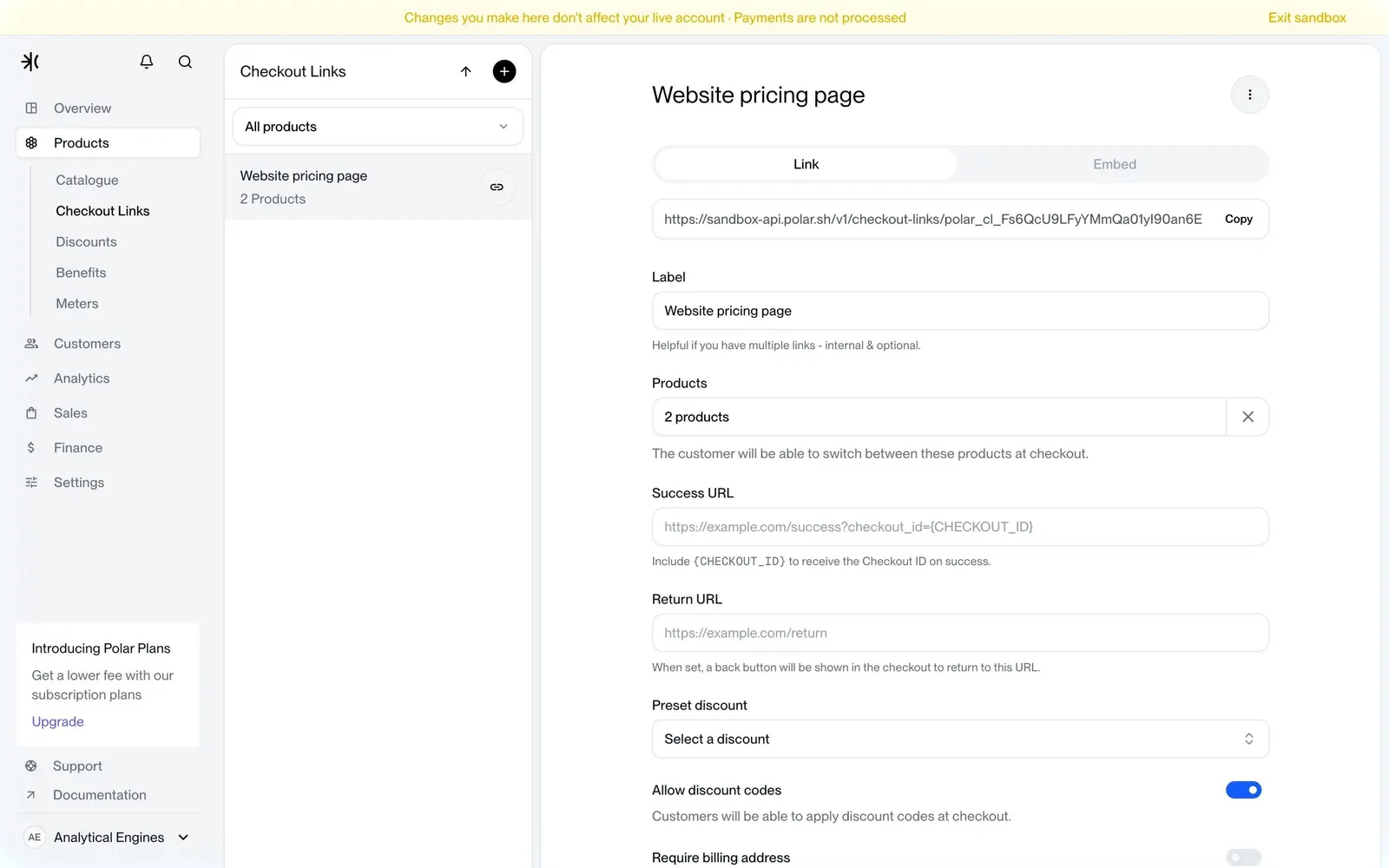
Once created, the checkout link "Website pricing page" opens in the right pane with two tabs, Link and Embed, and the URL in a field with a Copy button.
The same settings, editable
Label, products, success URL, return URL, preset discount and the discount-code switch can all be changed below the URL.
A list on the left
The middle column lists checkout links with their product count, a product filter and a round button to add one.