SaaSFrame
Part of Cirra Workflow Creation
MindCloud Cirra Workflow Planning
 MindCloudIntegrations and workflow automation
About this screen
Plan document
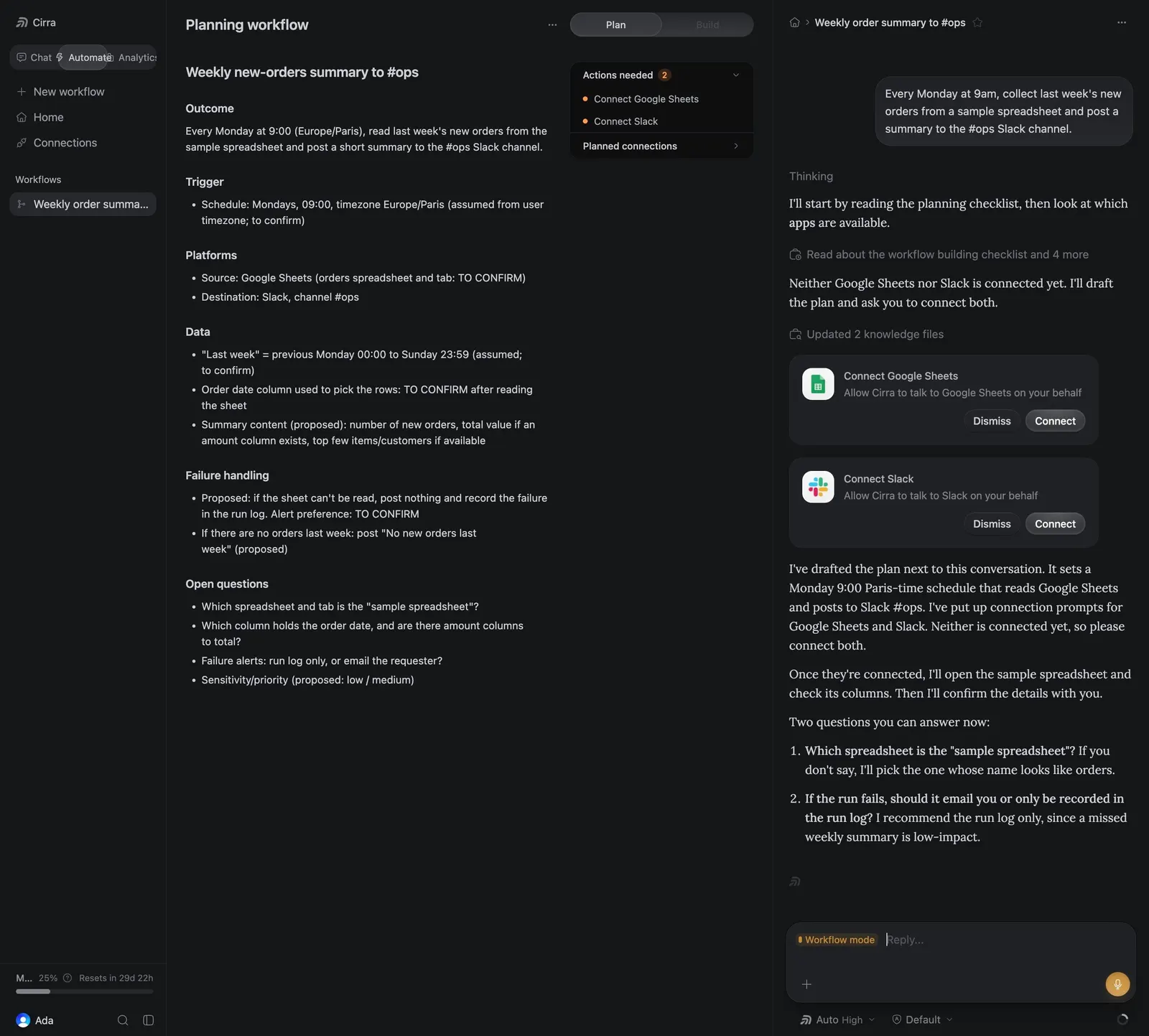
The left pane, "Planning workflow", drafts "Weekly new-orders summary to #ops" with sections Outcome, Trigger, Platforms, Data, Failure handling and Open questions, several marked "TO CONFIRM".
Plan and Build tabs
A "Plan" / "Build" toggle tops a small panel listing "Actions needed" (connect Google Sheets and Slack) and "Planned connections".
Assistant chat
The right chat proposes "Connect Google Sheets" and "Connect Slack" cards with "Dismiss" and "Connect" buttons, then asks two numbered questions above an amber send button.