SaaSFrame
MindCloud Cirra Home
 MindCloudIntegrations and workflow automation
About this screen
Greeting and prompt
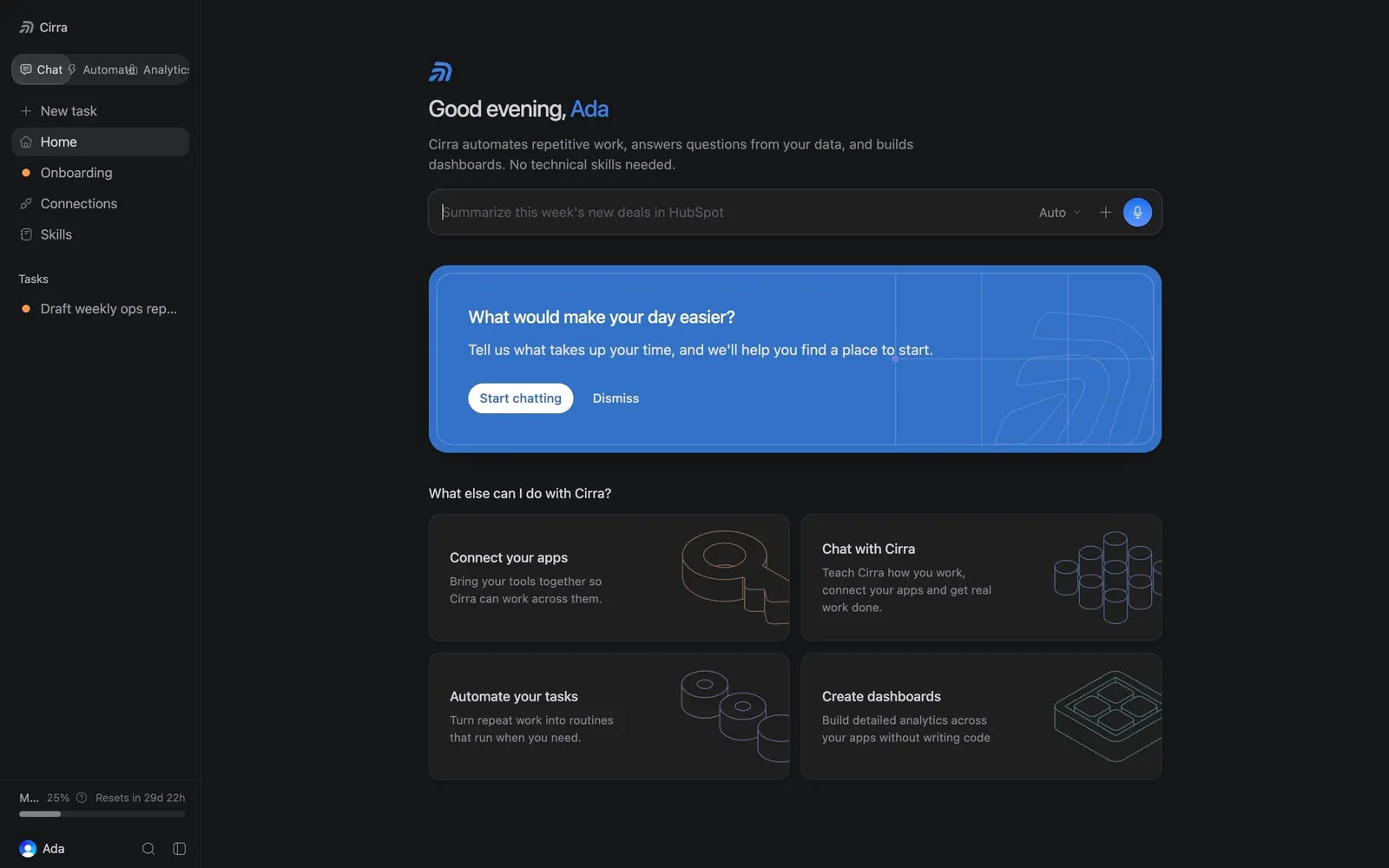
The Chat home greets the account owner with "Good evening" and the name in blue, a one-line explanation of Cirra and a wide prompt field with an "Auto" mode picker and a round blue send button.
Blue discovery card
A saturated blue card asks "What would make your day easier?" with a white "Start chatting" pill and a "Dismiss" link.
Four starting points
Under "What else can I do with Cirra?", a 2×2 grid of dark cards ("Connect your apps", "Chat with Cirra", "Automate your tasks", "Create dashboards") pairs short copy with line-art illustrations.