About this screen
The slash menu
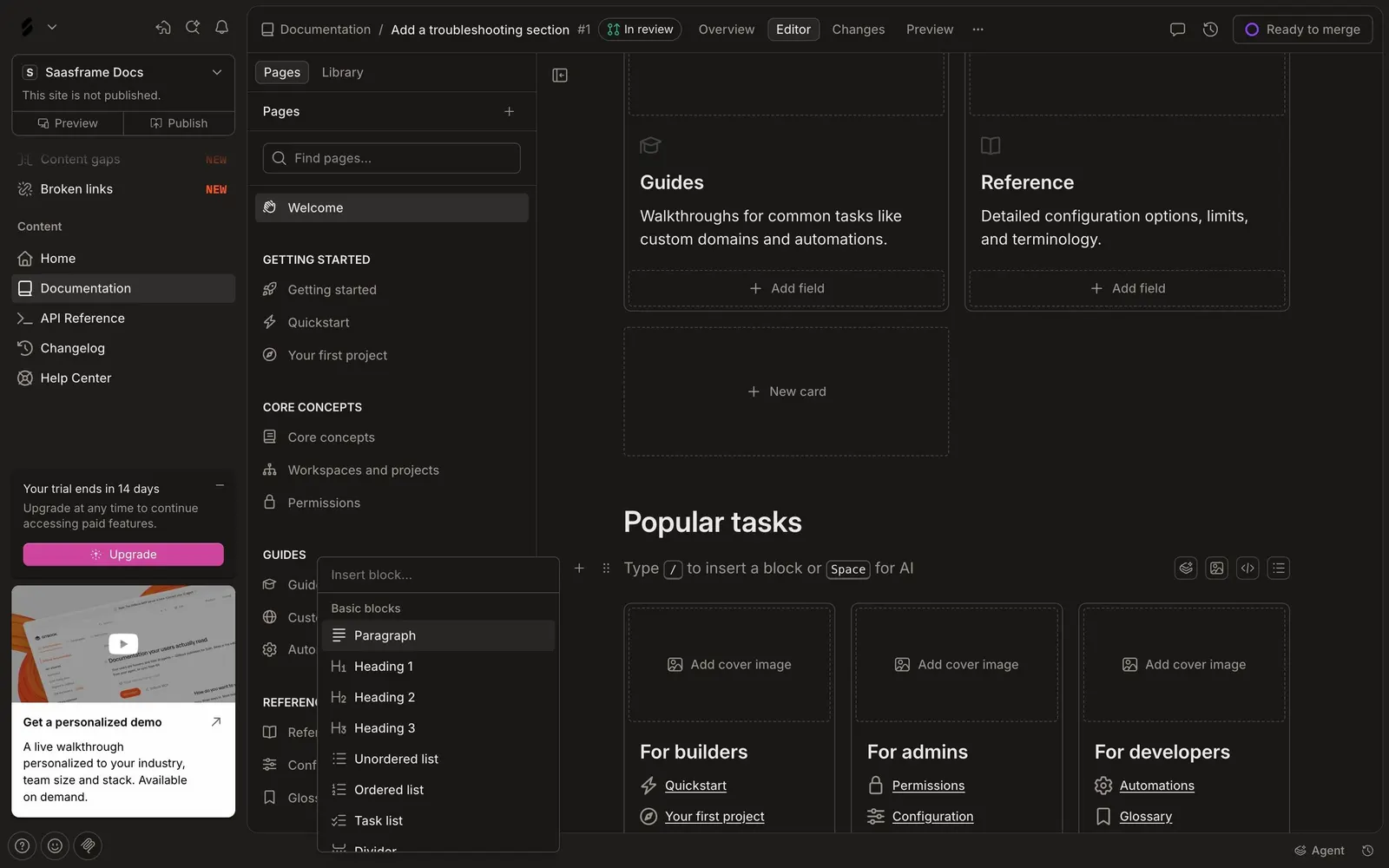
Typing "/" in the editor opens a block menu under the cursor: Paragraph, Heading 1 to 3, Unordered list, Ordered list, Task list and more.
Inside a change request
The top bar shows the request title and its status, with tabs for Overview, Editor and Changes and a "Ready for merge" action.
Inline affordances
Card blocks show "Add cover image" and "Add link" placeholders while editing.