SaaSFrame
Part of Creating and Running a Workflow
Extend Workflow Run Extraction Review
 ExtendDocument processing for AI agents
About this screen
Reviewing extracted fields
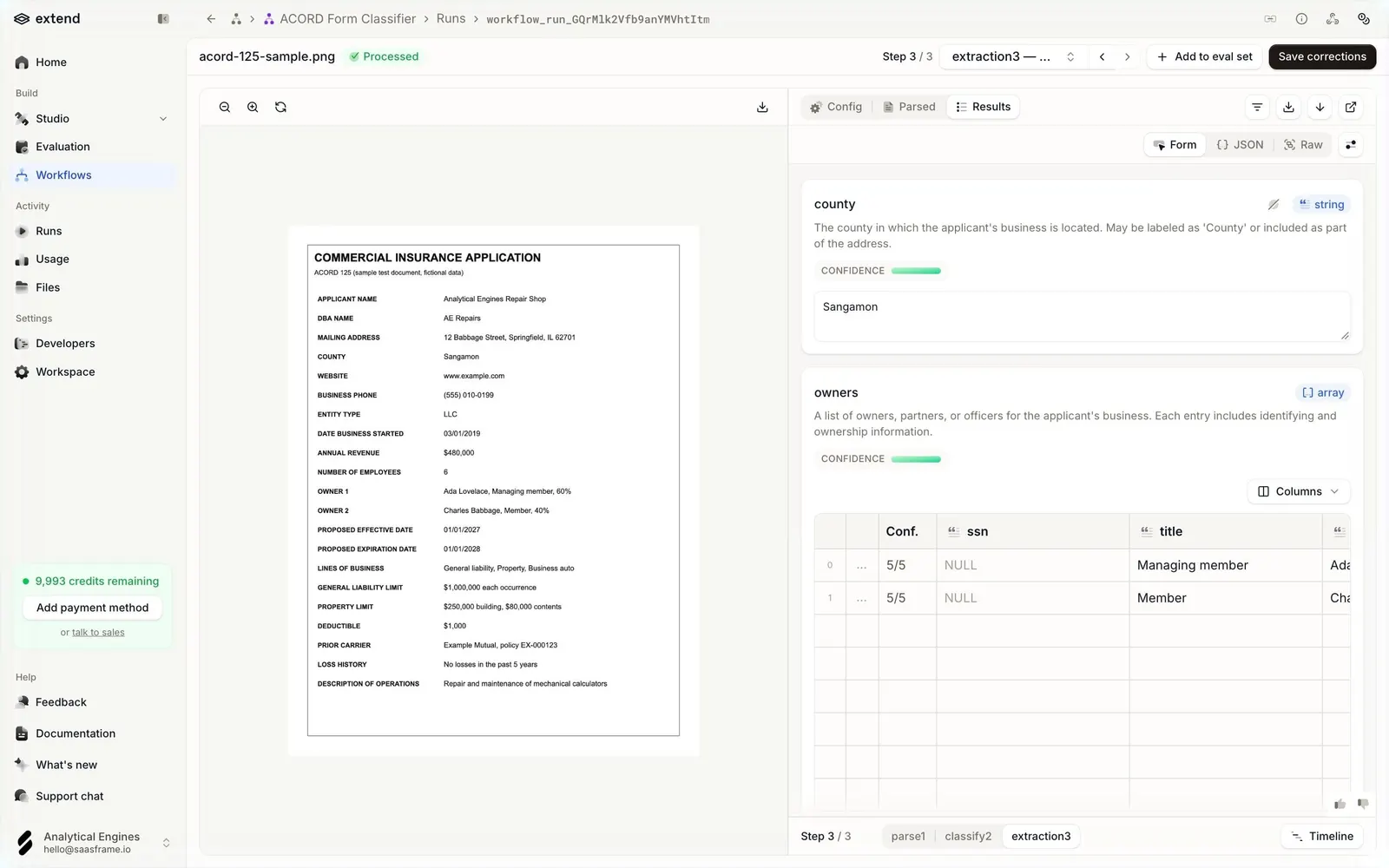
Step 3 of the run shows the extraction as a form: each field is a card with its key, type (string, array), description, a confidence bar and the extracted value, such as county "Sangamon".
Arrays become tables
The "owners" field lists two rows with a confidence score of 5/5, a null SSN and titles "Managing member" and "Member"; a Columns menu controls what is shown.
Corrections feed evaluation
The reviewer edits values in place, then uses "Save corrections" or "Add to eval set"; Form, JSON and Raw offer three readings of the same output.