SaaSFrame
Part of Creating and Running a Workflow
Extend Workflow Run Details
 ExtendDocument processing for AI agents
About this screen
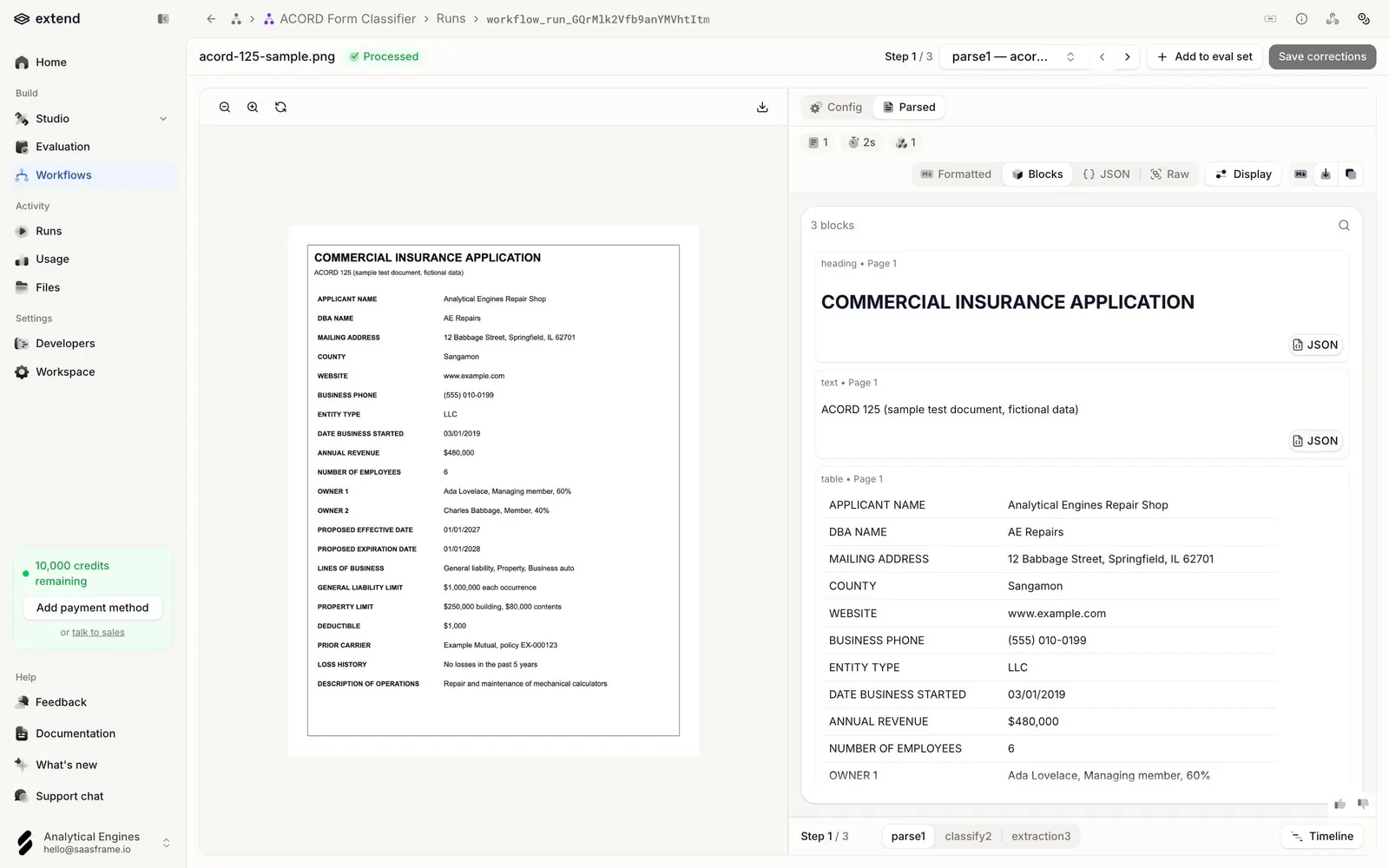
The document next to its output
A workflow run opens in two panes: the uploaded file "acord-125-sample.png" on the left with zoom controls, and on the right the result of the current step, here "parse1".
Parsed blocks
The Parsed tab lists what the parser found, block by block: a heading ("COMMERCIAL INSURANCE APPLICATION"), a text line, then a table with applicant name, DBA name, mailing address and county. Formatted, Blocks, JSON and Raw switch the view; each block has its own JSON button.
Stepping through the run
A "Step 1 / 3" selector at the top and tabs at the bottom (parse1, classify2, extraction3) move between steps; "Processed" shows the status, with "Add to eval set" and "Save corrections" on the right.