SaaSFrame
Clerk Create User
 ClerkAuthentication and user management for apps
About this screen
Create new user modal
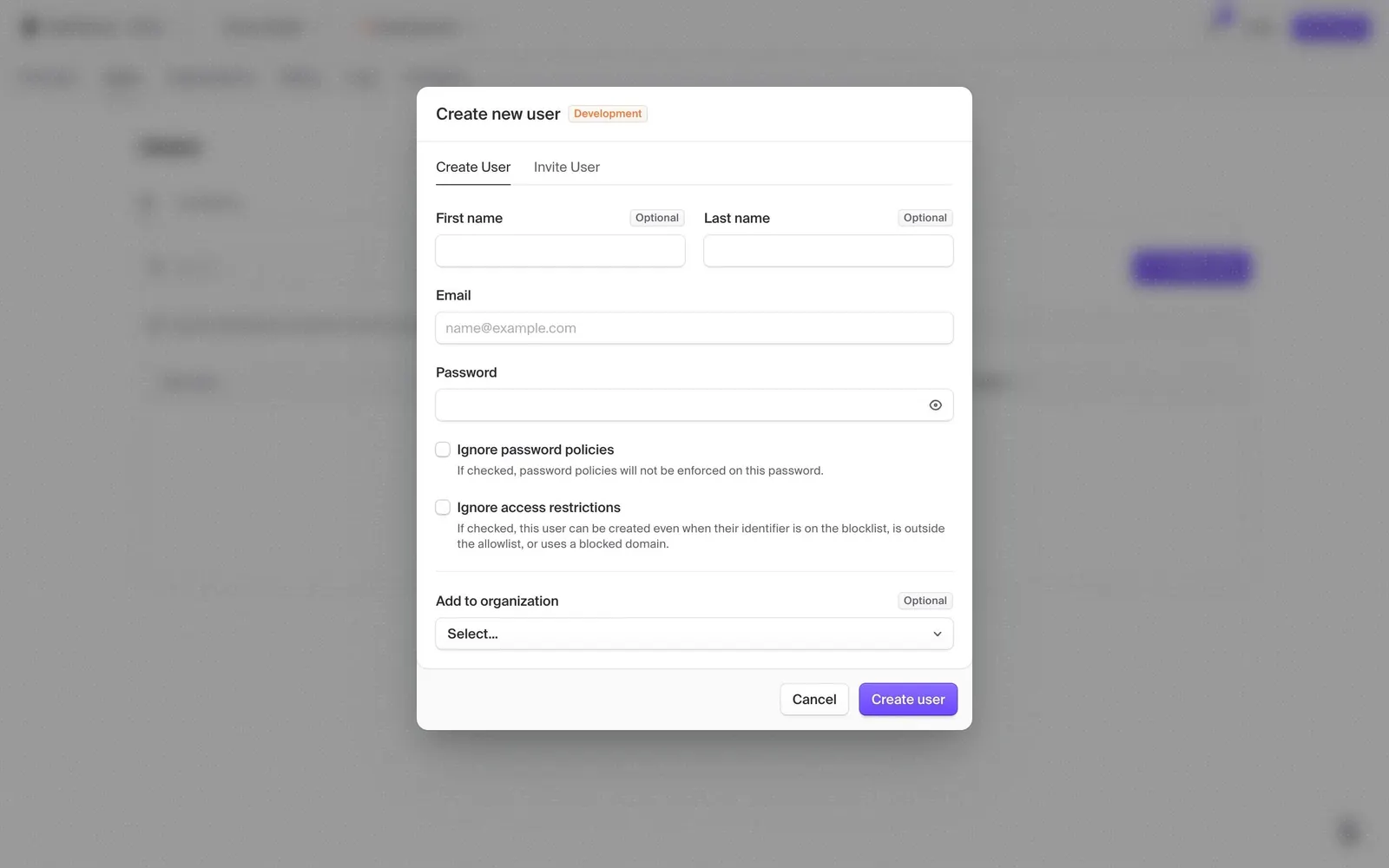
From the Users tab, "Create user" opens a centered modal, "Create new user", with tabs Create user and Invite user. Fields include First name and Last name (Optional), Email and Password with a show icon.
Overrides for testing
Two checkboxes, "Ignore password policies" and "Ignore access restrictions", explain how test users can bypass rules, and "Add to organization" offers a select.
Footer actions
Cancel and a violet "Create user" button close the modal over the dimmed users list.