SaaSFrame
Clerk Applications
 ClerkAuthentication and user management for apps
About this screen
The workspace's application list
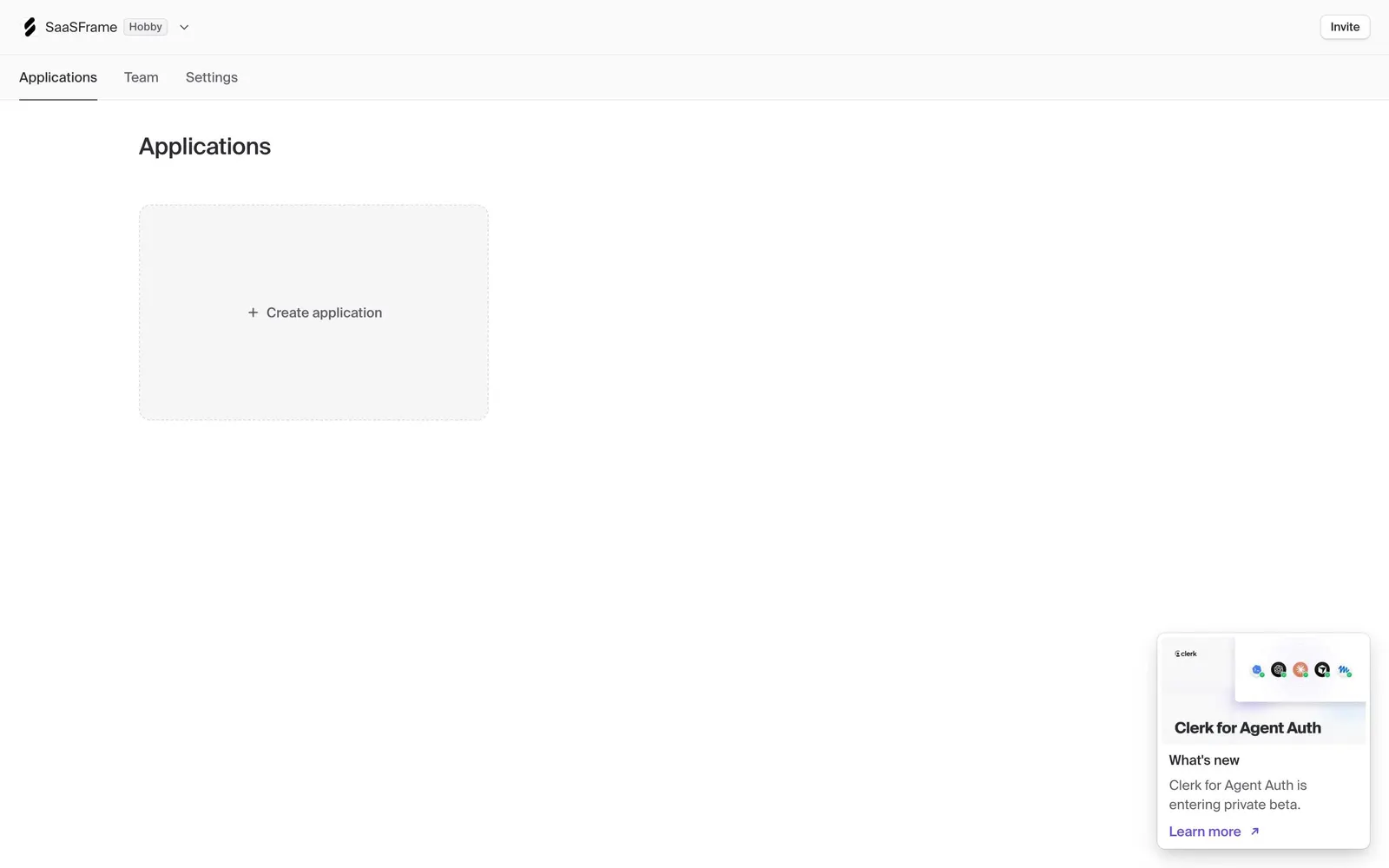
After signing in, the Clerk dashboard lands on the workspace level with the breadcrumb "SaaSFrame Hobby" and three tabs: Applications, Team and Settings. The Applications page is still empty, showing a single dashed tile with "+ Create application".
An almost blank canvas
The page relies on whitespace: a small 24px title, one placeholder card and an Invite link at the top right, with no onboarding checklist or illustration.
A what's new popover
In the bottom right corner a small "What's new" card announces that "Clerk for Agent Auth is entering private beta" with a "Learn more" link and a row of tiny avatars.