SaaSFrame
Cal.com Events: Empty
 Cal.comOpen-source scheduling platform
About this screen
Events, a new section
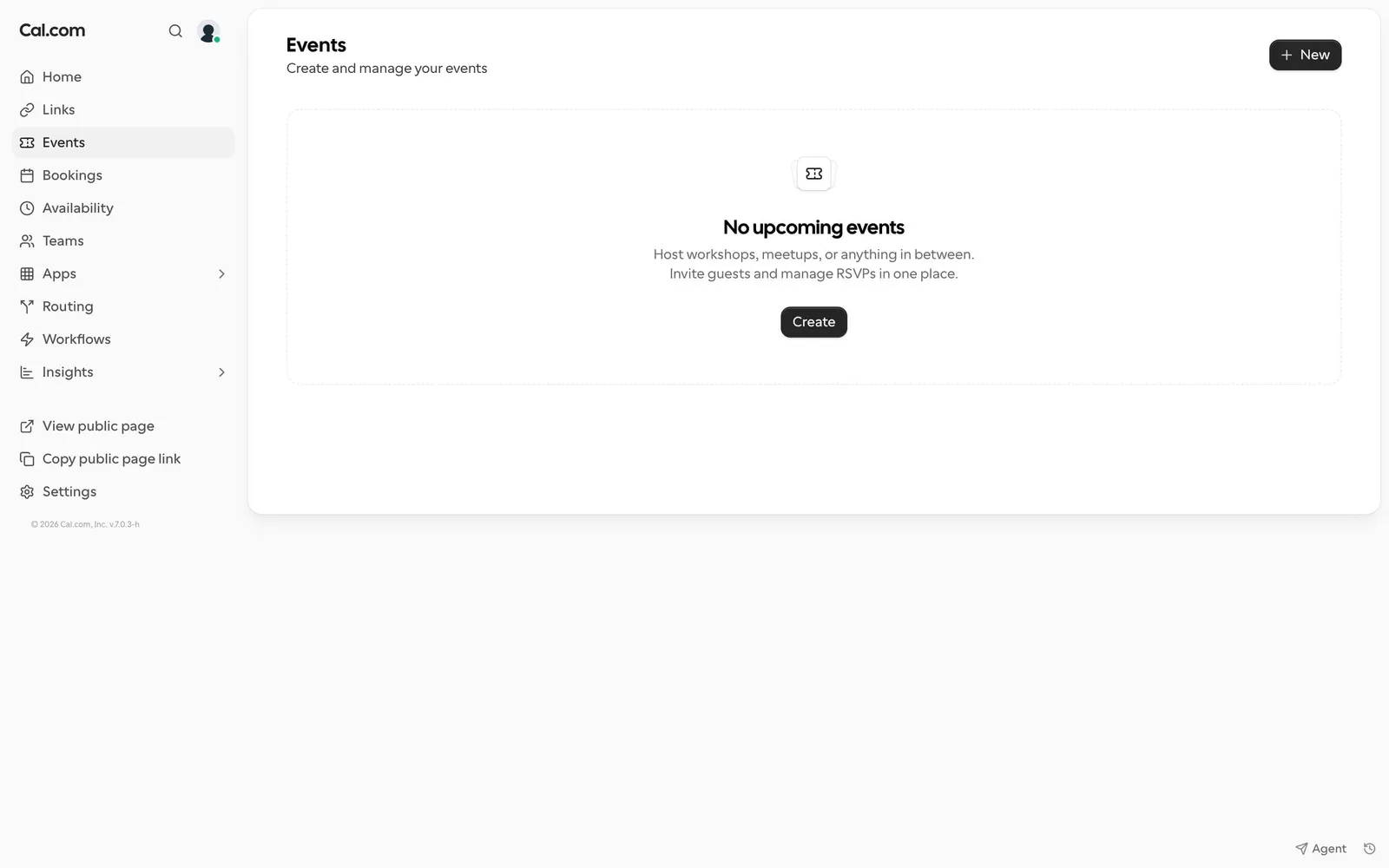
The Cal.com redesign adds an Events section for one-off gatherings, separate from bookable links. The page header reads "Events: Create and manage your events" with a dark "+ New" button on the right, in the same framed white panel as the rest of the dashboard.
Empty state
Before anything is created, a wide bordered card shows a small ticket icon, the title "No upcoming events" and "Host workshops, meetups, or anything in between. Invite guests and manage RSVPs in one place." with a dark Create button centered underneath.
Consistent frame
The redesigned sidebar stays on the left (Home, Links, Events, Bookings, Availability, Teams, Apps, Routing, Workflows, Insights), with View public page, Copy public page link and Settings at the bottom and the Agent shortcut in the corner.