SaaSFrame
Cartesia Voice Library (App)
 CartesiaReal-time voice AI models for developers
About this screen
Voices as a searchable table
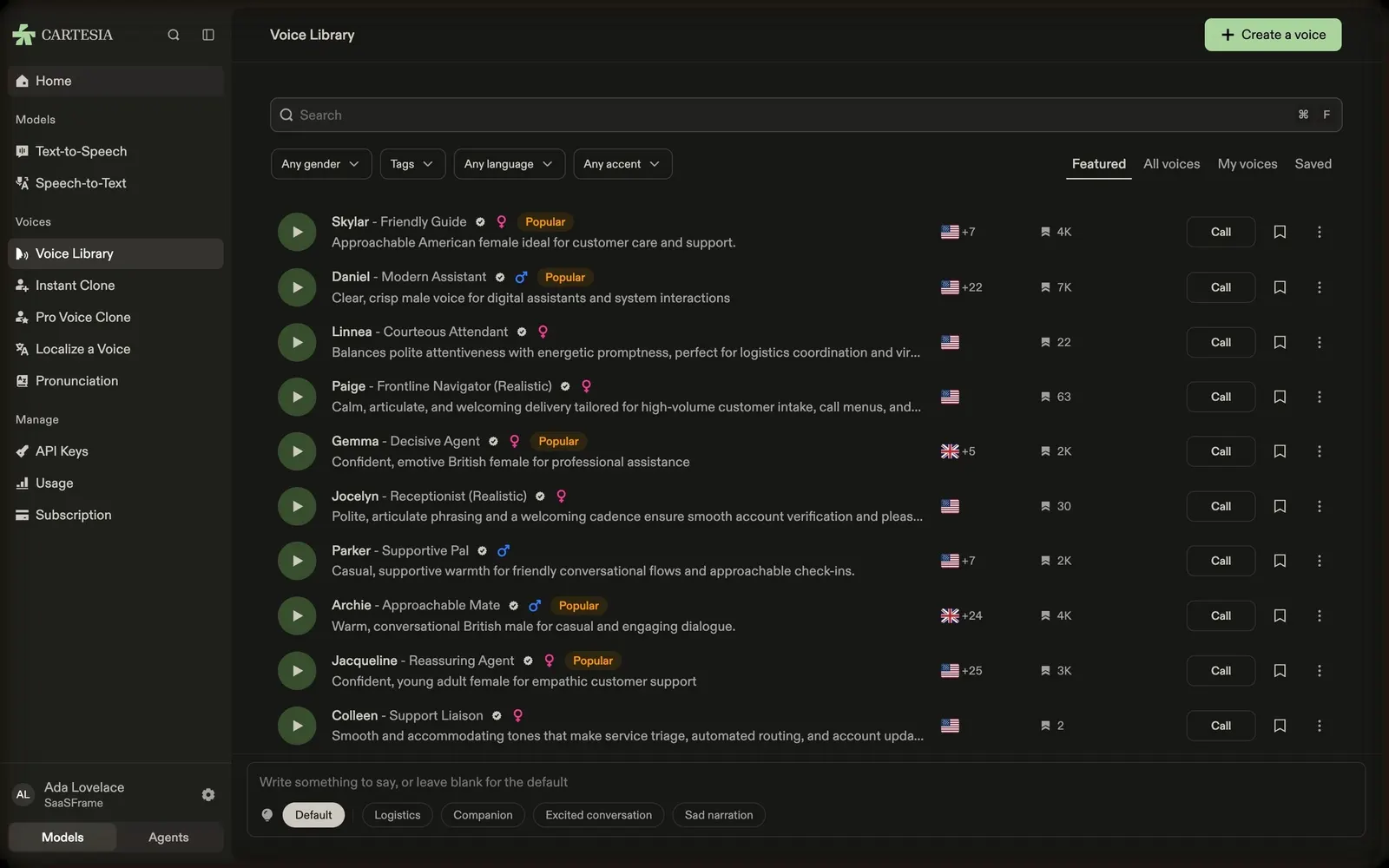
Cartesia's in-app voice library has a search field with a shortcut, filters for gender, tags, language and accent, and tabs for Featured, All voices, My voices and Saved, with a green "Create a voice" button at the top right.
Rows built for comparing
Each row has a round green play button, the name and persona (Skylar – Friendly Guide, Daniel – Modern Assistant…), a verified badge, gender icon and orange "Popular" tag, a description, language flags, a usage count, a "Call" button to talk to the voice, a bookmark and a menu.
Try any line
A bottom bar invites you to "Write something to say, or leave blank for the default" with style chips (Default, Logistics, Companion, Excited conversation, Sad narration), so every voice can be heard on your own text.