SaaSFrame
Cartesia MCP Page
 CartesiaReal-time voice AI models for developers

About this page
Install instructions per assistant
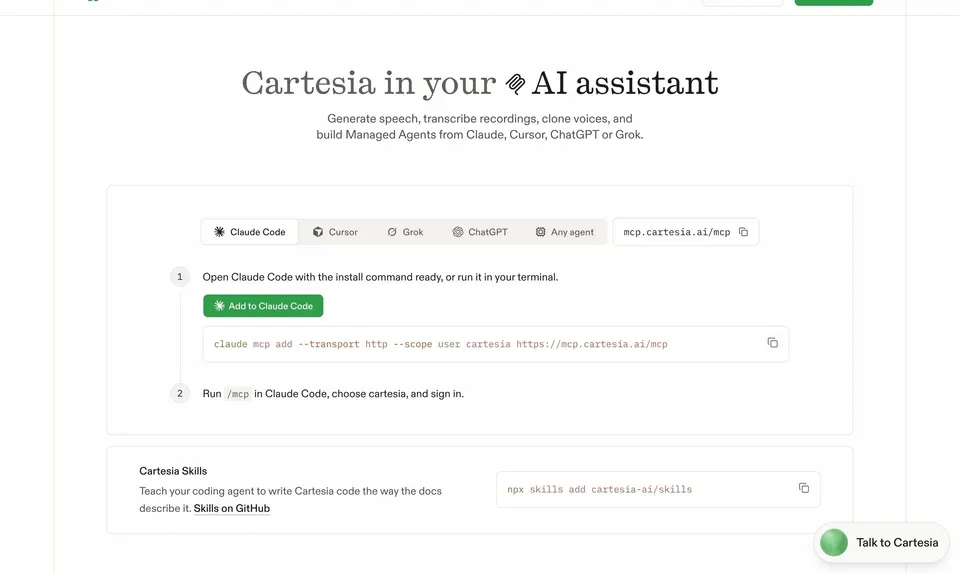
Cartesia's MCP page, "Cartesia in your AI assistant", explains how to generate speech, transcribe recordings, clone voices and build Managed Agents from Claude, Cursor, ChatGPT or Grok. A setup card has tabs for Claude Code, Cursor, Grok, ChatGPT and Antigravity, numbered steps, a green "Add to Claude Code" button, a copyable command and the server URL.
Use cases as mini chats
"Work with your recordings and words" shows three cards (Transcribe, Fix a pronunciation, Find a voice), each with a tiny conversation: a green user bubble, the tool call in mono and the assistant's answer.
Every tool documented
"Every tool on the server" lists the server's tools in a long table grouped by area (Speech, Voices, Agents, Calls, Phone numbers, Knowledge, Webhooks and metrics, Pronunciation, Account), each with its mono name and what it does, followed by MCP FAQs.