About this screen
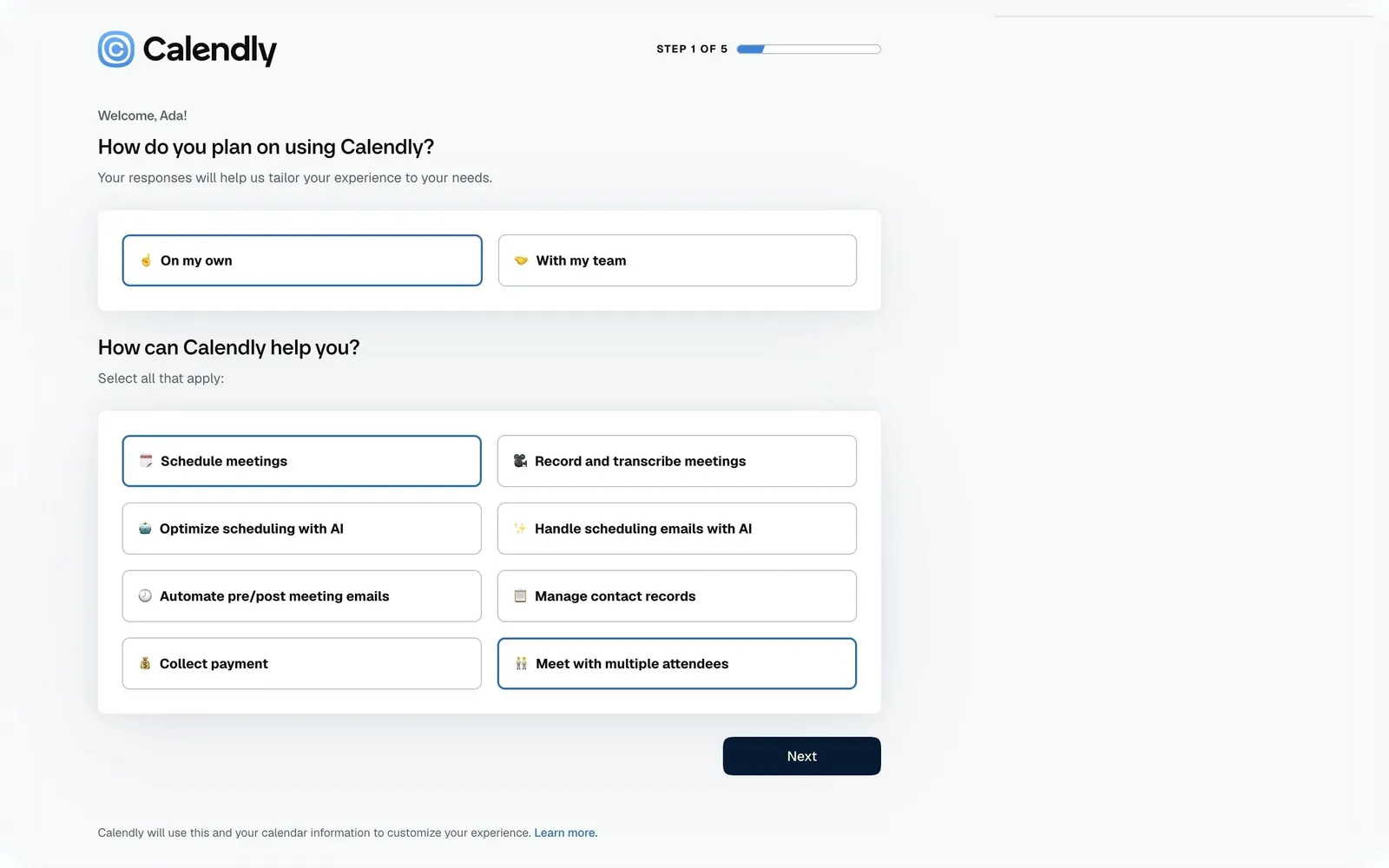
Step 1 of 5: intent
"Welcome, Ada! How do you plan on using Calendly?" offers two cards, "On my own" and "With my team", then asks "How can Calendly help you?" with eight selectable goals.
Goals double as a feature tour
Options such as Schedule meetings, Record and transcribe meetings, Optimize scheduling with AI, Automate pre/post meeting emails and Collect payment introduce the product while collecting data. Each has an emoji and several can be selected.
Progress always visible
A segmented progress bar and "STEP 1 OF 5" sit beside the logo; a single "Next" button ends the card.