 SaaSFrame
7 more steps in this flow
Free accounts see the first 3 steps of each flow. Pro unlocks every step of every flow, plus every screen, section and Copy in Figma.

PandaDoc User Onboarding
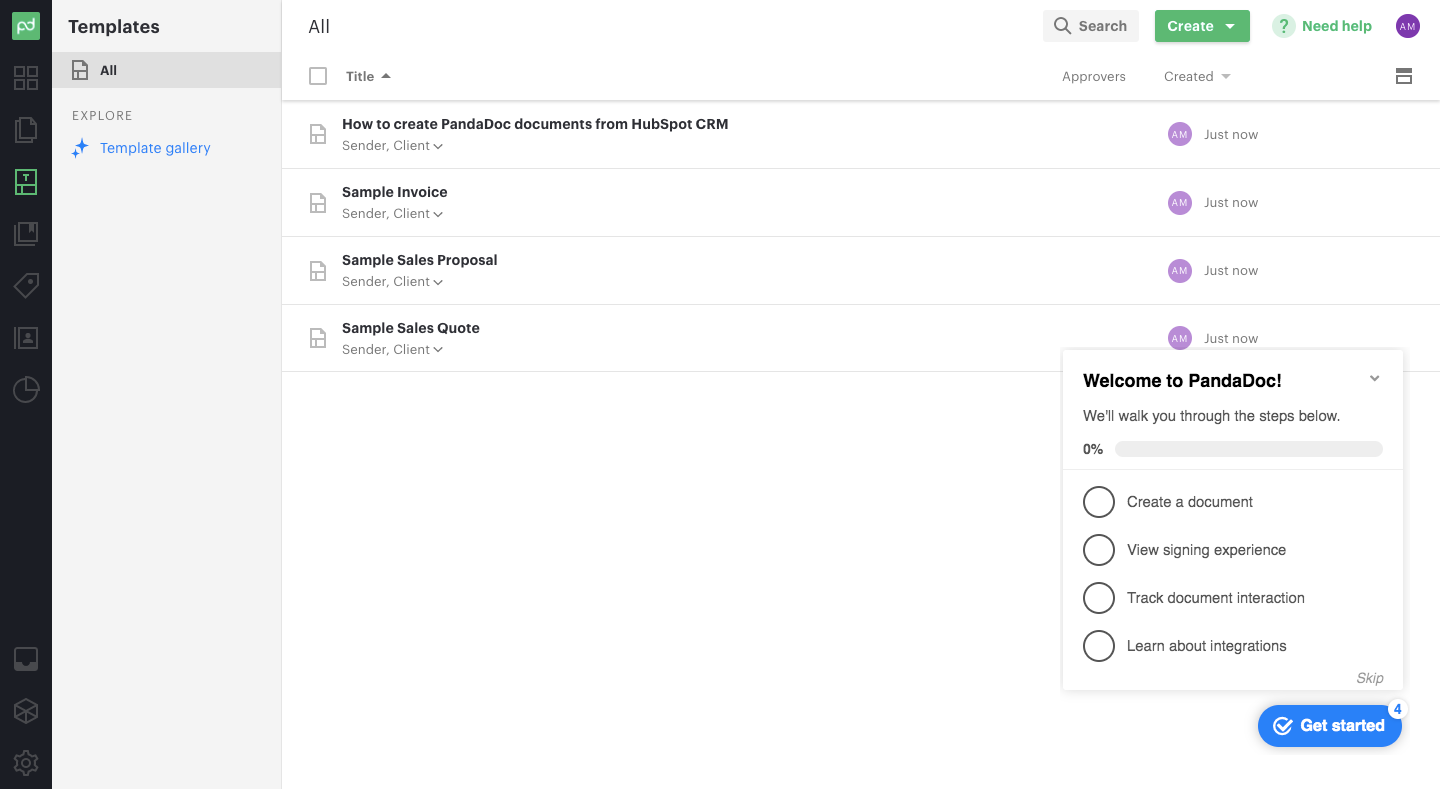
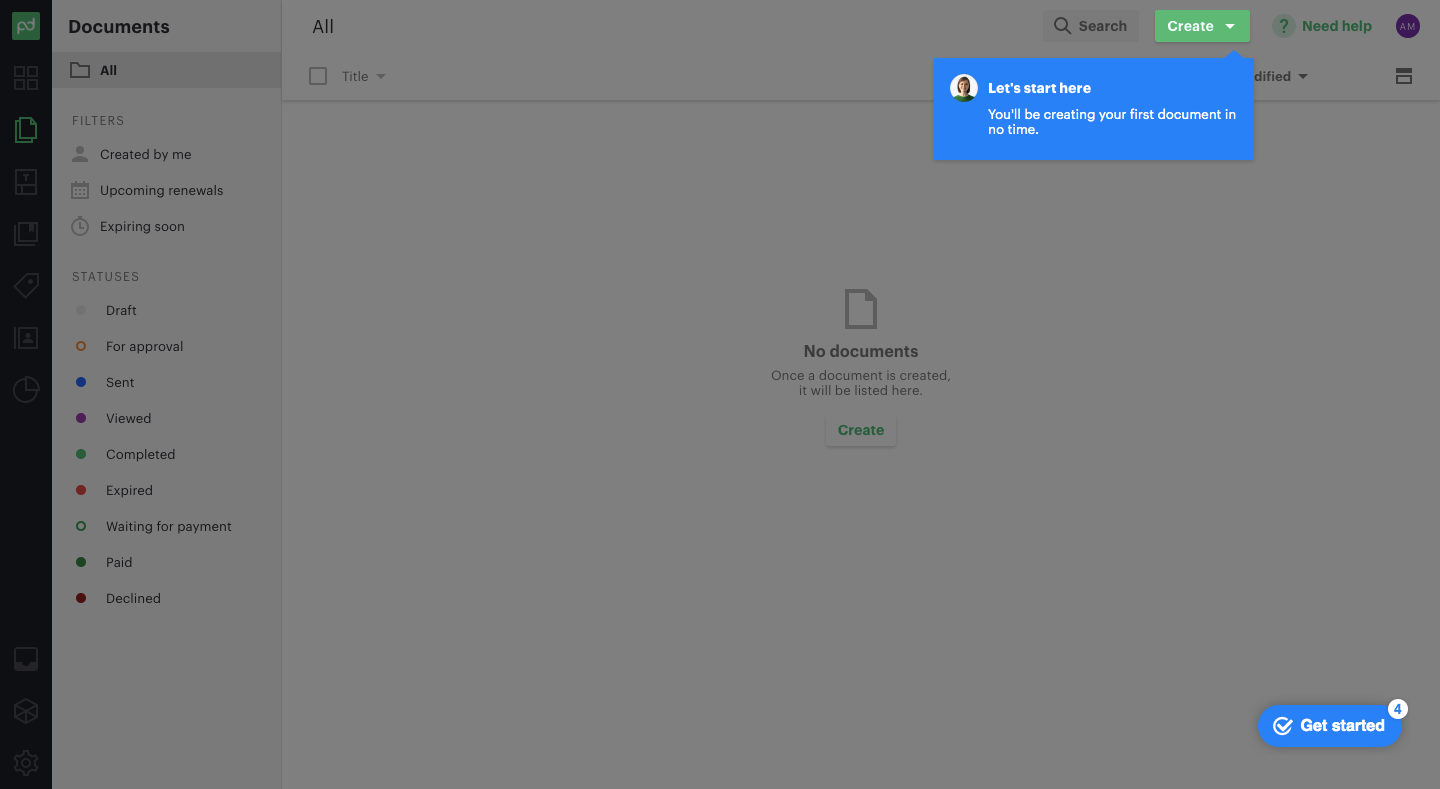
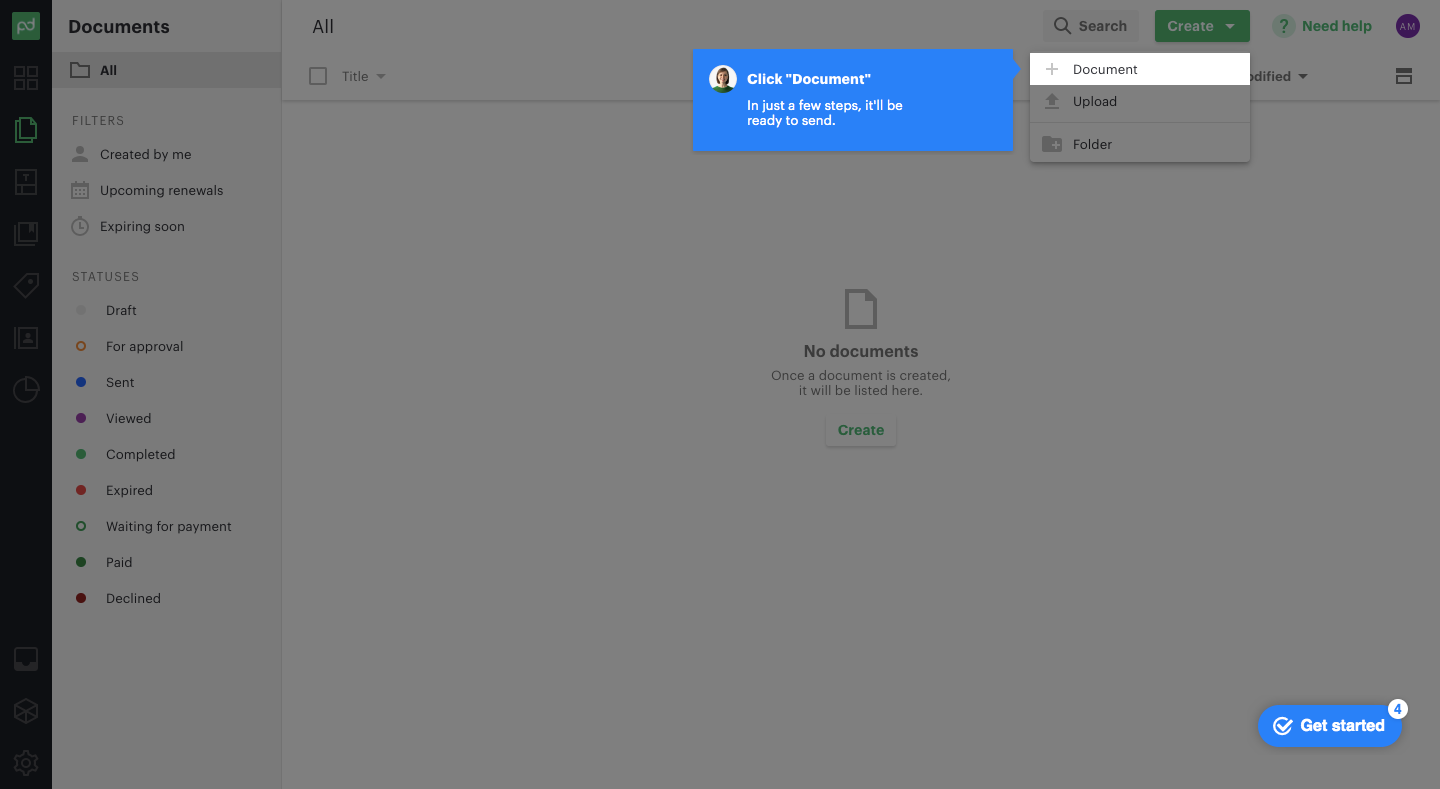
PandaDoc's onboarding guides you through creating and sending a first document in ten steps of blue tooltips over the dimmed app. It starts from a welcome checklist with a progress bar, then points at the create menu and template picker. Inside the editor, tooltips explain variables with a highlighted company placeholder, then recipients and sending, while the content panel stays visible on the right.
Follow PandaDoc’s user onboarding flow step by step: 10 real screens captured from the live product, from user onboarding: welcome checklist to user onboarding: send document. Use ← → to move between steps, and open any screen to see it in full.
Steps in this flow
- 1User Onboarding: Welcome Checklist
- 2User Onboarding: Start Here
- 3User Onboarding: Create Menu
- 4User Onboarding: Choose Template
- 5User Onboarding: Variables Tip
- 6User Onboarding: Company Name Variable
- 7User Onboarding: Document Taking Shape
- 8User Onboarding: Recipients Tip
- 9User Onboarding: Recipients Panel
- 10User Onboarding: Send Document