 SaaSFrame

Aircall Analytics
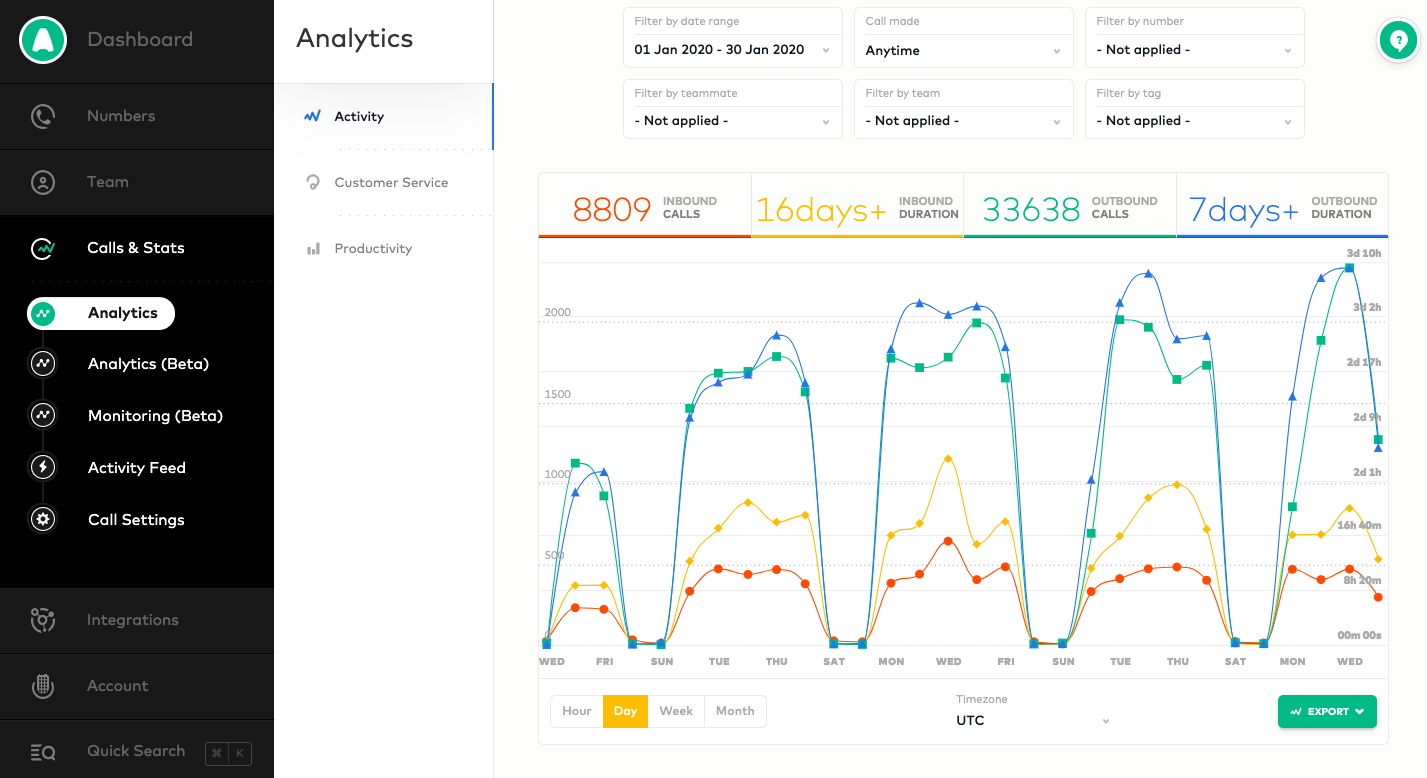
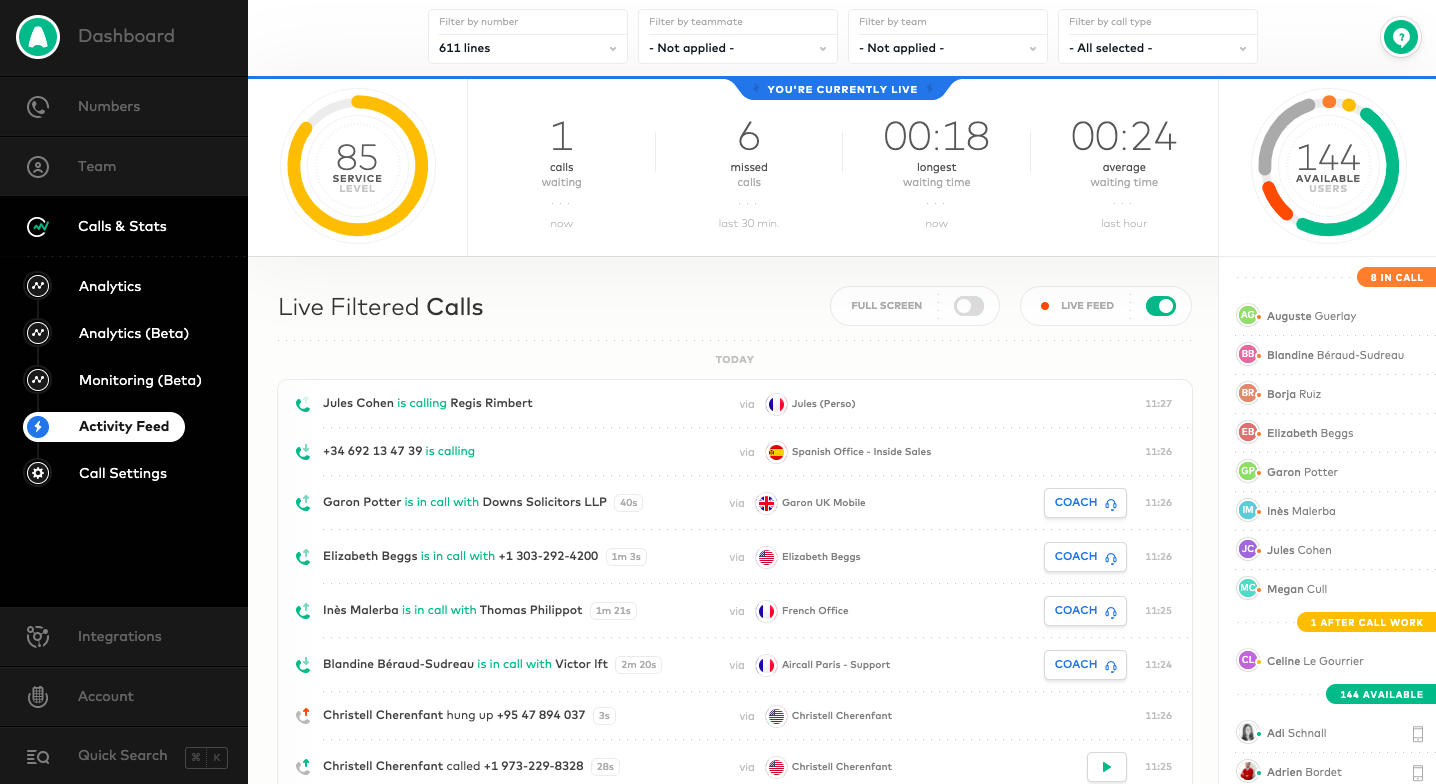
Aircall's analytics flow pairs an activity dashboard with a live calls monitor, both framed by a black sidebar navigation. The dashboard stacks filter dropdowns above four colored KPI figures and a multi-line chart of calls and durations, with day, week and month toggles. The live view adds ring gauges for agents and wait times, a filterable call list with country flags and a roster of agents with status pills.
Follow Aircall’s analytics flow step by step: 2 real screens captured from the live product, from analytics: dashboard to analytics: live calls. Use ← → to move between steps, and open any screen to see it in full.