SaaSFrame
Polar Create Discount
 PolarBilling platform for developers
About this screen
A discount in six fields
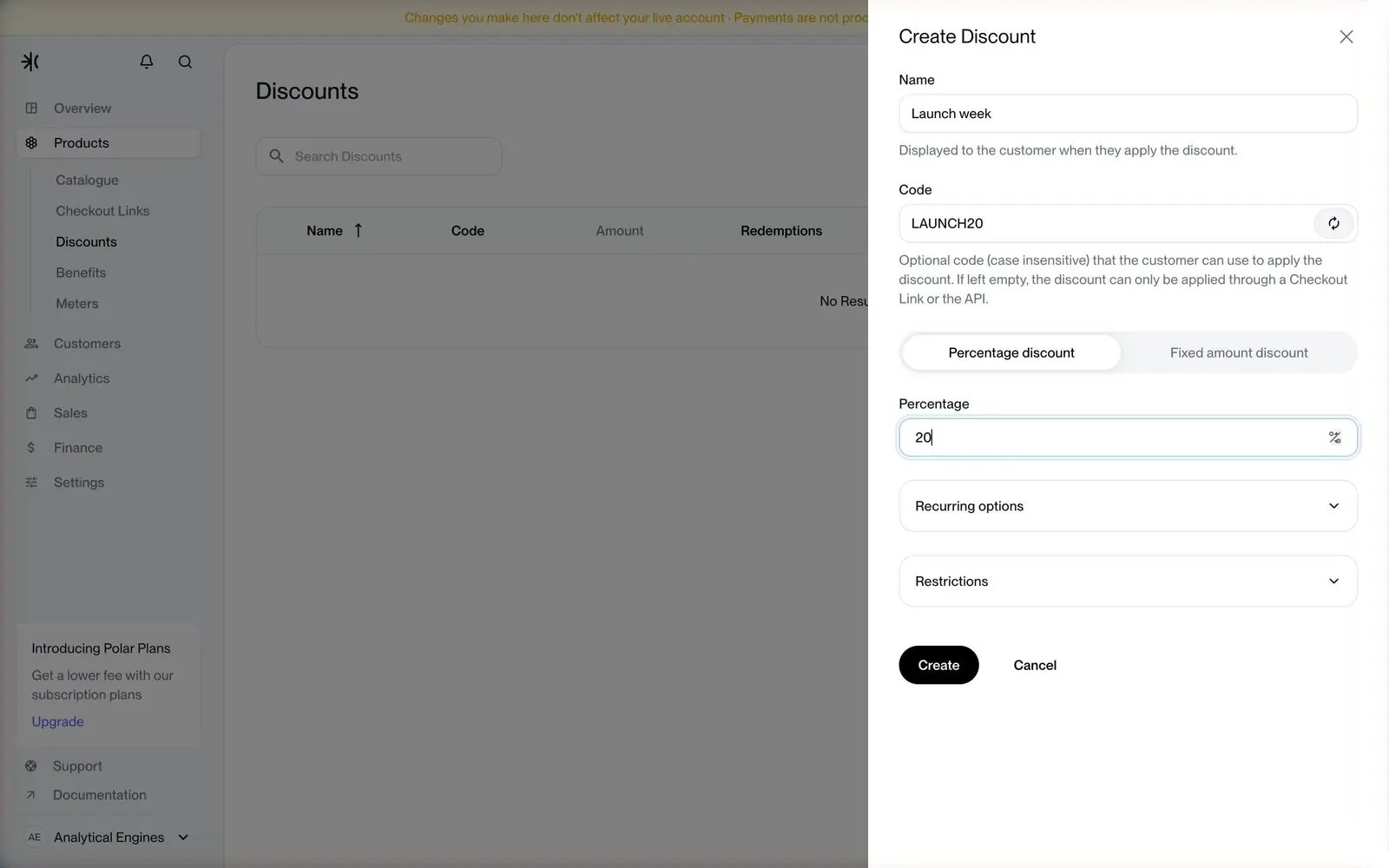
"Create Discount" opens as a side sheet: a name shown to the customer ("Launch week") and an optional code ("LAUNCH20") with a button to generate one.
Percentage or fixed amount
A segmented control picks the type; here a percentage of 20. The helper text says a discount without code can only be applied through a checkout link or the API.
Advanced rules stay folded
"Recurring options" and "Restrictions" are collapsed accordions above the Create and Cancel buttons.