Medusa Import Products
 MedusaOpen-source commerce platform
About this screen
Bulk import in a drawer
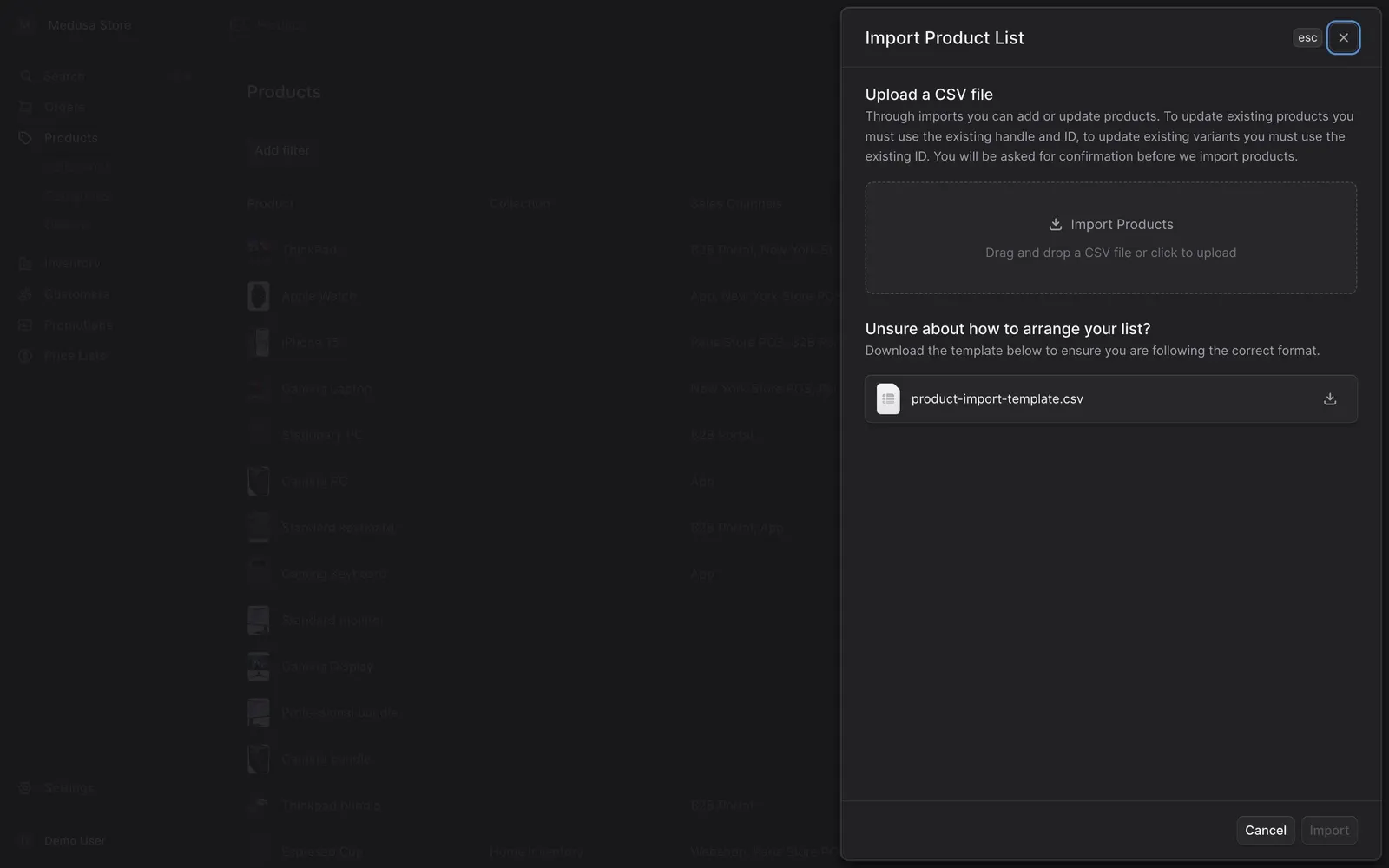
"Import" on Products opens a right drawer titled Import Products over the dimmed catalogue.
Upload, then a template to follow
A dashed drop zone accepts a CSV file, and a second block offers a template to download so the columns match what the importer expects.
Clear limits
The copy states what an import does to existing products before the "Import" button becomes available.