SaaSFrame
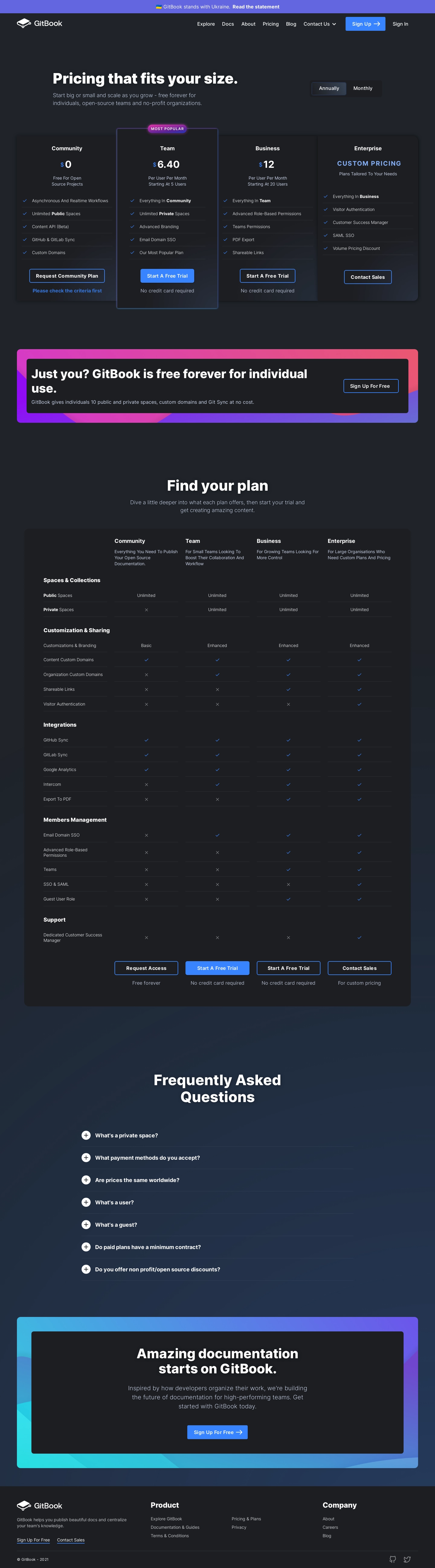
1. The page opens with a header section that has a small navigation menu with links to GitBook's main website, blog, and a sign-in option. 2. The first section on the page is labeled "Plans for every team." It lists GitBook's four main subscription plans: Starter, Standard, Growth, and Scale. Along with the name of each plan, there is a brief description of the features it offers, the team size it caters to, and the pricing to subscribe to each of them. 3. Below the list of subscription plans, there is a section labeled "Features in every plan." It lists a number of features that are available across all plans, including a user-friendly editor, access to custom domains, and content analytics, among others. 4. The following section is titled "Compare plans," and it provides a side-by-side comparison of the features and allowances that come with each plan. The table's main categories include features, team size, pricing, and advanced features, with each plan's details listed under the appropriate heading. 5. Below the table, there is a call-to-action section labeled "Pick the perfect plan for your team." It includes short blurbs that describe which plan is best suited for a particular team size, industry or objective, followed by a "Choose Plan" button beneath each recommendation. 6. The final section on the page is the footer, which includes a menu with links to the company's social media profiles, a brief "About Us" section, and links to various resources, such as the company's blog and support center.