SaaSFrame
Cal.com Download Page
 Cal.comOpen-source scheduling platform
About this page
Cal Desktop download
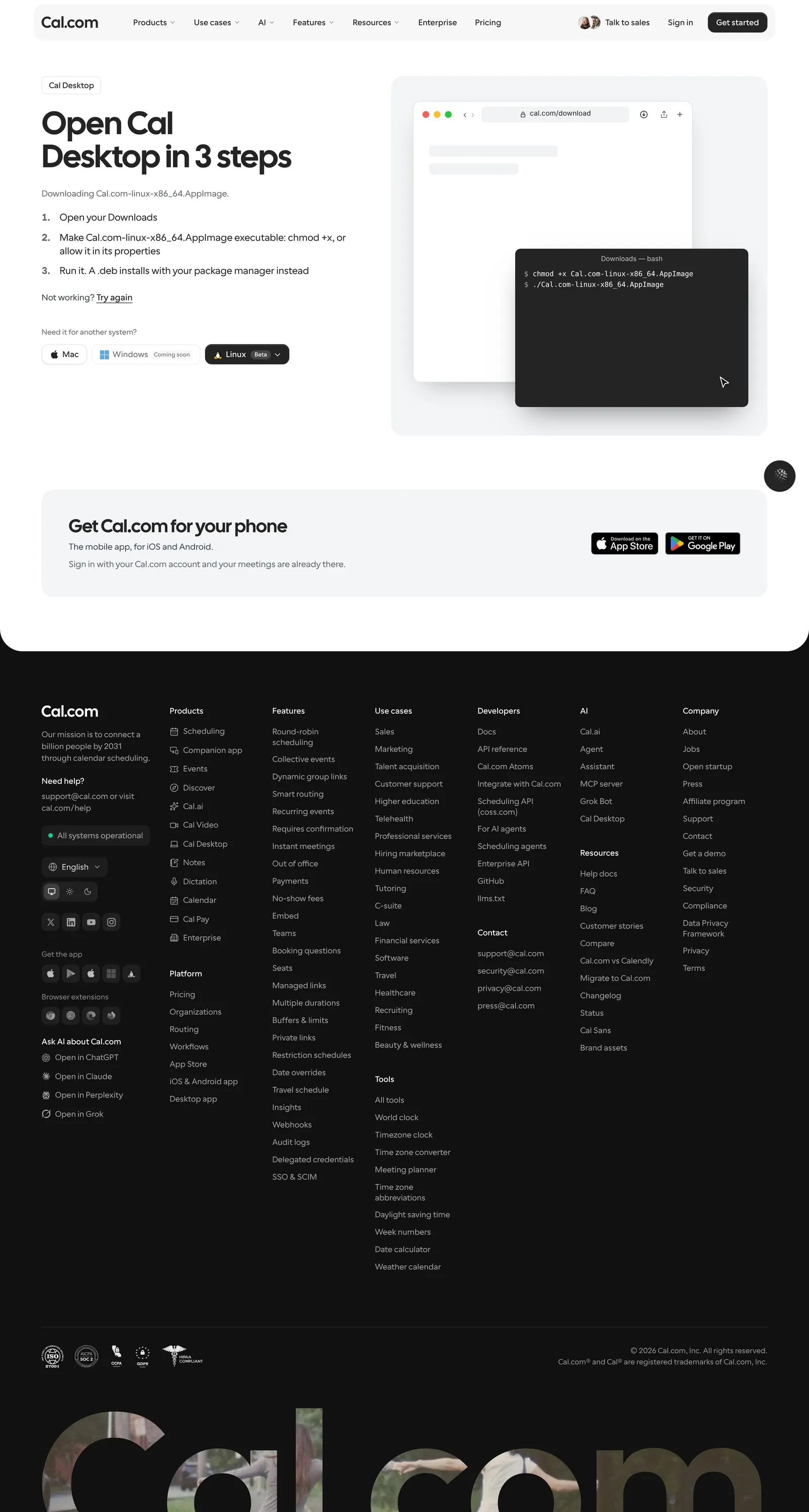
The download page for Cal Desktop detects the system and starts the download, switching to "Open Cal Desktop in 3 steps": open your Downloads, make the AppImage executable, run it, with a fallback .deb and a "Not working? Try again" link.
Other systems
"Need it for another system?" shows Mac, Windows (Coming soon) and Linux (Beta) pills, next to a browser and terminal mockup illustrating the steps.
Mobile apps
"Get Cal.com for your phone" offers App Store and Google Play badges in a bordered card before the footer.