SaaSFrame
Cal.com Ask Cal.ai Home
 Cal.comOpen-source scheduling platform
About this screen
Ask Cal.ai as the home screen
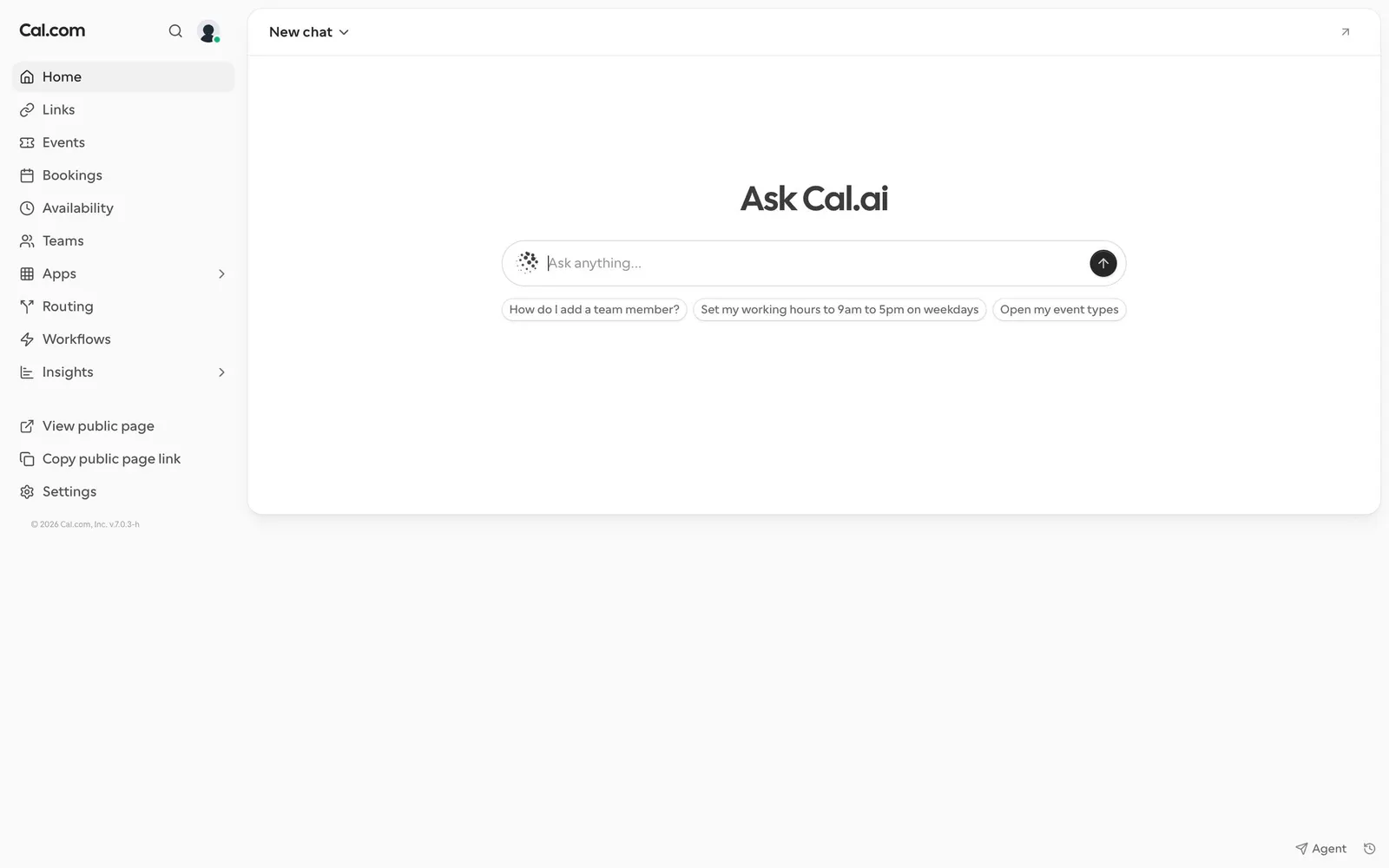
The new Cal.com home is a chat: a large "Ask Cal.ai" title over a single prompt field ("Ask anything...") with a send button, and suggestion chips such as "How do I add a team member?", "Set my working hours to 9am to 5pm on weekdays" and "Open my event types".
New sidebar navigation
The redesigned left sidebar lists Home, Links, Events, Bookings, Availability, Teams, Apps, Routing, Workflows and Insights, with View public page, Copy public page link and Settings at the bottom.
Framed workspace
The content sits in a white rounded panel inside a light gray app frame, with a "New chat" menu at the top and an Agent shortcut in the bottom right corner.