 SaaSFrame
SaaSFrame Pro
16 more steps in this flow
Free accounts see the first 3 steps of each flow. Pro unlocks every step of every flow, plus every screen, section and Copy in Figma.

Userbot User Onboarding
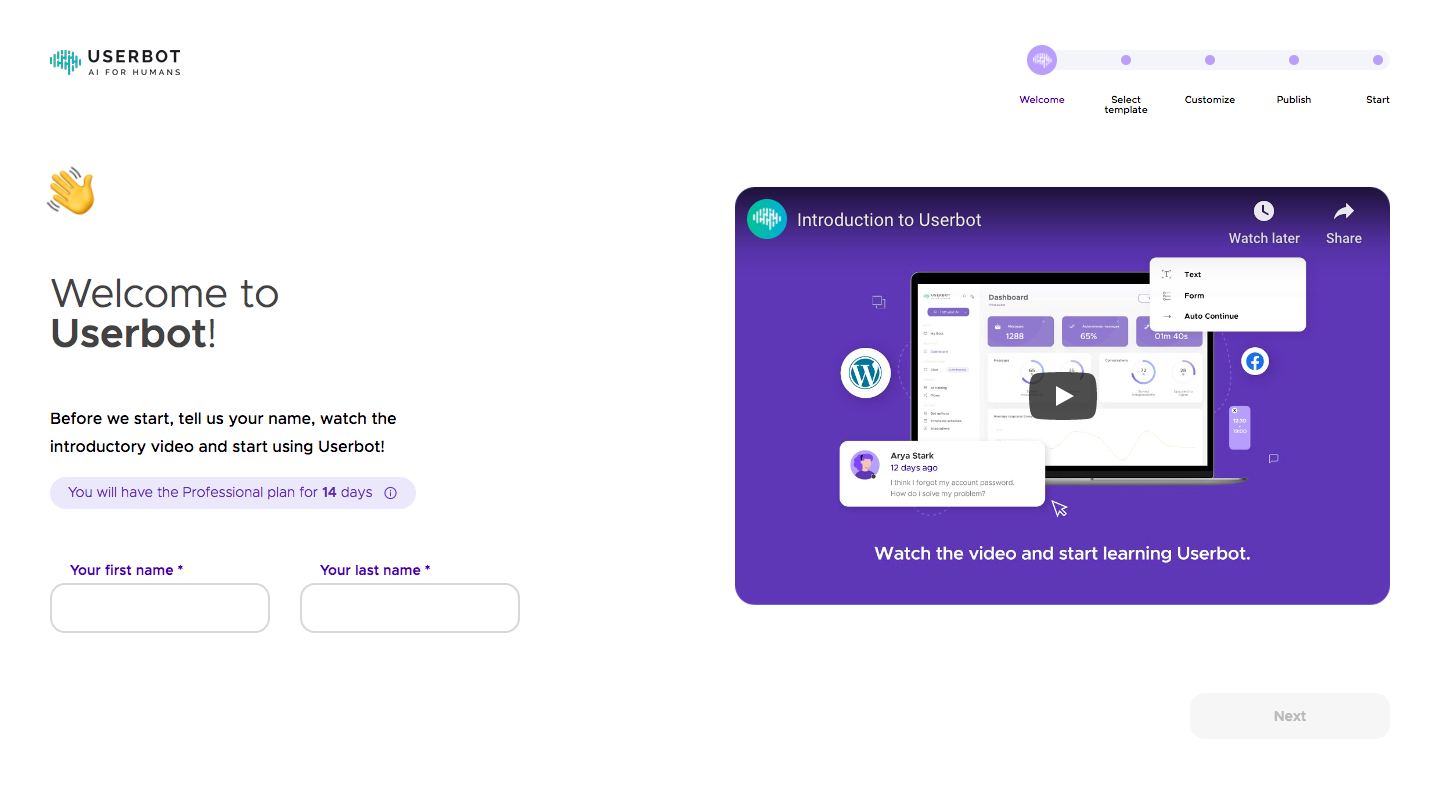
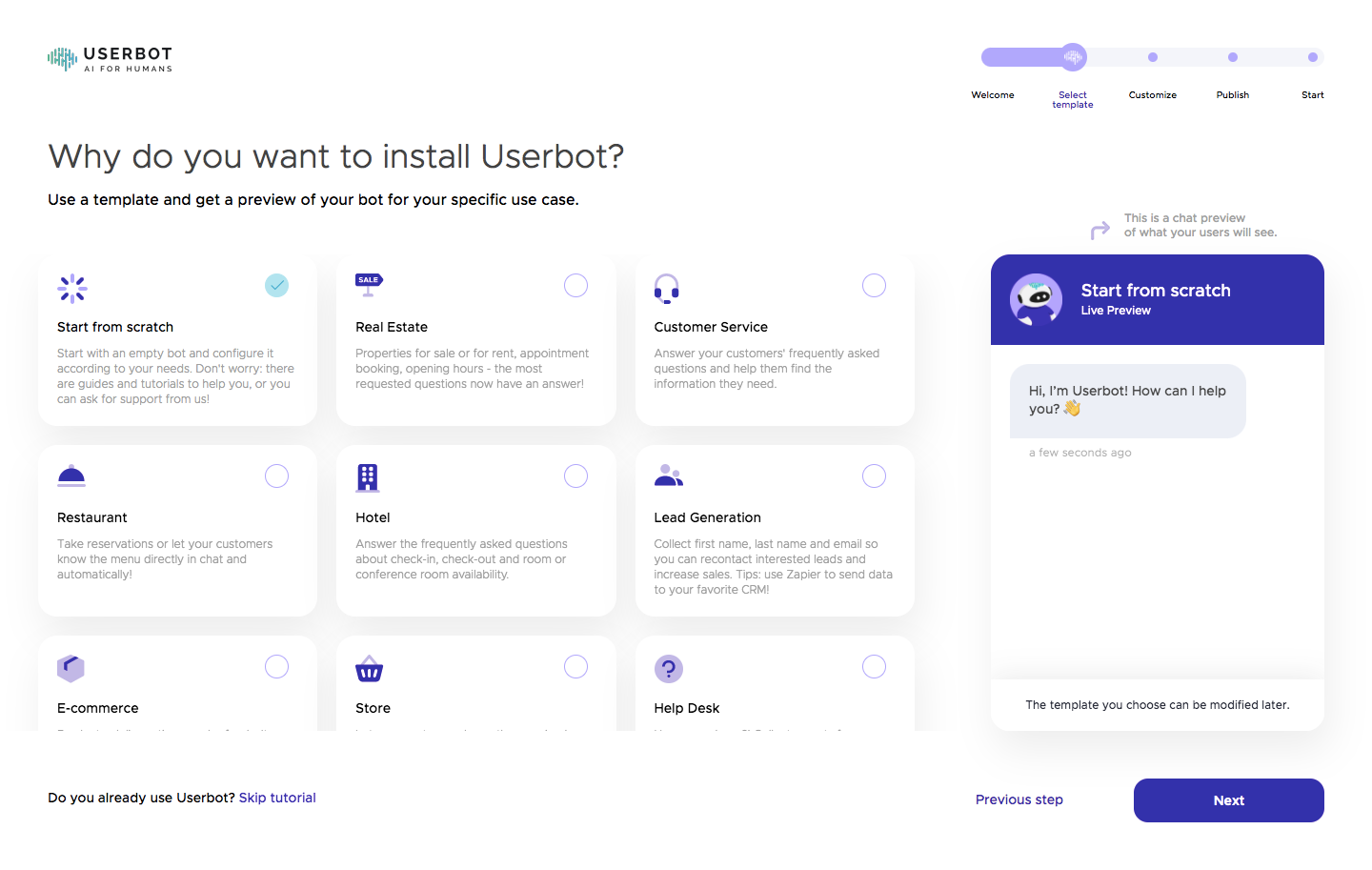
Userbot's onboarding takes a new account from sign up to its first chatbot, then into a long guided tour of the flow builder. A top progress stepper tracks welcome, template, customization and channel steps, with template cards and a live chat preview side by side. The tour that follows dims the builder behind purple modals and small tooltips, each with skip and next buttons.
Follow Userbot’s user onboarding flow step by step: 19 real screens captured from the live product, from user onboarding: create account to product tour: publish tip. Use ← → to move between steps, and open any screen to see it in full.
Steps in this flow
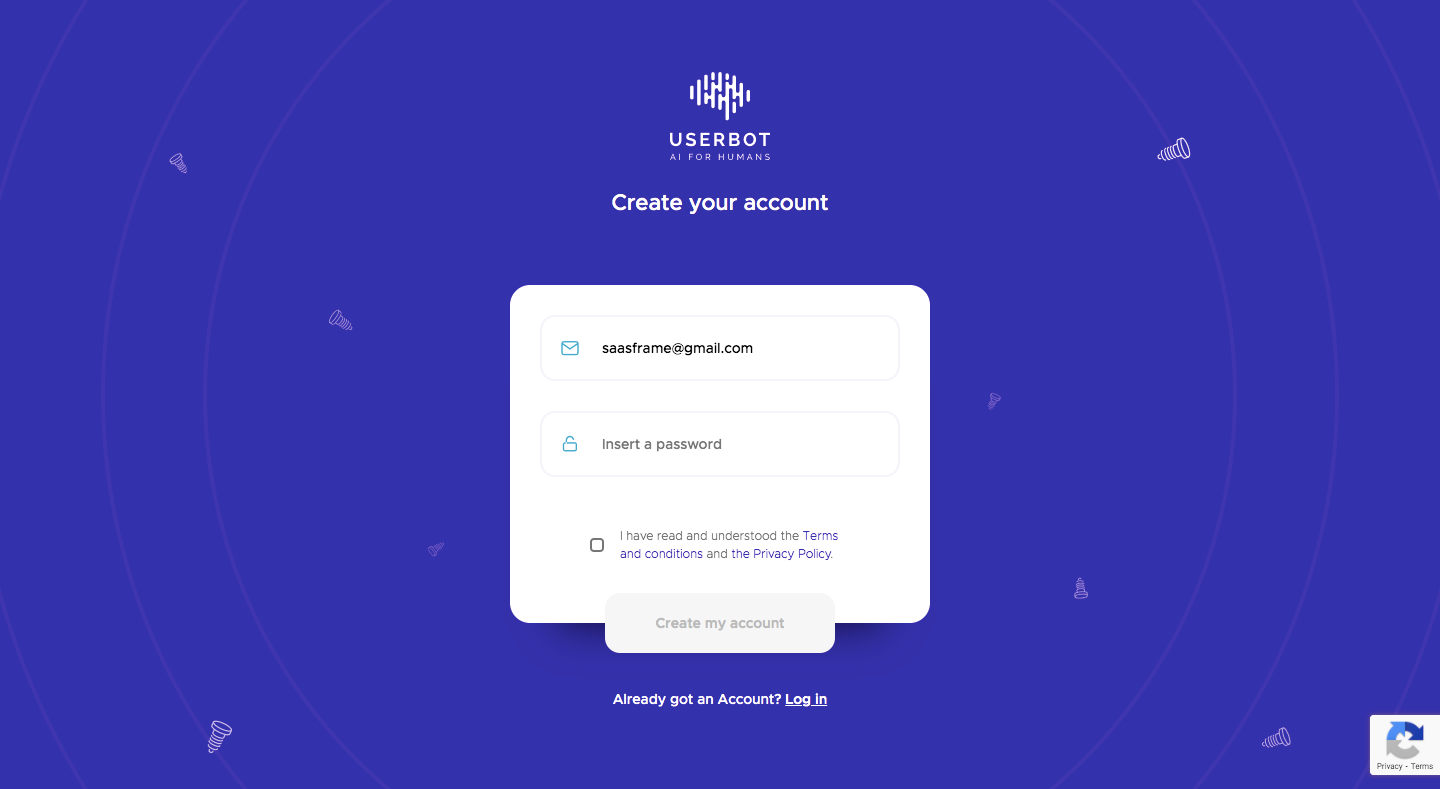
- 1User Onboarding: Create Account
- 2User Onboarding: Welcome
- 3User Onboarding: Choose Template
- 4User Onboarding: Customize Bot
- 5User Onboarding: Choose Channel
- 6User Onboarding: Bot Created
- 7Product Tour: Welcome Modal
- 8Product Tour: What Is A Flow
- 9Product Tour: Drag And Drop Builder
- 10Product Tour: AI Training
- 11Product Tour: Human Handover
- 12Product Tour: Setup Steps Tip
- 13Product Tour: Flows Menu Tip
- 14Product Tour: Open Flow Tip
- 15User Onboarding: Welcome Flow Tip
- 16Product Tour: Add A Title Tip
- 17Product Tour: Add A Button Tip
- 18User Onboarding: Connect Messages Tip
- 19Product Tour: Publish Tip