 SaaSFrame
SaaSFrame Pro
1 more step in this flow
Free accounts see the first 3 steps of each flow. Pro unlocks every step of every flow, plus every screen, section and Copy in Figma.

Teachable Sign Up Flow
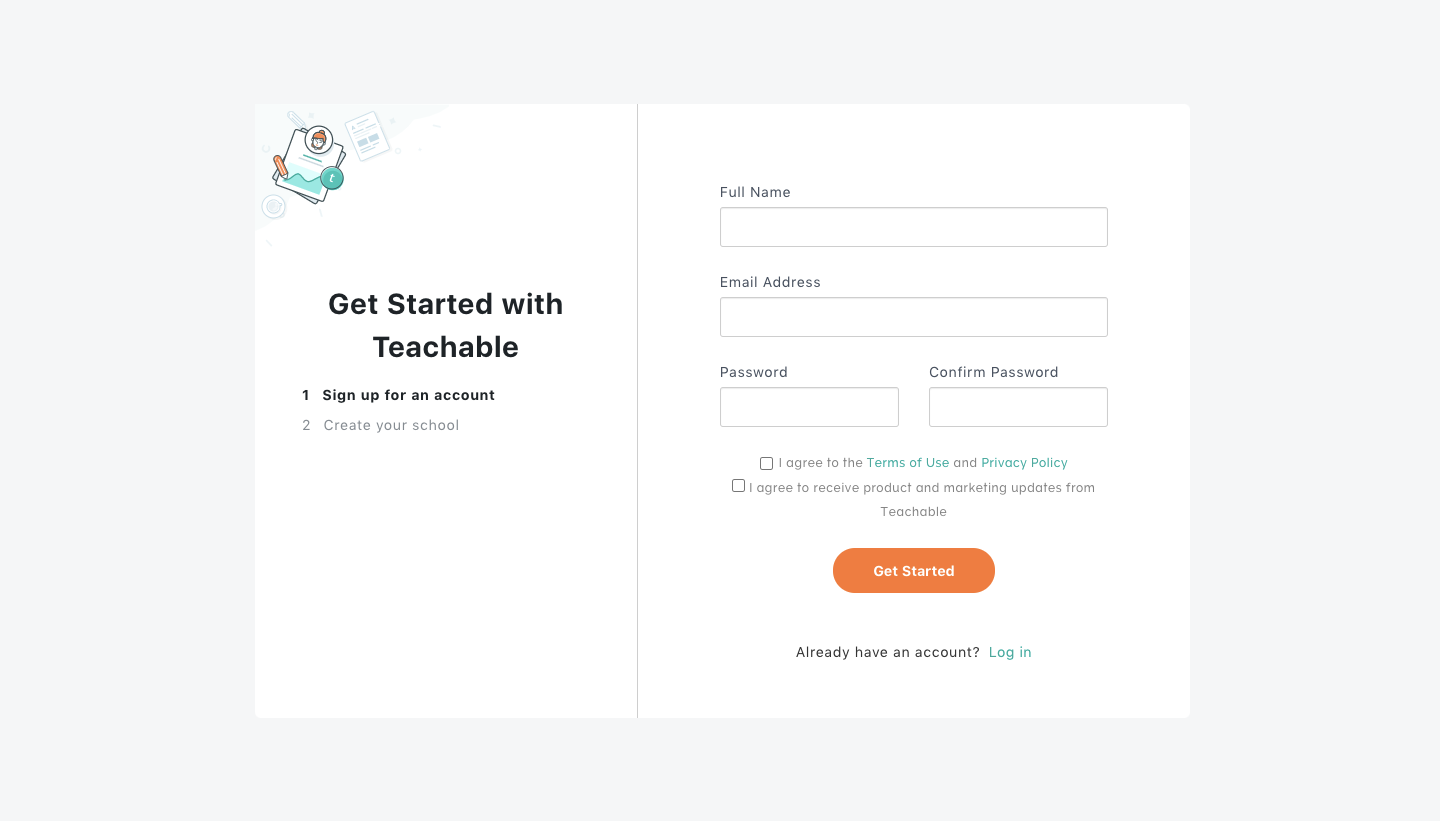
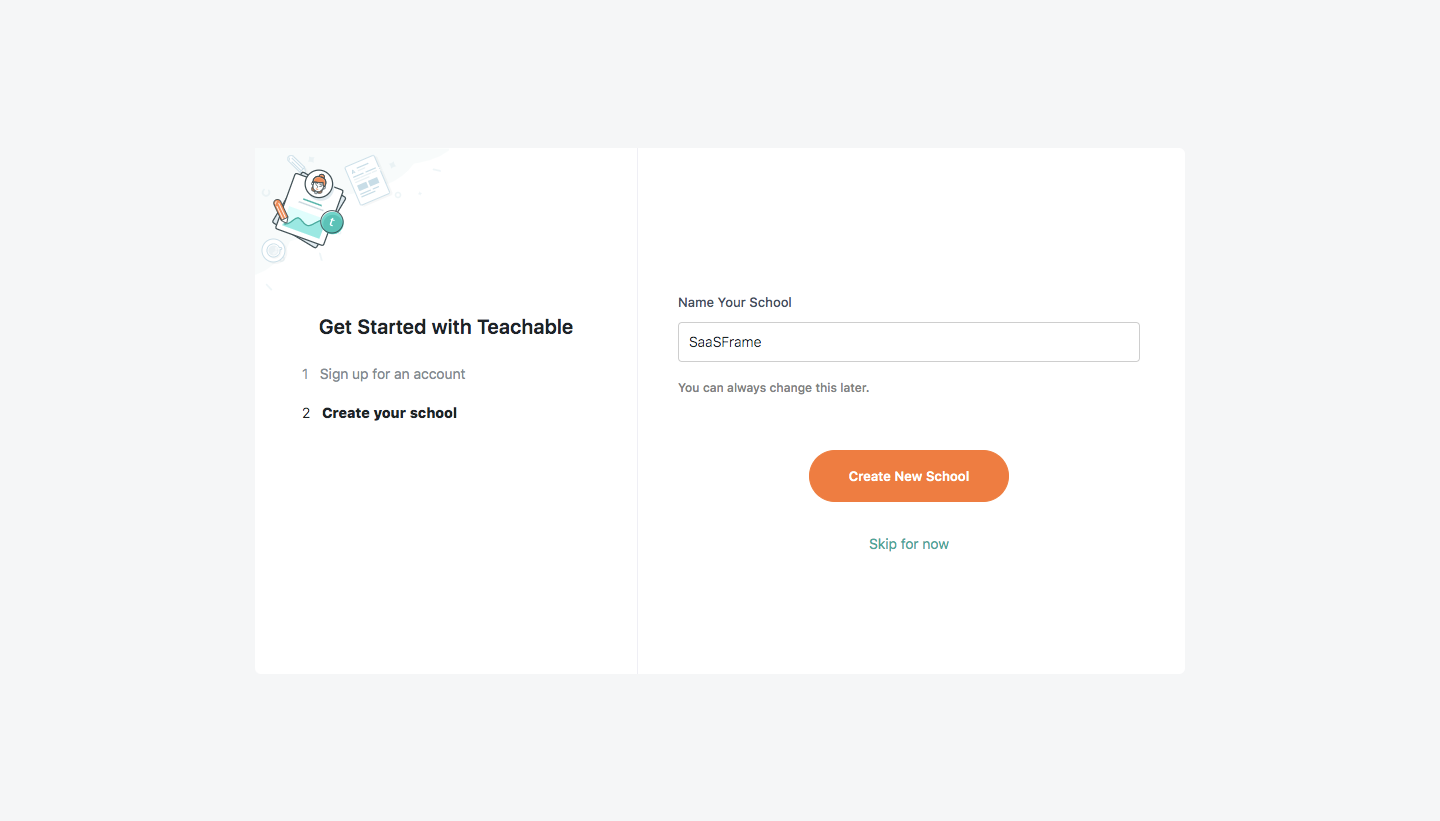
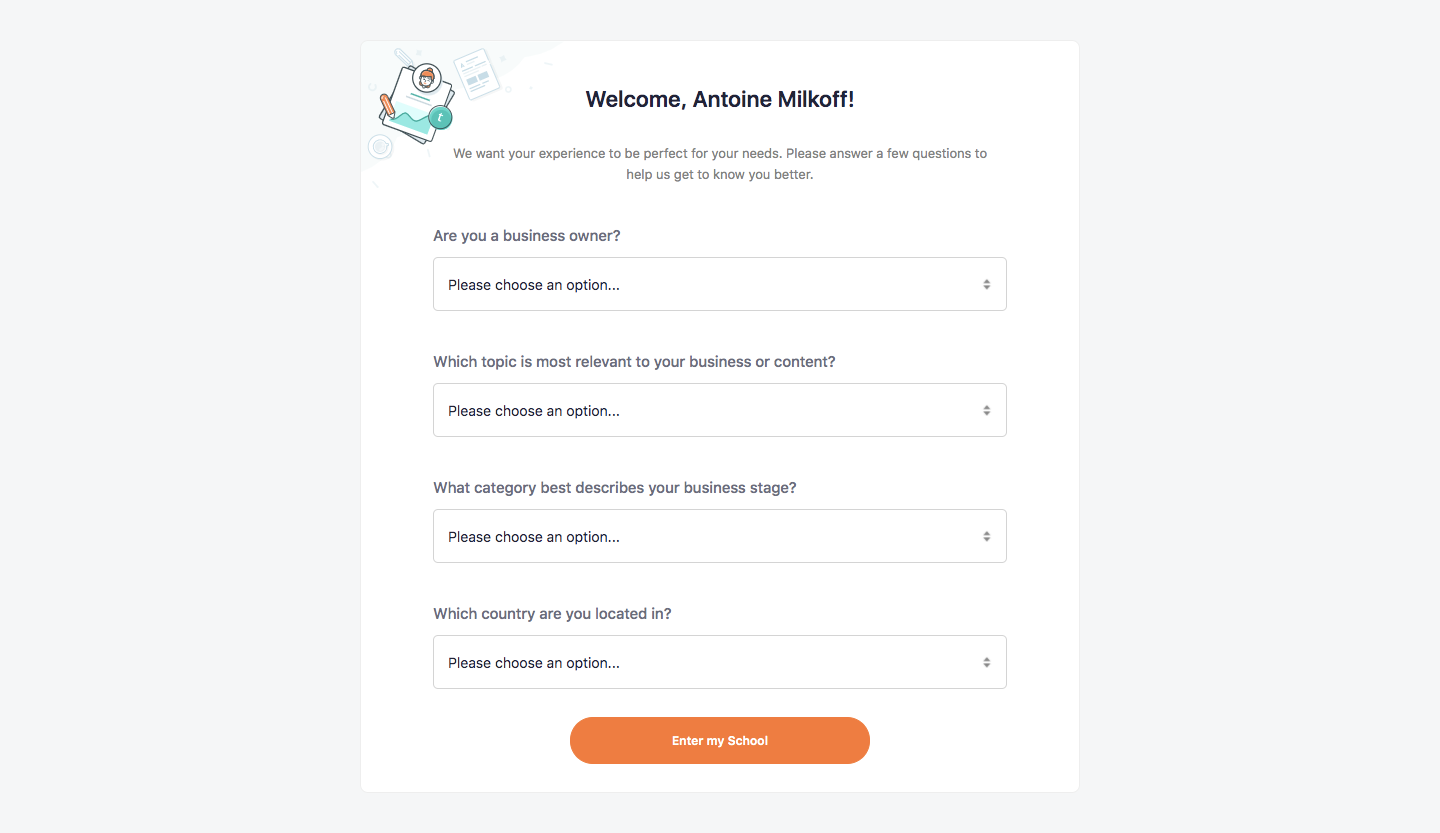
Teachable's sign up flow creates an account and a school in four steps before landing on a setup checklist. The first two screens share a split card with a numbered step list on the left and an orange call to action, followed by a form of four dropdown questions. It ends in the dashboard, where a dark sidebar frames a list of illustrated setup tasks.
Follow Teachable’s sign up flow flow step by step: 4 real screens captured from the live product, from sign up page to sign up flow: school setup checklist. Use ← → to move between steps, and open any screen to see it in full.