 SaaSFrame
SaaSFrame Pro
4 more steps in this flow
Free accounts see the first 3 steps of each flow. Pro unlocks every step of every flow, plus every screen, section and Copy in Figma.

Replit Onboarding
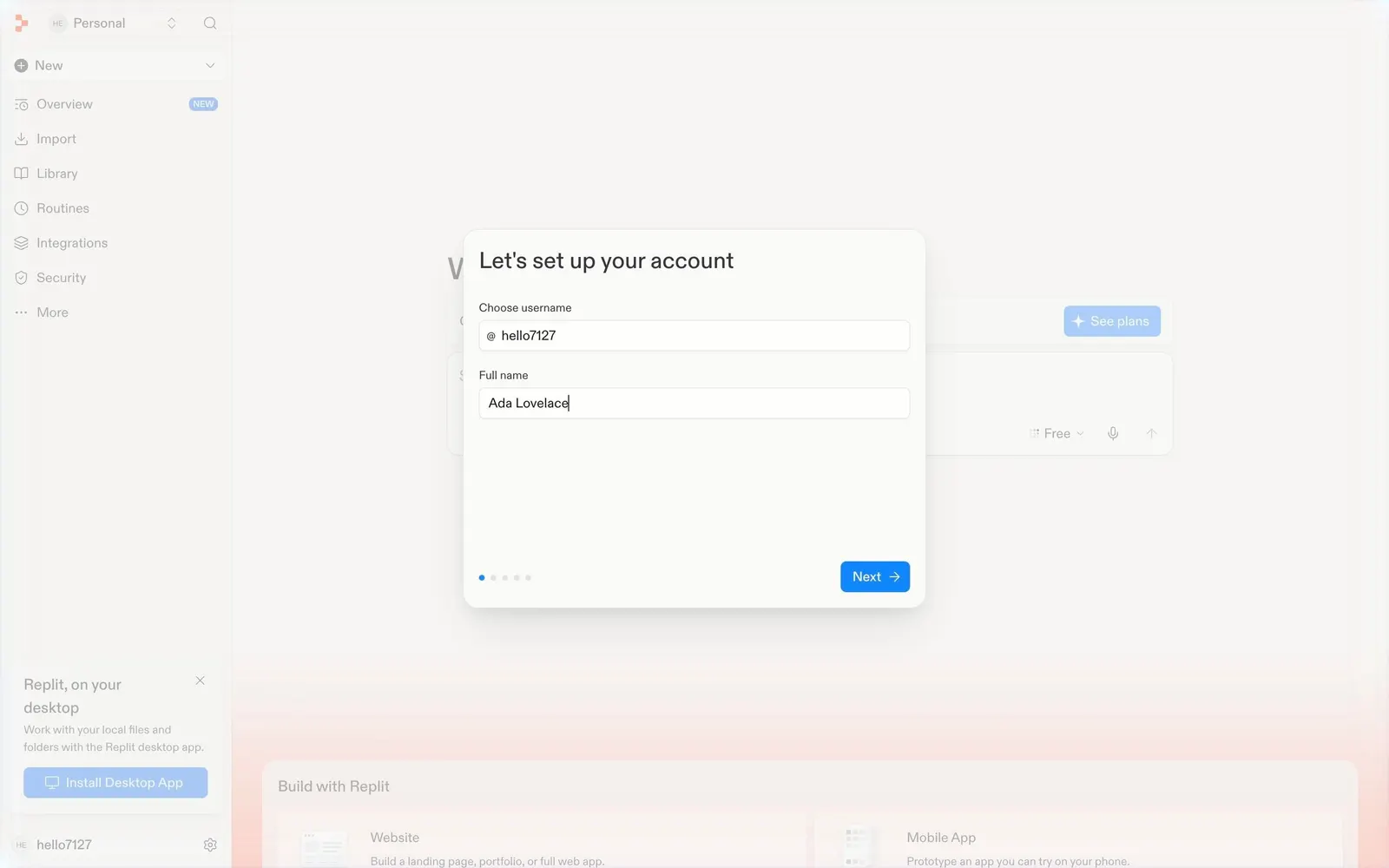
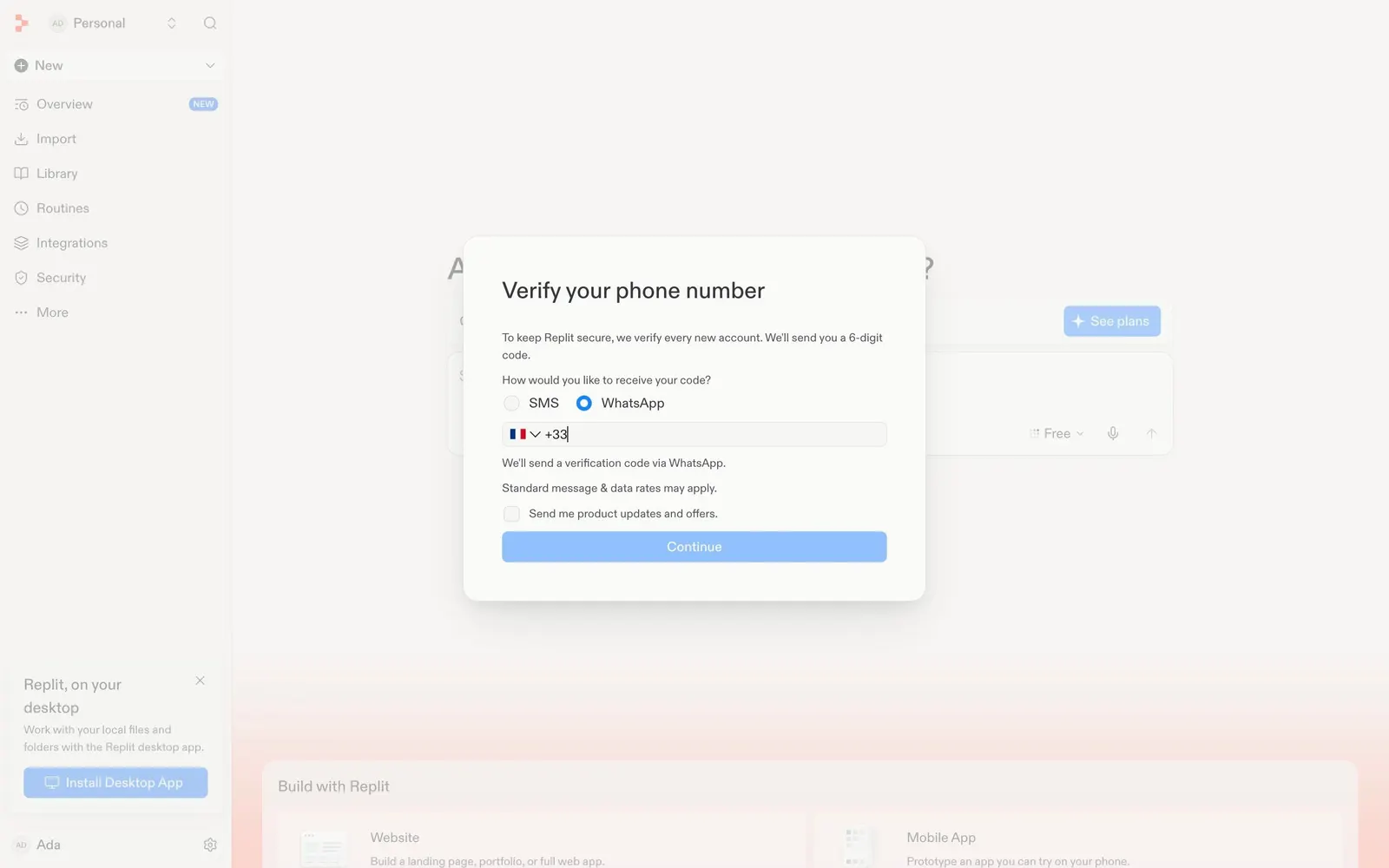
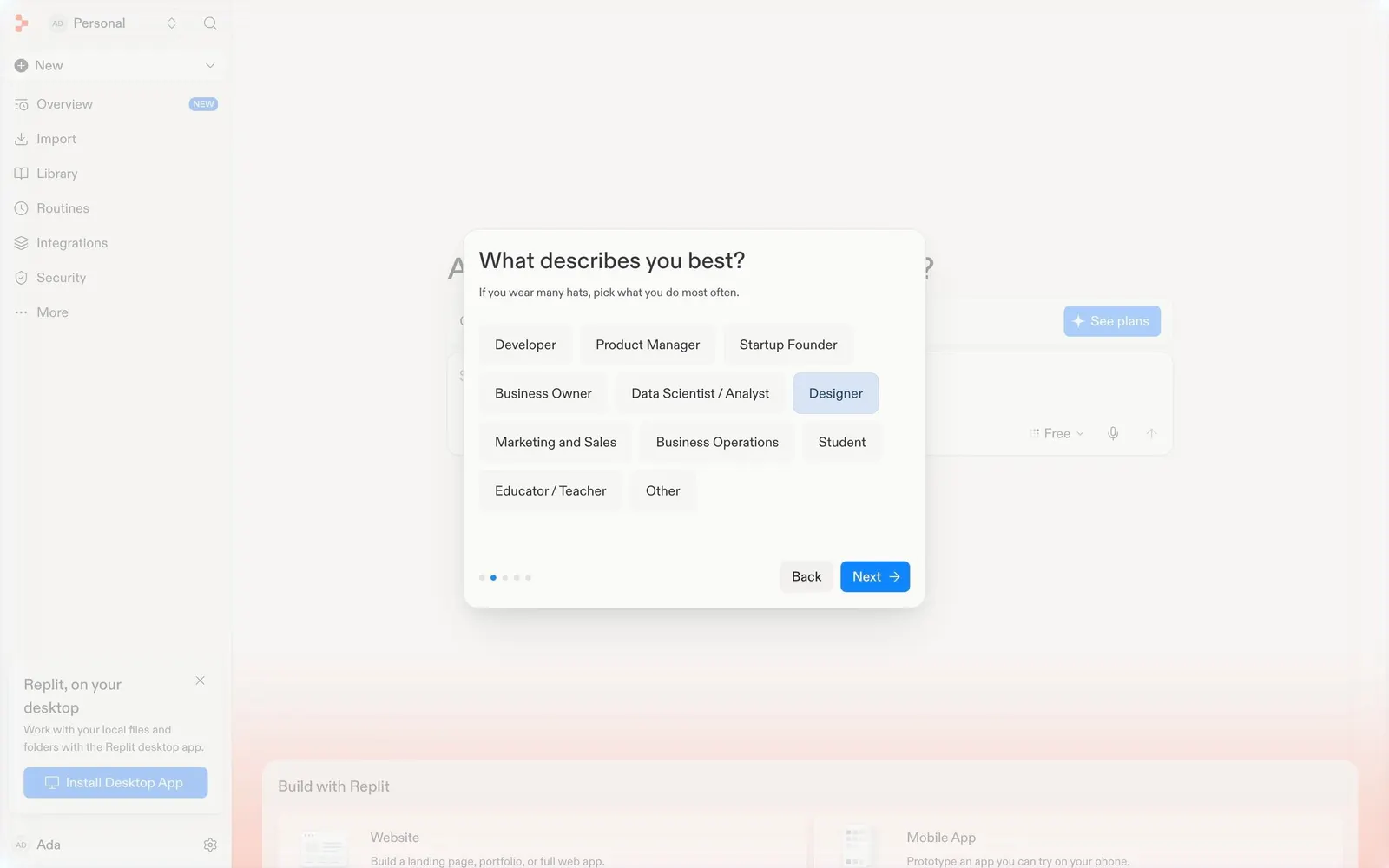
Replit onboards a new account in a five-step modal over the home page: username and name, phone verification, role, tools and a referral offer. A plan selection modal follows before the home prompt becomes available. The dialogs are warm off-white with dot pagination and one blue button per step.
Follow Replit’s onboarding flow step by step: 7 real screens captured from the live product, from onboarding account setup to home. Use ← → to move between steps, and open any screen to see it in full.