SaaSFrame

About this screen
Choose a campaign type first
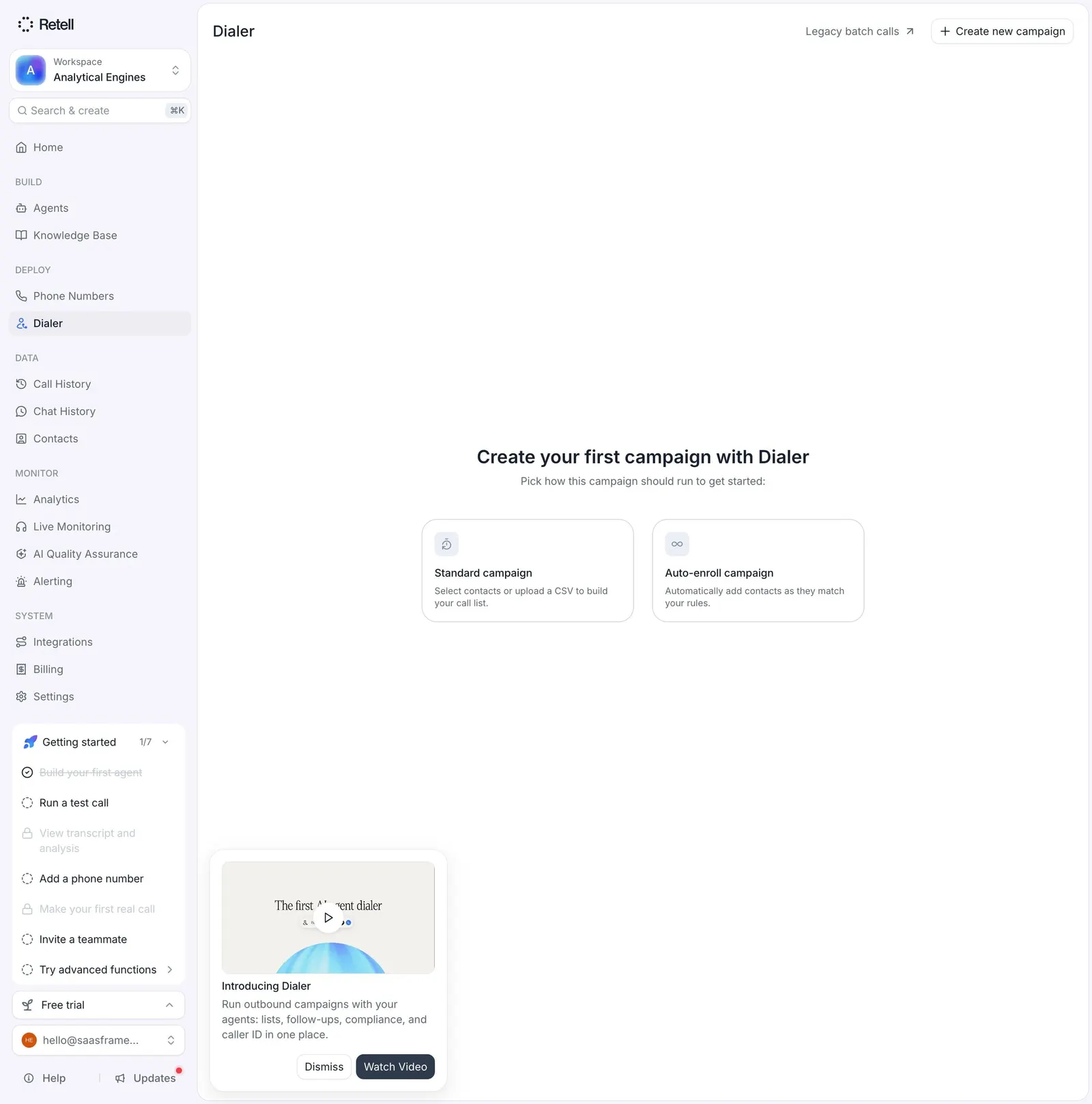
The Dialer opens with "Create your first campaign with Dialer - Pick how this campaign should run to get started" and two cards: "Standard campaign - Select contacts or upload a CSV to build your call list" and "Auto-enroll campaign - Automatically add contacts as they match your rules".
A feature card in the corner
A small "Introducing Dialer" card at the bottom left sums up the feature with a thumbnail and two buttons: Dismiss and Watch Video.
Legacy kept at hand
The header links to "Legacy batch calls" next to "Create new campaign".